Pakete, Repositories und App-Kategorien suchen

GitHub-Repositoryyashas-hm/day-night-themed-switcher

Tages-Nacht-Thema-Schalter

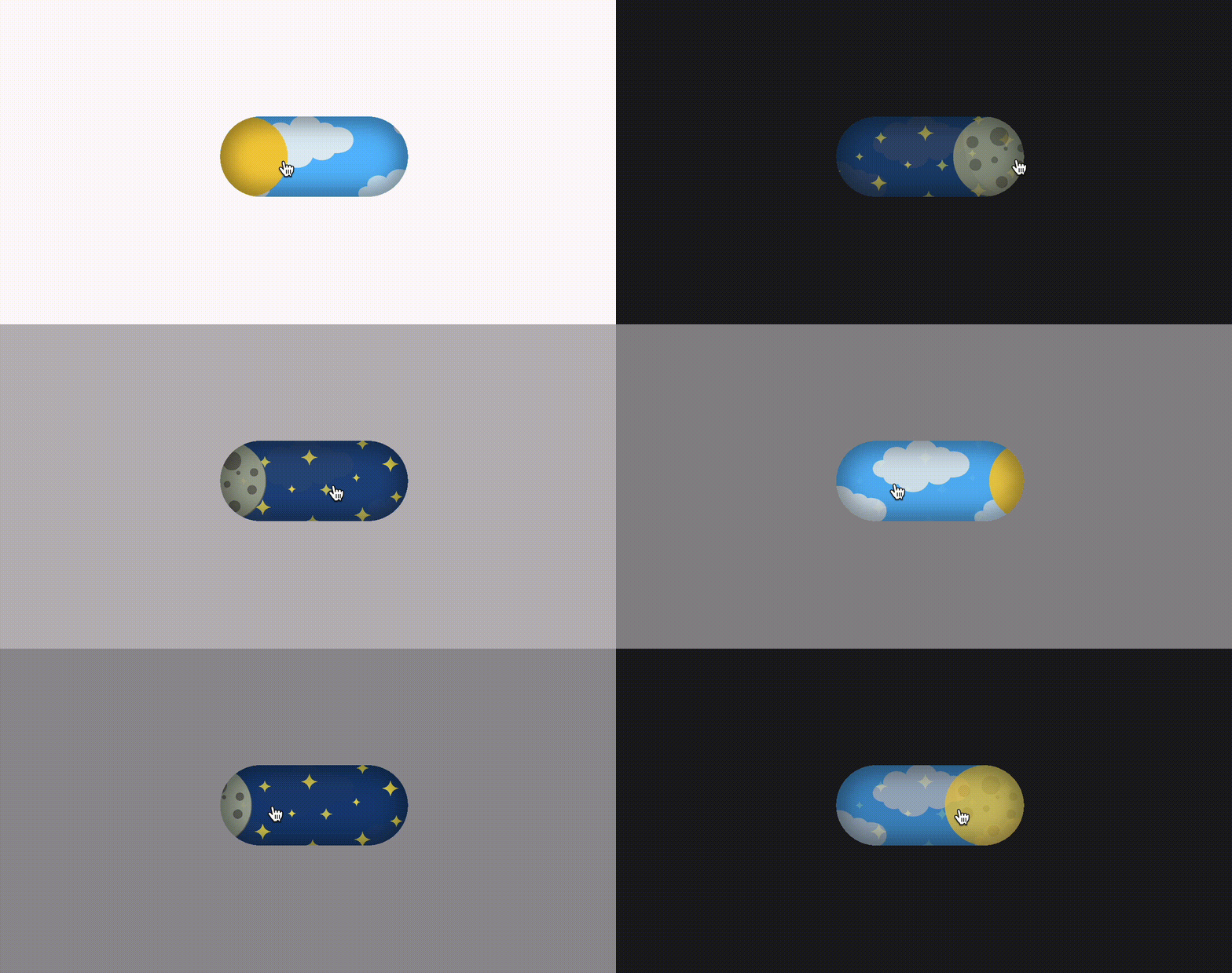
🎩✨ Steigern Sie den Charme Ihrer App mit einem schicken Tages-/Nacht-Schalter-Widget in reiner Dart – denn das Umschalten zwischen Hell und Dunkel sollte so mühelos sein wie ein Funke Magie! ✨🌗

Projektcover von Tages-Nacht-Thema-Schalter
Sterne
3
Forks
1
Letzter Push (UTC)
14.08.2026
Projektstatus
Aktiv

Original-README

Englischer Projektschnappschuss. Aktuelle Inhalte auf GitHub.

Day and Night Themed Switcher

Demo

🎩✨ Behold, the marvel of simplicity meets elegance: the day_night_themed_switcher crafted purely in Dart! 🌗 With this widget, you can seamlessly toggle between the luminous radiance of daytime and the captivating allure of nighttime, right at your fingertips.

This nifty little creation not only adds functionality but also sprinkles a touch of charm to your app interface. Let your users revel in the joy of effortlessly transitioning between light and dark modes with just a tap.

So, why settle for mundane when you can dazzle your users with the magic of day and night? Add this widget to your arsenal and watch as your app shines bright like a diamond, day or night! ✨🌞🌙

Show some ❤️ and ⭐️ the Repo

Resources:

How to Use?

Utilizing this Plugin is as smooth as a gentle breeze. Tailor your experience effortlessly with customizable parameters such as duration, initiallyDark, and size, allowing you to craft the perfect appearance and behavior to suit your needs. 🛠️💫

DayNightSwitch(
  // duration: Duration(milliseconds: 800),
  // initiallyDark: true,
  size: 20,onChange: (dark) => setState(() {
    if (dark) {
      theme = ThemeMode.dark;
    } else {
      theme = ThemeMode.light;
    }
  }),
);

Contributions

Yashas H Majmudar GitHub avatar
GitHub-Autor

Yashas H Majmudar ↗

📱 Full Stack Developer and Flutter sorcerer, weaving magic into mobile apps and web solutions. Developer by day and a Musician by night. 🎶

SprachenDart

Kategorien

Von diesem Repository veröffentlichte Pakete

Verwendete Abhängigkeiten

Abhängigkeiten 5 Einträge

Wie wähle ich ein passendes Repository?

Nach Anwendungsfall filtern, Aktivität vergleichen und vor der Nutzung das Originalprojekt prüfen.

  1. Nach Name, Autor oder Beschreibung suchen und nach Thema eingrenzen.
  2. Sterne, Forks und letzte Pushes vergleichen. Sterne zeigen Interesse, garantieren aber keine Qualität.
  3. Vor der Nutzung README, Lizenz und Issues auf GitHub prüfen.

Quellen und Pflege

“A repository is the most basic element of GitHub.”

GitHub Docs — About repositories ↗