
v1.1.4
let_log
LetLog ist ein Logger, der sowohl die Anzeige im IDE als auch in der App unterstützt und Log- und Netzwerkfunktionen bereitstellt.
37Likes 3030-Tage-Downloads40Pub-Punkte
Keine Plattformdaten
LetLog ist ein Flutter-Protokollsystem, das sowohl die Anzeige im IDE als auch in der App unterstützt und Protokolle sowie Netzwerk unterstützt
Englischer Projektschnappschuss. Aktuelle Inhalte auf GitHub.
LetLog is a logger that supports both IDE and in-app display, and supports log and network
API inspired by web
Example code
// log
Logger.log("this is log");

// debug
Logger.debug("this is debug", "this is debug message");

// warn
Logger.warn("this is warn", "this is a warning message");

// error
Logger.error("this is error", "this is a error message");

// test error
try {
  final test = {};
  test["test"]["test"] = 1;
} catch (a, e) {
  Logger.error(a, e);
}

// time test
Logger.time("timeTest");
Logger.endTime("timeTest");

// log net work
Logger.net(
  "api/user/getUser",
  data: {"user": "yung", "pass": "xxxxxx"},
);
Logger.endNet(
  "api/user/getUser",
  data: {
    "users": [
      {"id": 1, "name": "yung", "avatar": "xxx"},
      {"id": 2, "name": "yung2", "avatar": "xxx"}
    ]
  },
);

// log net work
Logger.net("ws/chat/getList", data: {"chanel": 1}, type: "Socket");
Logger.endNet(
  "ws/chat/getList",
  data: {
    "users": [
      {"id": 1, "name": "yung", "avatar": "xxx"},
      {"id": 2, "name": "yung2", "avatar": "xxx"}
    ]
  },
);

// clear log
// Logger.clear();
For a detailed example, please refer to here.
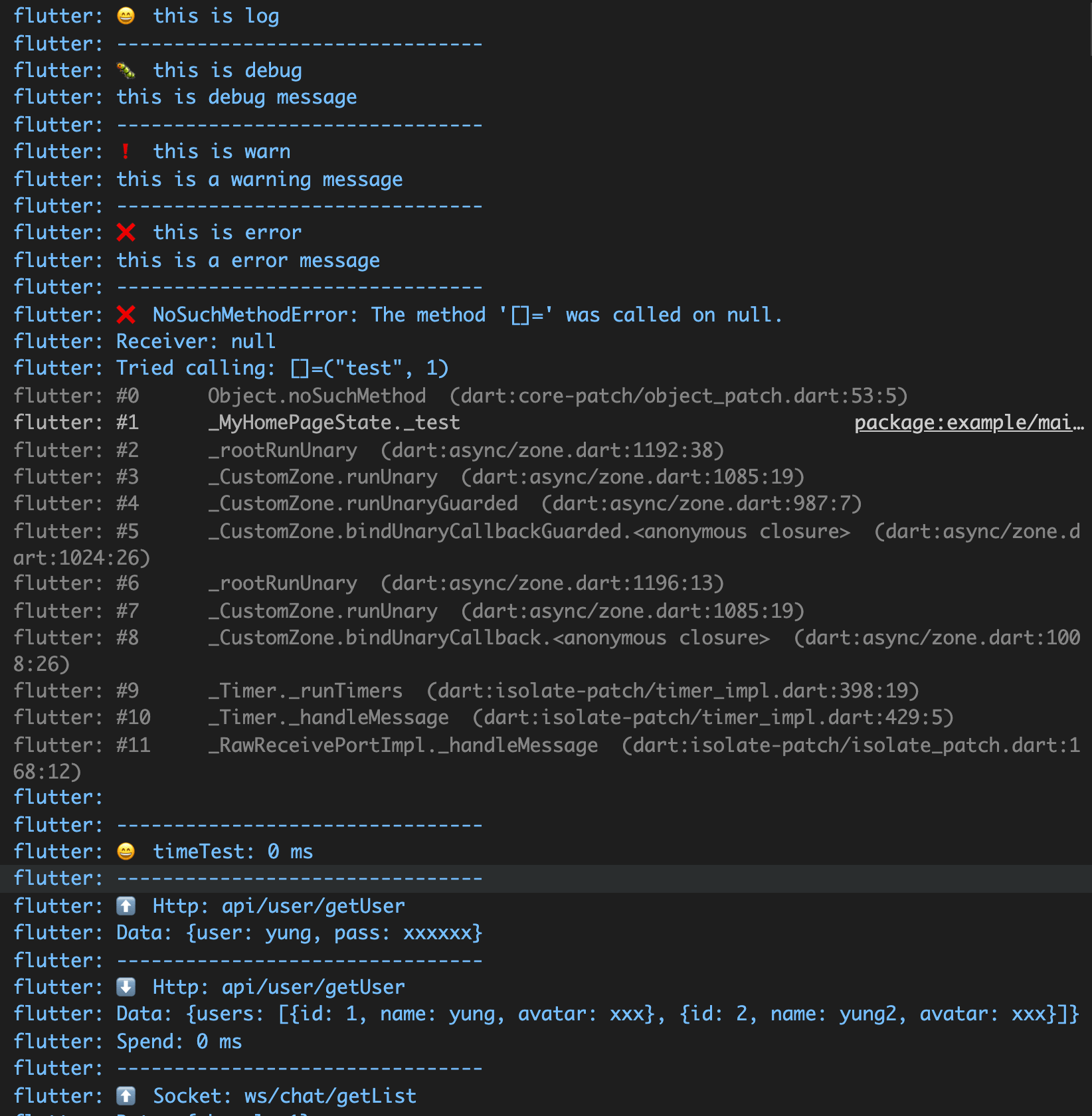
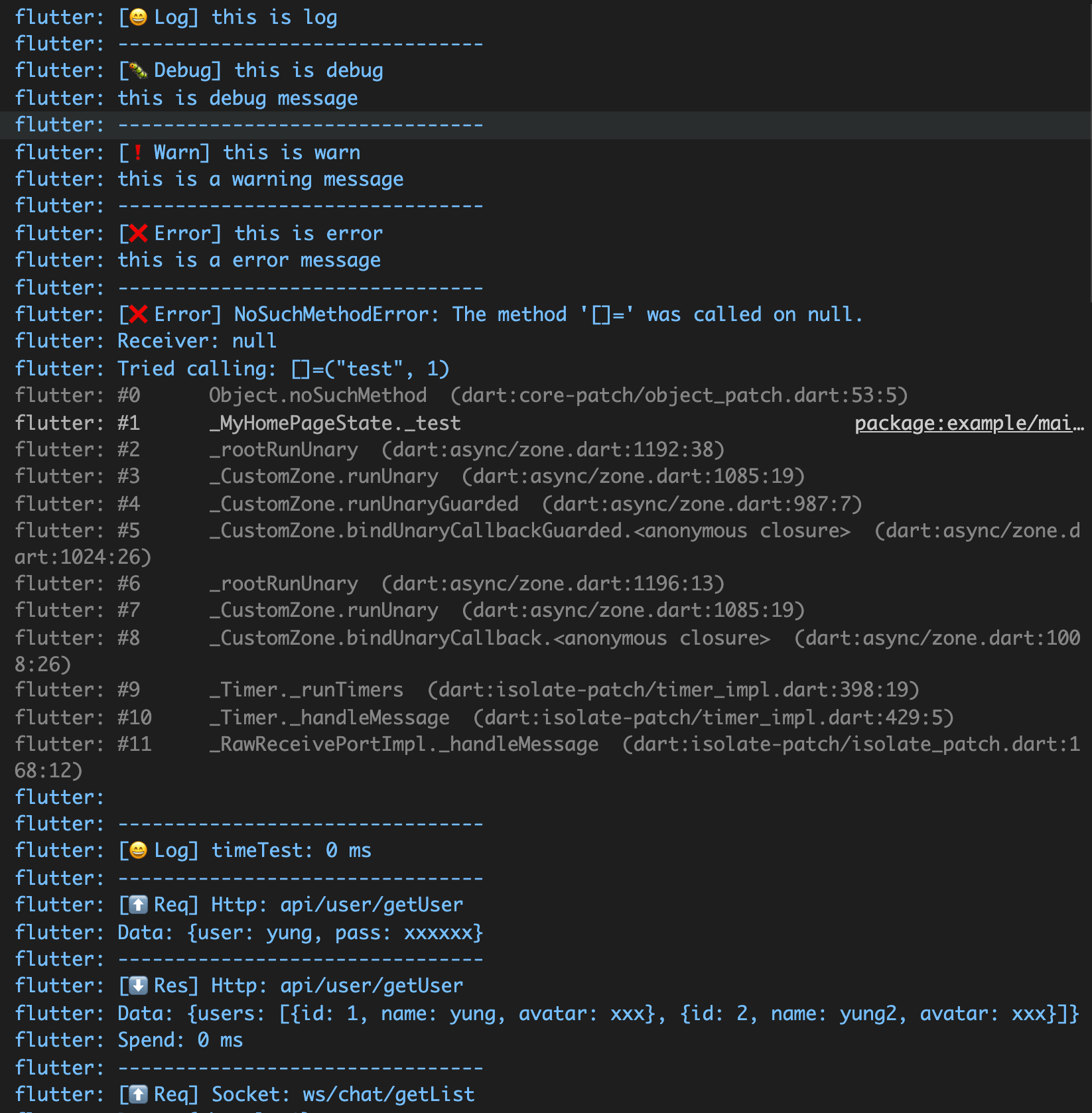
IDE Display results
Display logs in the app
Widget build(BuildContext context) {
  return Logger();
}
For a detailed example, please refer to here.
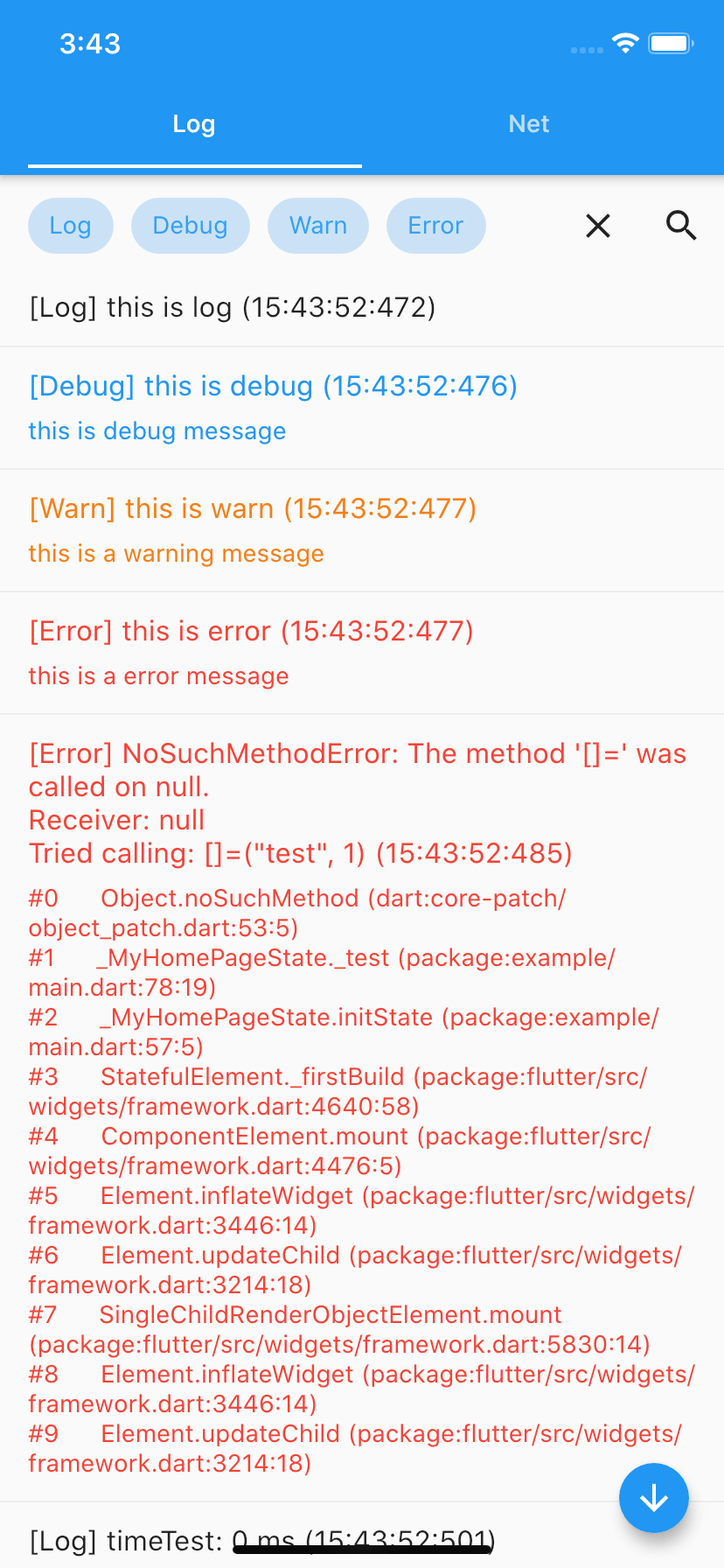
App log
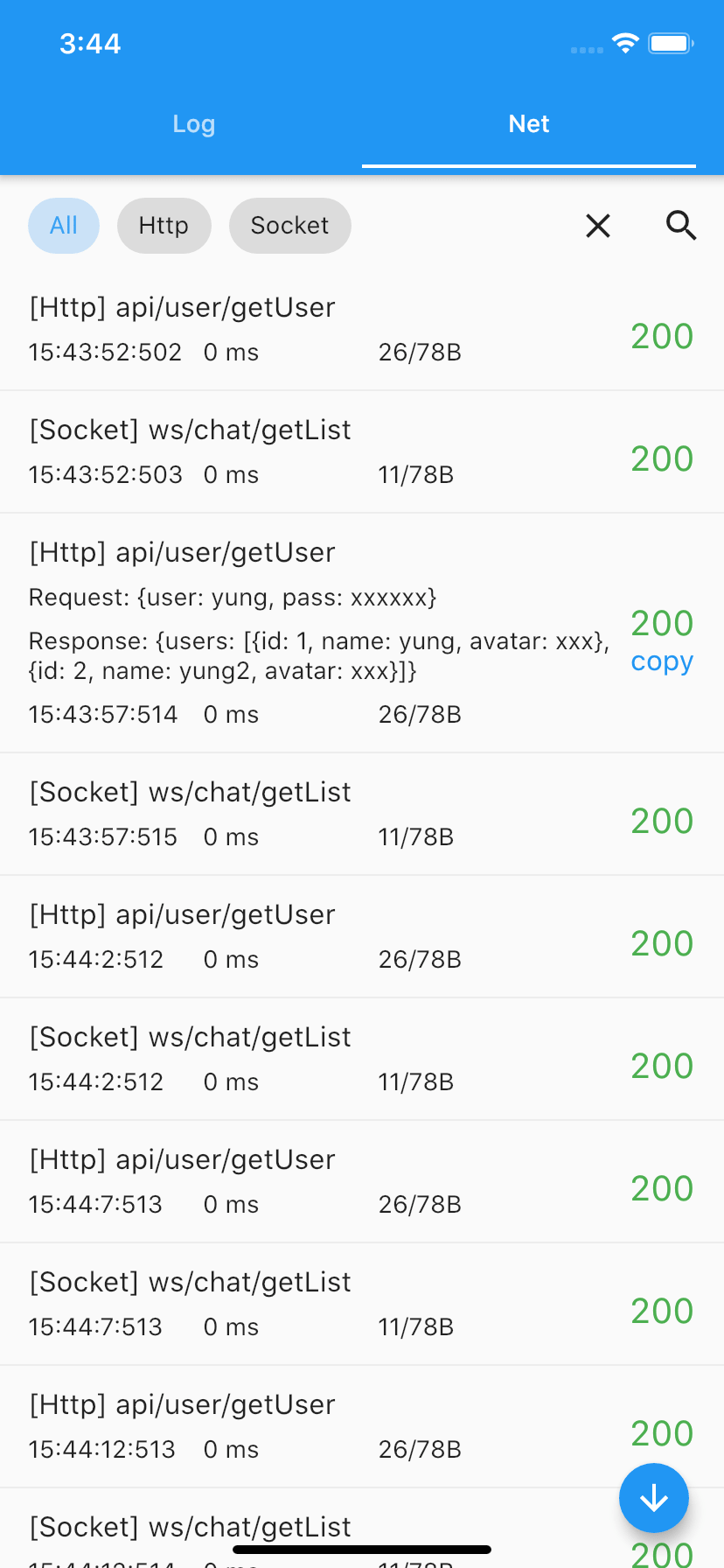
App network
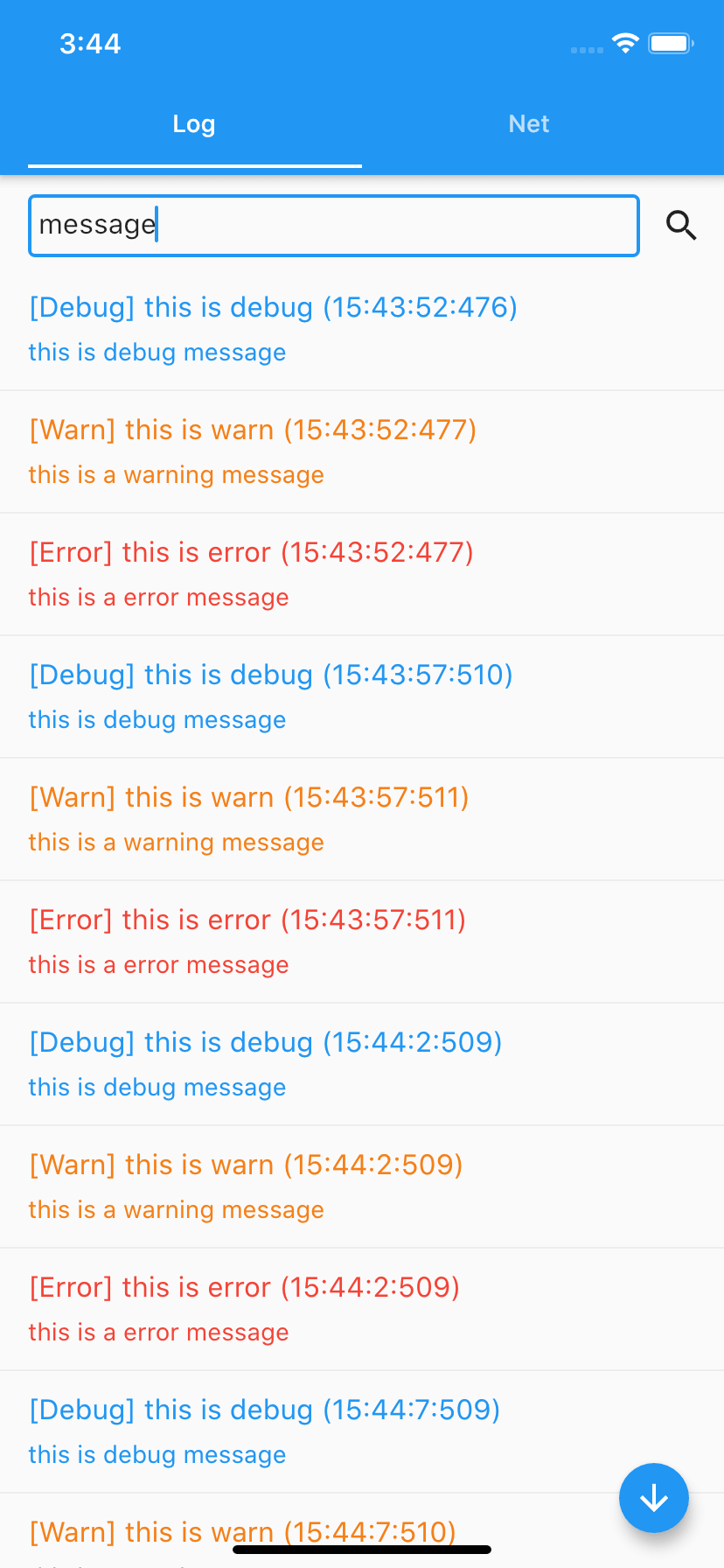
App search
Setting
Custom category names
// setting
Logger.enabled = false;
Logger.config.maxLimit = 50;
Logger.config.reverse = true;
Logger.config.printLog = false;
Logger.config.printNet = false;

// Set the names in ide print, can use emoji.
Logger.config.setPrintNames(
  log: "[😄Log]",
  debug: "[🐛Debug]",
  warn: "[❗Warn]",
  error: "[❌Error]",
  request: "[⬆️Req]",
  response: "[⬇️Res]",
);

// Set the names in the app, can use emoji.
Logger.config.setTabNames(
  log: "😄",
  debug: "🐛",
  warn: "❗",
  error: "❌",
  request: "⬆️",
  response: "⬇️",
);
Results:
[x] Support for both IDE printing and in-app presentation
[x] Also supports logging, error, time statistics, network and other information output.
[x] Interface imitates the web console class, providing log, debug, warn interface, error, time, endTime, net, endNet, etc.
[x] Support for filtering log content by category
[x] Support for filtering log content by keywords
[x] Support for copy log content
[x] Serves as both Http and Socket
[x] Statistics for network support packet size, duration
[x] Support for custom log category symbols, you can use emoji sentiment as a sort if you like.
[x] Multi-colored output logs within the app to make error logs more visible
[x] Support for automatic switching between black and white skin according to the app
[x] Support for some custom logging settings
If you like it, give it a star, thanks.

Abhängigkeiten 2 Einträge
{"sdk":"flutter"}^2.0.9Nach Anwendungsfall filtern, Aktivität vergleichen und vor der Nutzung das Originalprojekt prüfen.
“A repository is the most basic element of GitHub.”
GitHub Docs — About repositories ↗