English project snapshot. Visit GitHub for the latest content.
linkable
A Flutter widget to add links to your text. By default, the Text or RichText widgets render the
URLs in them as simple text which are not clickable. So, Linkable widget is a wrapper
over RichText which allows you to render links that can be clicked to redirect to the URL. That
means that a Linkable widget supports all the attributes of a RichText Widget.
Currently linkable supports the following types:
Web URL (https://www.github.com/anupkumarpanwar)
Emails (mailto:1anuppanwar@gmail.com)
Phone numbers (tel:+918968894728)
Note: You don't need to specify the URL scheme (mailto, tel etc). The widget will parse it
automatically.
Install
To install the package, add the following dependency to your pubspec.yaml
dependencies:linkable:^4.0.0url_launcher:^6.1.14
Android
Starting from API30 (Android 11), your Android app has to list all apps it interacts with.
The following is required in AndroidManifest.xml or links will fail to launch.
<manifest>
<!-- Nest within the manifest element, not the application element-->
<queries><intent><actionandroid:name="android.intent.action.VIEW" /><dataandroid:scheme="https" /></intent><intent><actionandroid:name="android.intent.action.DIAL" /><dataandroid:scheme="tel" /></intent><intent><actionandroid:name="android.intent.action.SEND" /><dataandroid:mimeType="*/*" /></intent></queries><application>
....
</application>
</manifest>
iOS
Add the LSApplicationQueriesSchemes entries in your Info.plist file.
import'package:linkable/linkable.dart';
Linkable(
text:
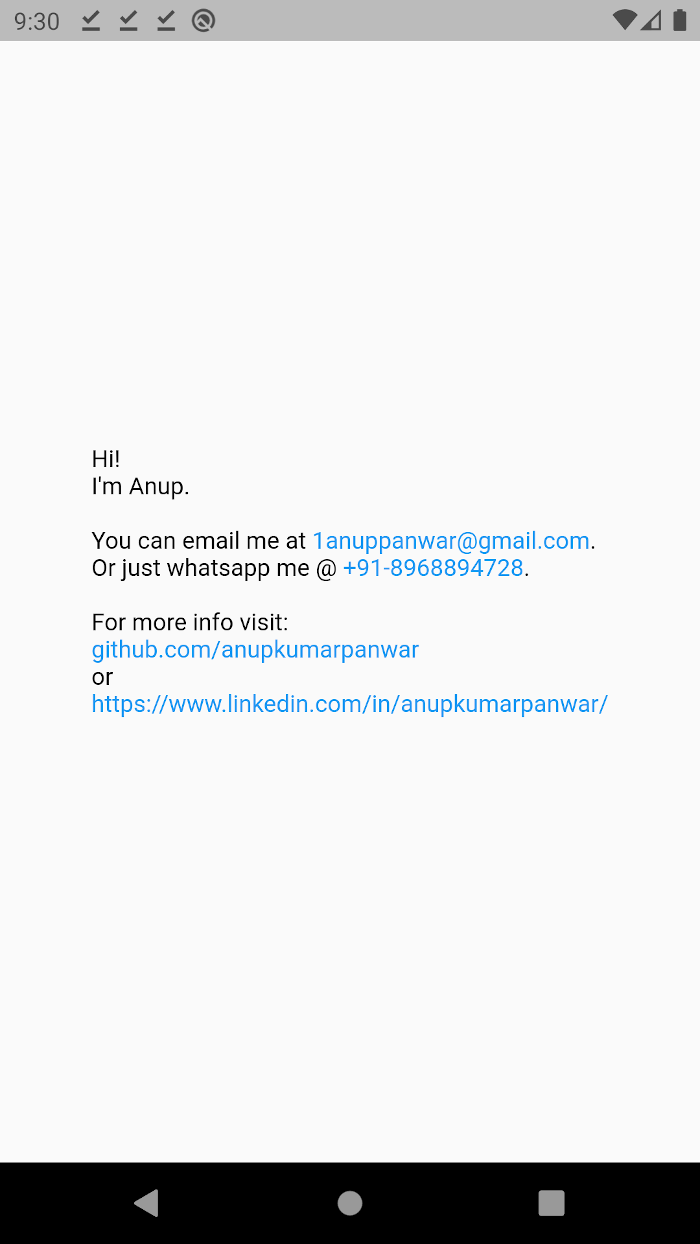
"Hi!\nI'm Anup.\n\nYou can email me at 1anuppanwar@gmail.com.\nOr just whatsapp me @ +91-8968894728.\n\nFor more info visit: \ngithub.com/anupkumarpanwar \nor\nhttps://www.linkedin.com/in/anupkumarpanwar/",
);
Attributes
Key
Description
text
The text to be displayed in the widget.
textColor
Color of the non-link text. (default: black)
linkColor
Color of the links. (default: blue)
style
TextStyle to be applied on the widget.
textAlign
TextAlign value. (default: TextAlign.start)
textDirection
Determines the order to lay children out horizontally.


 v4.0.0