
tcard
UNMAINTAINED - Tinder-like swipeable card widgets, ready to use!
View on GitHub ↗Archived

- Stars
- 148
- Forks
- 52
- Last push (UTC)
- Aug 14, 2023
- Project status
- Archived
Original README
English project snapshot. Visit GitHub for the latest content.
TCard
Tinder like cards.


Install
# pubspec.yaml
dependencies:
  tcard: ^1.3.5
Usage
Normal widget
List<Widget> cards = List.generate(
  5,
  (index) => Container(
    color: Colors.blue,
    child: Center(
      child: Text(
        '$index',
        style: TextStyle(fontSize: 60, color: Colors.white),
      ),
    ),
  ),
);

TCard(
  cards: cards,
)


Network image
List<String> images = [
  'https://gank.io/images/5ba77f3415b44f6c843af5e149443f94',
  'https://gank.io/images/02eb8ca3297f4931ab64b7ebd7b5b89c',
  'https://gank.io/images/31f92f7845f34f05bc10779a468c3c13',
  'https://gank.io/images/b0f73f9527694f44b523ff059d8a8841',
  'https://gank.io/images/1af9d69bc60242d7aa2e53125a4586ad',
];

List<Widget> cards = List.generate(
  images.length,
  (int index) {
    return Container(
      decoration: BoxDecoration(
        color: Colors.white,
        borderRadius: BorderRadius.circular(16.0),
        boxShadow: [
          BoxShadow(
            offset: Offset(0, 17),
            blurRadius: 23.0,
            spreadRadius: -13.0,
            color: Colors.black54,
          )
        ],
      ),
      child: ClipRRect(
        borderRadius: BorderRadius.circular(16.0),
        child: Image.network(
          images[index],
          fit: BoxFit.cover,
        ),
      ),
    );
  },
);

TCard(
  size: Size(400, 600),
  cards: cards,
);
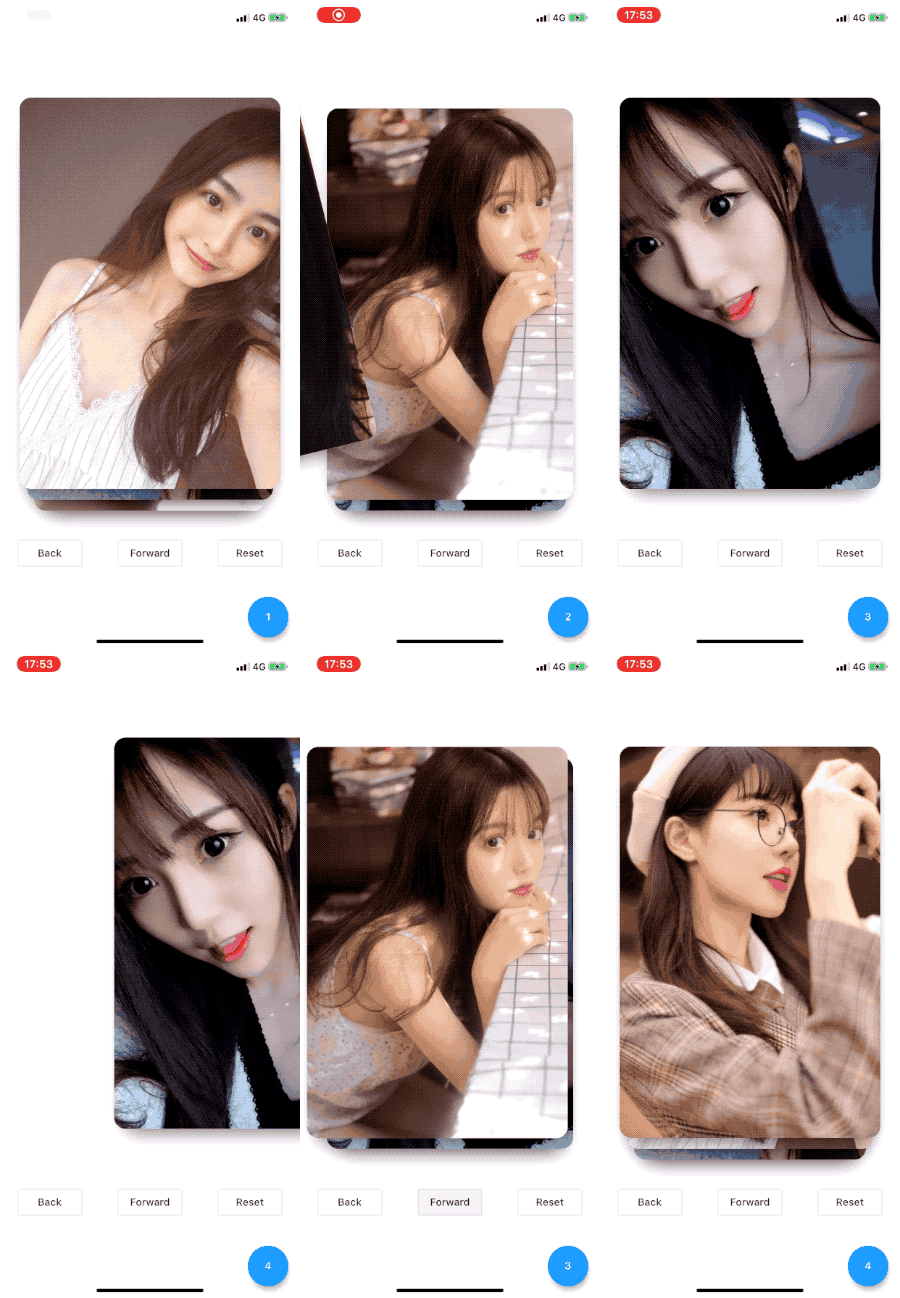
Image from gank.io
Use a controller to control
class MyApp extends StatefulWidget {
  @override
  _MyAppState createState() => _MyAppState();
}

class _MyAppState extends State<MyApp> {
  TCardController _controller = TCardController();

  @override
  Widget build(BuildContext context) {
    return MaterialApp(
      home: Scaffold(
        body: Column(
          mainAxisAlignment: MainAxisAlignment.center,
          children: [
            TCard(
              cards: cards,
              leftIcon: ElevatedButton( // the left icon on the card
                style: ElevatedButton.styleFrom(
                  fixedSize: Size(52, 52),
                  elevation: 0,
                  primary: Colors.red,
                  shape: CircleBorder(
                    side: BorderSide(width: 0, color: Colors.transparent),
                  ),
                ),
                onPressed: null,
                child: const Icon(
                  Icons.close,
                  color: Colors.black45,
                  size: 32,
                ),
              ),
              // the right icon if you want it.
              rightIcon: const Icon(
                Icons.favorite,
                color: Colors.pink,
                size: 32,
              ),
              size: Size(360, 480),
              controller: _controller,
              onForward: (index, info) {
                print(index);
                var offset = 3;
                if (index >= cards.length - offset) {
                  print('loading more...');
                  List<Widget> addCards = List.generate(
                    // generate or load more cards from your server
                  ).toList();
                  setState(() {
                    cards.addAll(addCards);
                  });
                  _controller.append(addCards);// append more cards
                }
              },
              onBack: (index, info) {
                print(index);
              },
              onEnd: () {
                print('end');
              },
            ),
            SizedBox(
              height: 40,
            ),
            Row(
              mainAxisAlignment: MainAxisAlignment.spaceAround,
              children: <Widget>[
                OutlineButton(
                  onPressed: () {
                    print(_controller);
                    _controller.back();
                  },
                  child: Text('Back'),
                ),
                OutlineButton(
                  onPressed: () {
                    _controller.reset();
                  },
                  child: Text('Reset'),
                ),
                OutlineButton(
                  onPressed: () {
                    _controller.forward();
                  },
                  child: Text('Forward'),
                ),
              ],
            ),
          ],
        ),
      ),
    );
  }
}
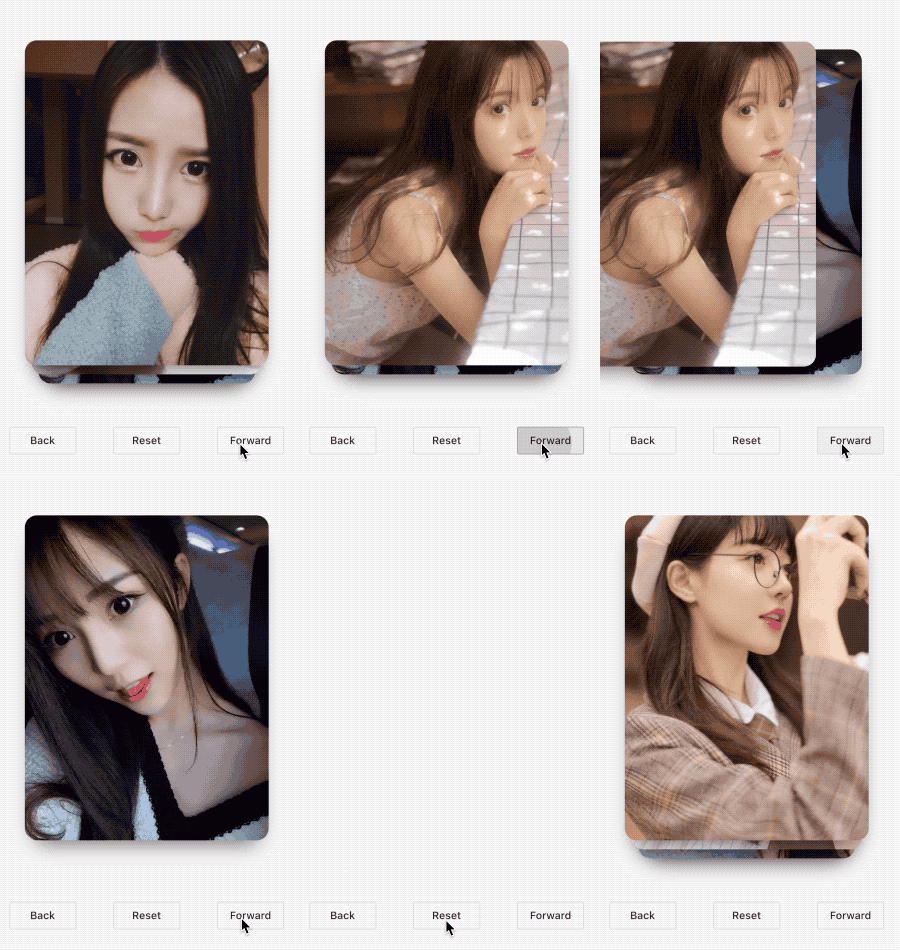
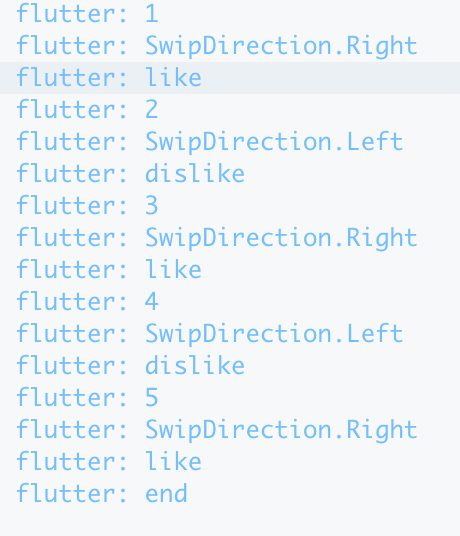
Determine the sliding direction
 TCard(
  cards: cards,
  size: Size(360, 480),
  controller: _controller,
  onForward: (index, info) {
    print(index);
    print(info.direction);
    if (info.direction == SwipeDirection.Right) {
      print('like');
    } else {
      print('dislike');
    }
  },
  onBack: (index, info) {
    print(index);
  },
  onEnd: () {
    print('end');
  },
)
Reset with new cards
List<Widget> newCards = [];

TCardController _controller = TCardController();

_controller.reset(cards: newCards);
Property
| property | type | default | description | required |
|---|---|---|---|---|
| cards | List<Widget> |
null |
Render cards | true |
| size | Size |
null |
Card size | false |
| controller | TCardController |
null |
Card controller | false |
| onForward | ForwardCallback |
null |
Forward animation callback | false |
| onBack | BackCallback |
null |
Back animation callback | false |
| onEnd | EndCallback |
null |
Forward end callback | false |
| lockYAxis | bool |
false |
Lock Y Axis Gesture | false |
| slideSpeed | double |
20 |
How quick should it be slided? less is slower. 10 is a bit slow. 20 is a quick enough. | false |
| delaySlideFor | int |
500 |
How long does it have to wait until the next slide is sliable? less is quicker. 100 is fast enough. 500 is a bit slow. | false |
| leftIcon | Widget |
null |
left icon on the card showing when swipe to right | false |
| rightIcon | Widget |
null |
right icon on the card showing when swipe to right | false |
Contribute
- Fork it (https://github.com/xrr2016/tcard.git)
- Create your feature branch (git checkout -b feature/foo)
- Commit your changes (git commit -am 'Add some foo')
- Push to the branch (git push origin feature/foo)
- Create a new Pull Request
License

GitHub author
Bruno Jurković ↗
LanguagesDart
Categories
Dependencies used
Dependency list 2 items
- flutter
{"sdk":"flutter"} - flutter_testDevelopment
{"sdk":"flutter"}
How do I choose a repository?
Start with your use case, compare repository activity, and check the original project before adopting it.
- Search by repository name, owner or description, then narrow the results by topic.
- Compare stars, forks and recent pushes. Stars show community interest, not a guarantee of quality.
- Read the README, license and issues on GitHub before using a project.
Sources and maintenance
“A repository is the most basic element of GitHub.”
GitHub Docs — About repositories ↗
- BrunoJurkovic/tcard · GitHub ↗
- GitHub Docs — Saving repositories with stars ↗
- Directory maintained by Ducafecat ↗