

 v2.3.2
fluttertagger
A Flutter package that allows for the extension of TextFields to provide tagging capabilities (user mentions, hashtags, etc).
96Likes 13.7K30-day downloads160Pub points
AndroidiOSWebmacOSWindowsLinux
A Flutter package that allows for the extension of TextFields to provide tagging capabilities (e.g @ user mentions and # hashtags).

English project snapshot. Visit GitHub for the latest content.




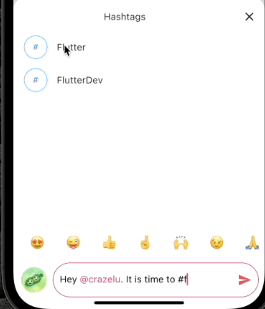
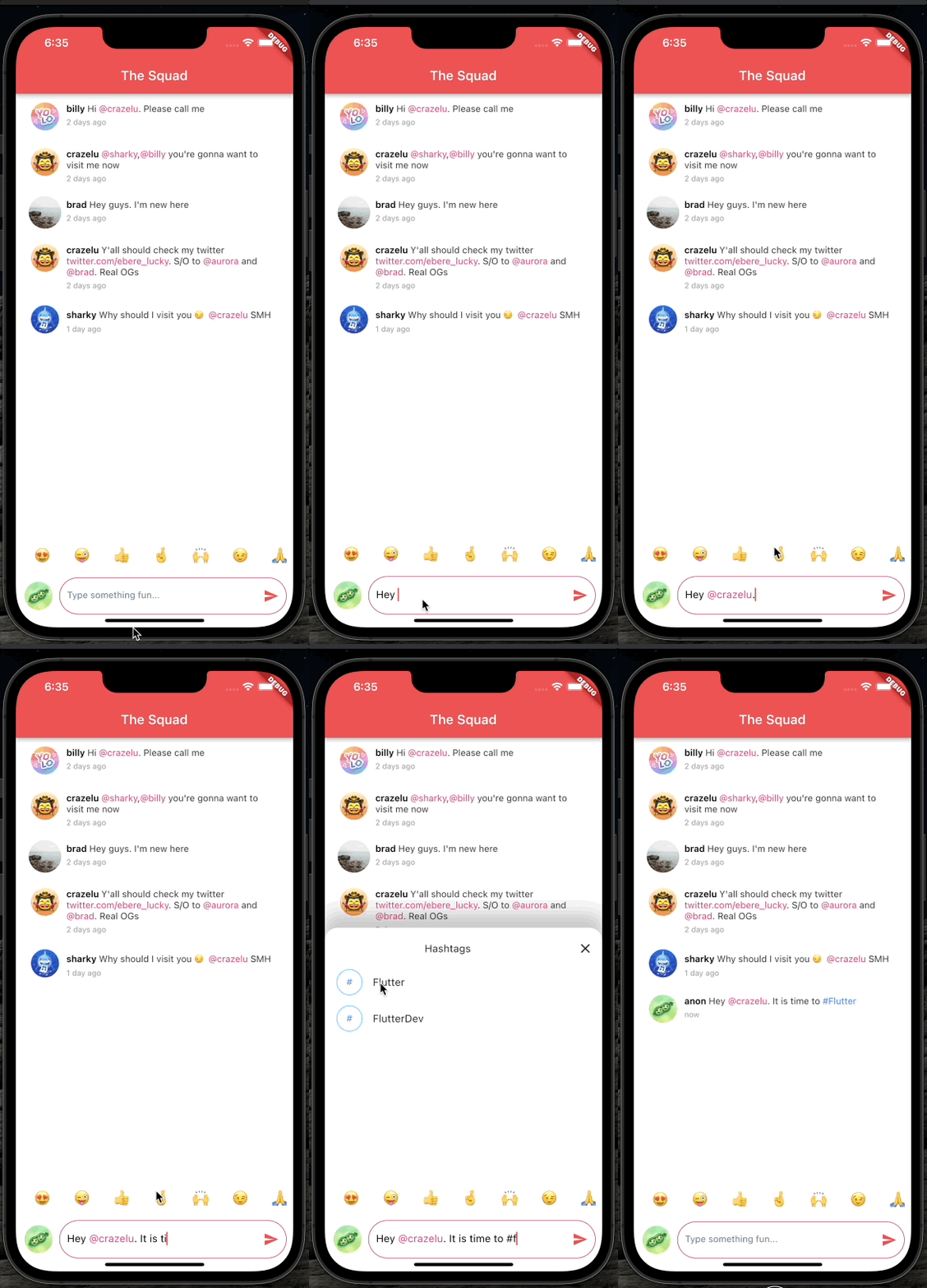
FlutterTagger is a Flutter package that allows for the extension of TextFields to provide tagging capabilities. A typical use case is in social apps where user mentions and hashtags features are desired.
In the pubspec.yaml of your flutter project, add the following dependency:
dependencies:
  fluttertagger: ^2.3.2
import 'package:fluttertagger/fluttertagger.dart';
FlutterTagger(
          controller: flutterTaggerController,
          onSearch: (query, triggerCharacter) {
              //perform search
          },
          //characters that can trigger a search and the styles
          //to be applied to their tagged results in the TextField
          triggerCharacterAndStyles: const {
            '@': TextStyle(color: Colors.pinkAccent),
            '#': TextStyle(color: Colors.blueAccent),
          },
          //this will cause the onSearch callback to be invoked
          //immediately a trigger character is detected.
          //The default behaviour defers the onSearch invocation
          //until a searchable character has been entered after
          //the trigger character.
          triggerStrategy: TriggerStrategy.eager,
          overlay: SearchResultView(),
          builder: (context, textFieldKey) {
              //return a TextField and pass it `textFieldKey`
              return TextField(
                    key: textFieldKey,
                    controller: flutterTaggerController,
                    suffix: IconButton(
                      onPressed: () {
                        //get formatted text from controller
                        final text = flutterTaggerController.formattedText;

                        //perform send action...

                        FocusScope.of(context).unfocus();
                        flutterTaggerController.clear();
                      },
                    icon: const Icon(
                      Icons.send,
                      color: Colors.redAccent,
                    ),
                  ),
                );
          },
        )
Here's how trigger a search by updating the controller directly instead of typing into a keyboard:
FlutterTagger(
          controller: flutterTaggerController,
          onSearch: (query, triggerCharacter) {
              //perform search
          },
          //characters that can trigger a search and the styles
          //to be applied to their tagged results in the TextField
          triggerCharacterAndStyles: const {
            '@': TextStyle(color: Colors.pinkAccent),
            '#': TextStyle(color: Colors.blueAccent),
          },
          overlay: SearchResultView(),
          builder: (context, textFieldKey) {
              // return a TextField and pass it `textFieldKey`
              return TextField(
                    key: textFieldKey,
                    controller: flutterTaggerController,
                    suffix: IconButton(
                      onPressed: () {
                        // get formatted text from controller
                        String text = flutterTaggerController.formattedText;

                        // append a trigger character to activate the search context
                        flutterTaggerController.text = text += '#';

                        // update text selection
                        flutterTaggerController.selection = TextSelection.fromPosition(
                          TextPosition(offset: flutterTaggerController.text.length),
                        );

                        // append other characters to trigger search
                        flutterTaggerController.text = text += 'f';

                        // update text selection
                        flutterTaggerController.selection = TextSelection.fromPosition(
                          TextPosition(offset: flutterTaggerController.text.length),
                        );

                        // then call formatTags on the controller to preserve formatting
                        flutterTaggerController.formatTags();
                      },
                    icon: const Icon(
                      Icons.send,
                      color: Colors.redAccent,
                    ),
                  ),
                );
          },
        )
Explore detailed example demo here.
Feel free to contribute to this project.
If you find a bug or want a feature, but don't know how to fix/implement it, please fill an issue.
If you fixed a bug or implemented a feature, please send a pull request.
Dependency list 3 items
{"sdk":"flutter"}^2.0.0{"sdk":"flutter"}Start with your use case, compare repository activity, and check the original project before adopting it.
“A repository is the most basic element of GitHub.”
GitHub Docs — About repositories ↗