

 v2.0.0
shelf_swagger_ui
Present clean and professional documentation with Swagger + shelf.
85Likes 2.1K30-day downloads145Pub points
AndroidiOSmacOSWindowsLinux
Swagger UI plugin for Shelf

English project snapshot. Visit GitHub for the latest content.
Present, clean and professional documentation with Swagger + shelf;
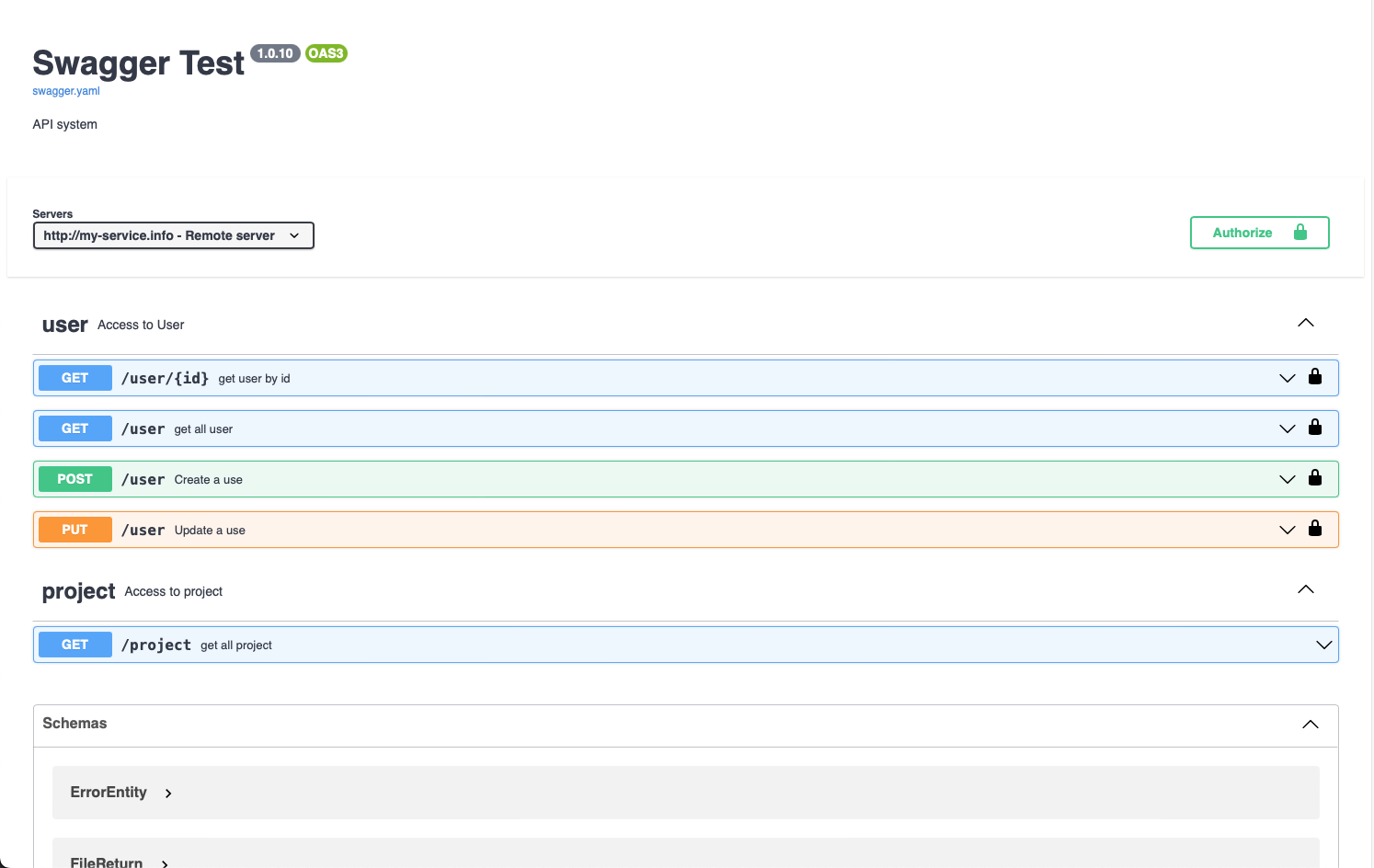
Get a YAML or JSON schema file. Ex: (specs/swagger.yaml)
openapi: 3.0.0
info:
  description: "API system"
  version: "1.0.10"
  title: "Swagger Test"
servers:
  - url: http://my-service.info
    description: Remote server
tags:
- name: "user"
  description: "Access to User"
Configure the handler with Shelf:
import 'package:shelf/shelf_io.dart' as io;
import 'package:shelf_swagger_ui/shelf_swagger_ui.dart';

void main(List<String> args) async {
  final path = 'specs/swagger.yaml';
  final handler = SwaggerUI.fromFile(File(path), title: 'Swagger Test');
  var server = await io.serve(handler, '0.0.0.0', 4001);
  print('Serving at http://${server.address.host}:${server.port}');
}
That`s it!
Dependency list 5 items
>=4.0.0 <5.0.0>=1.0.2 <2.0.0>=1.8.2 <2.0.0>=1.3.1 <2.0.0>=3.1.1 <4.0.0Start with your use case, compare repository activity, and check the original project before adopting it.
“A repository is the most basic element of GitHub.”
GitHub Docs — About repositories ↗