
flutter-login-home-animation
GeekyAnts/flutter-login-home-animation open-source repository details.
- Stars
- 1.3K
- Forks
- 273
- Last push (UTC)
- Jan 31, 2026
- Project status
- Active
Original README
English project snapshot. Visit GitHub for the latest content.
Flutter Login Home Animation
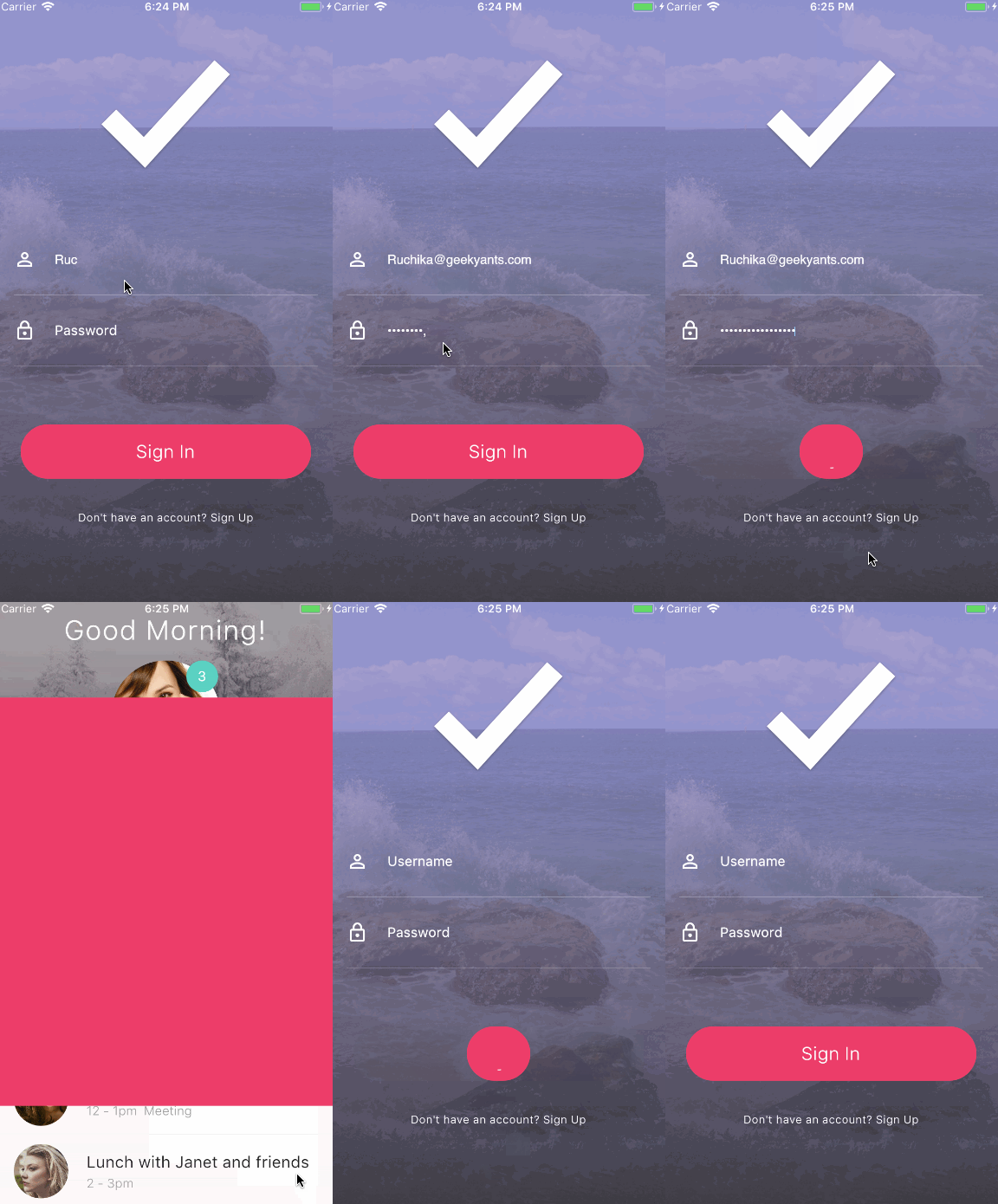
A new open-source Flutter project that enables the developer to quickly get started with the Flutter animation and application development. Here’s a GIF that shows a Flutter app that I created. It is a rebuild version of a UI design that I came across on Dribbble.
This project contains the basic features of Flutter Animation that are required to build an amazing Flutter application.
You can also checkout the flow of animation and steps to design it briefly at our medium article Flutter Login Animation
Demo
About
This Flutter animation example is created by GeekyAnts, showcasing beautiful UI animations for login screens.
Flutter Development Services
Looking to build stunning Flutter applications? GeekyAnts offers:
- Flutter App Development - Cross-platform apps with native performance
- Mobile Engineering - Complete mobile solutions
- UI/UX Design - Creating delightful user experiences
Getting Started
Note: Make sure your Flutter environment is setup.
Installation
In the command terminal, run the following commands:
$ git clone https://github.com/GeekyAnts/flutter-login-home-animation/tree/master/
$ cd Flutter-LoginAnimation/dribbbledanimation
$ flutter run
Simulate for iOS
Method One
Open the project in Xcode from ios/Runner.xcodeproj.
Hit the play button.
Method Two
Run the following command in your terminal.
$ open -a Simulator
$ flutter run
Simulate for Android
Make sure you have an Android emulator installed and running.
Run the following command in your terminal.
$ flutter run
Check out Flutter’s online documentation for help getting start with your Flutter Animation project.

GeekyAnts India Pvt Ltd ↗
Rankings
How do I choose a repository?
Start with your use case, compare repository activity, and check the original project before adopting it.
- Search by repository name, owner or description, then narrow the results by topic.
- Compare stars, forks and recent pushes. Stars show community interest, not a guarantee of quality.
- Read the README, license and issues on GitHub before using a project.
Sources and maintenance
“A repository is the most basic element of GitHub.”
GitHub Docs — About repositories ↗