

 v1.0.1
pretty_gauge
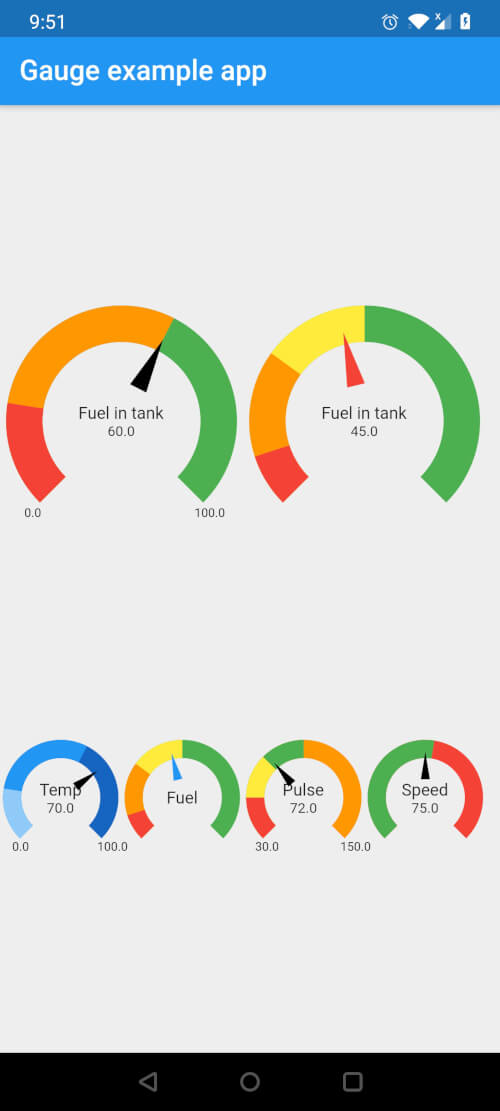
Fully customizable Gauge widget for Flutter with options for multiple segments, colors and customizable styling for displaying current value and text
22Likes 3.7K30-day downloads150Pub points
AndroidiOSWebmacOSWindowsLinux
A Flutter package to customize Gauges with options for multiple segments, colors and customizable styling for displaying current value and text.

English project snapshot. Visit GitHub for the latest content.
Fully customizable Gauge widget for Flutter

In your pubspec.yaml, add the following dependency
dependencies:
  pretty_gauge: 1.0.0
import 'package:pretty_gauge/pretty_gauge.dart';

PrettyGauge(
    gaugeSize: 200,
    segments: [
        GaugeSegment('Low', 20, Colors.red),
        GaugeSegment('Medium', 40, Colors.orange),
        GaugeSegment('High', 40, Colors.green),
    ],
    currentValue: 46,
    displayWidget: Text('Fuel in tank', style: TextStyle(fontSize: 12)),
),
This project is licensed under the BSD 2-Clause license - see the LICENSE file for details
Dependency list 2 items
{"sdk":"flutter"}{"sdk":"flutter"}Start with your use case, compare repository activity, and check the original project before adopting it.
“A repository is the most basic element of GitHub.”
GitHub Docs — About repositories ↗