
flutter_map_picker
Pick address or area from google map

- Stars
- 3
- Forks
- 8
- Last push (UTC)
- Jan 20, 2021
- Project status
- Active
Original README
English project snapshot. Visit GitHub for the latest content.
flutter_map_picker
Pick an area or a place on google maps
Getting Started
Follow the steps to integrate Google Maps (https://pub.dev/packages/google_maps_flutter)
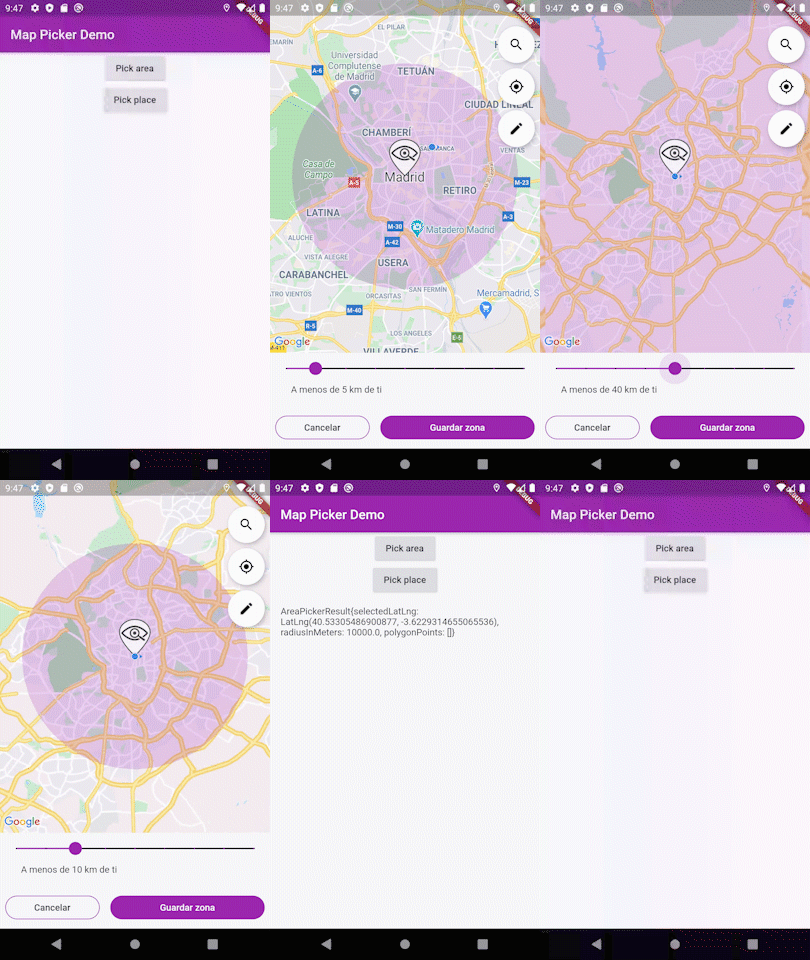
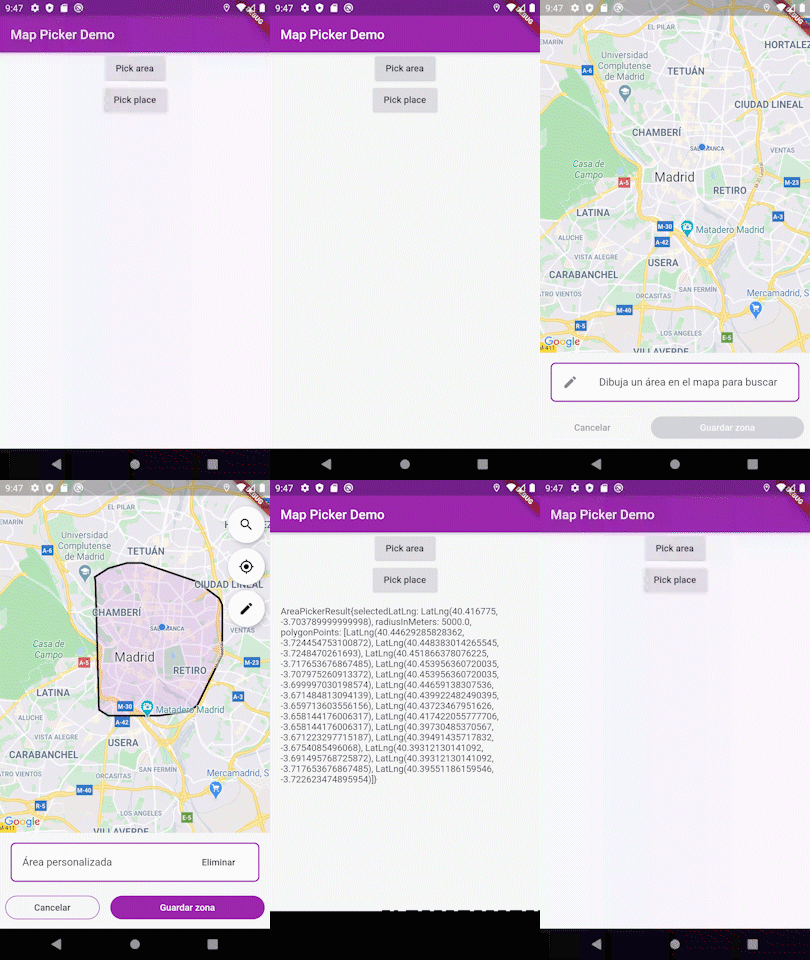
Pick area
AreaPickerResult pickerResult = await Navigator.push(context, MaterialPageRoute(builder: (context) =>  AreaPickerScreen(
        googlePlacesApiKey: GOOGLE_PLACES_API_KEY,
        initialPosition: DEFAULT_LAT_LNG,
        mainColor: Colors.purple,
        mapStrings: MapPickerStrings.spanish(),
        placeAutoCompleteLanguage: 'es',
        markerAsset: 'assets/images/icon_look_area.png',
      )));
Pick address
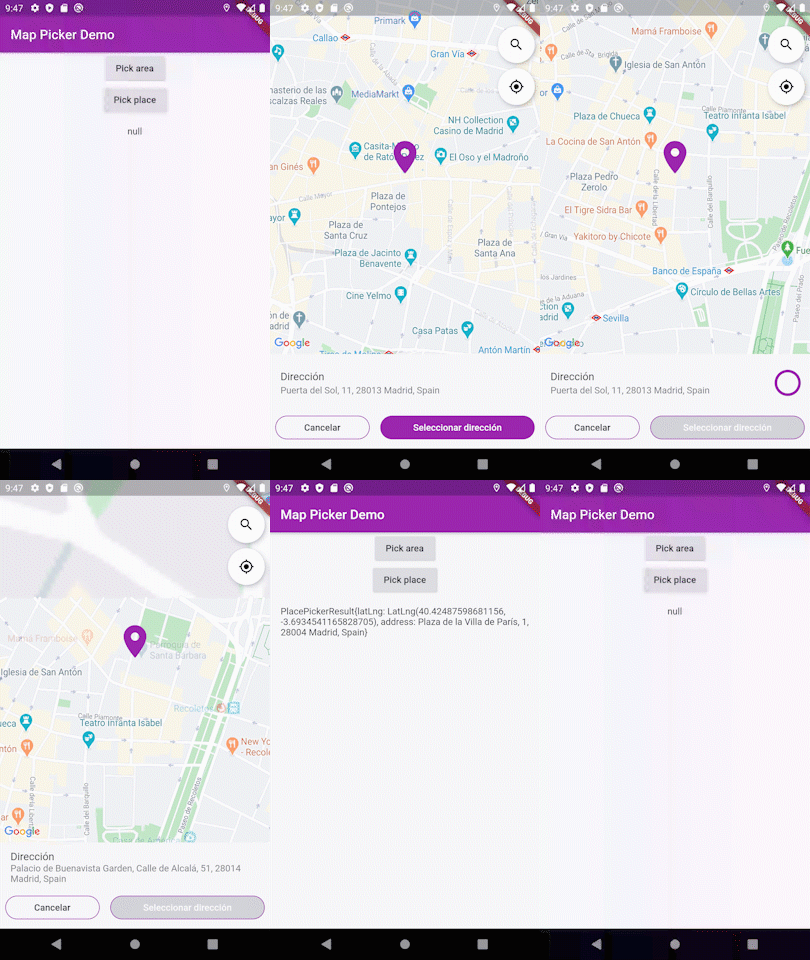
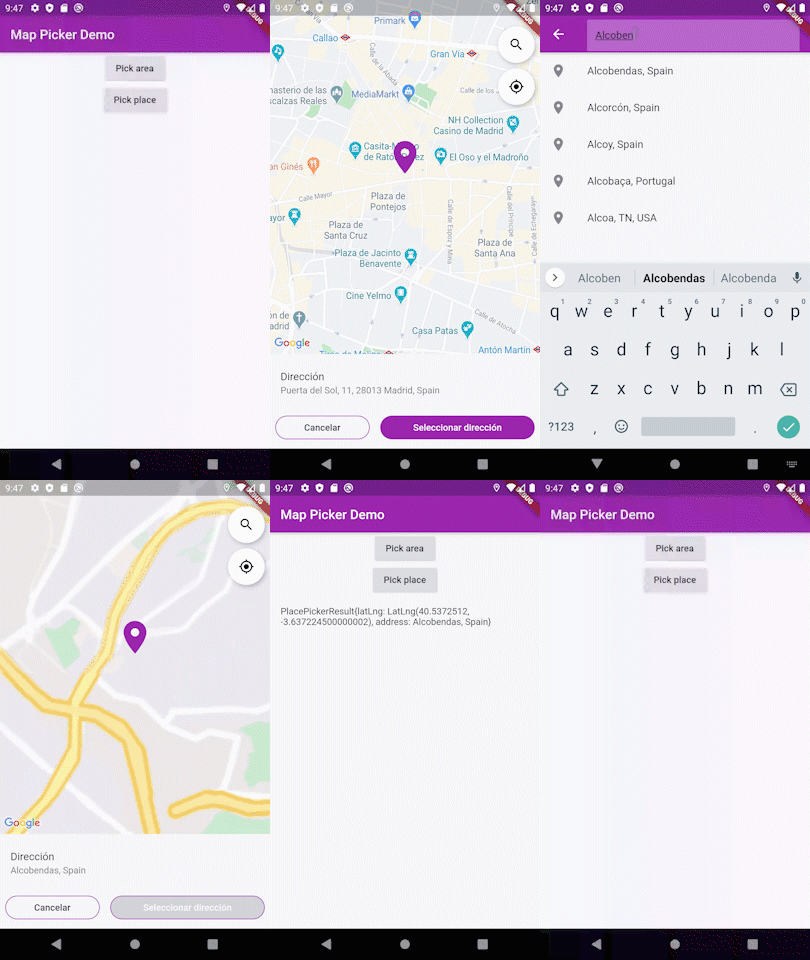
PlacePickerResult pickerResult = await Navigator.push(context, MaterialPageRoute(builder: (context) =>  PlacePickerScreen(
        googlePlacesApiKey: GOOGLE_PLACES_API_KEY,
        initialPosition: DEFAULT_LAT_LNG,
        mainColor: Colors.purple,
        mapStrings: MapPickerStrings.spanish(),
        placeAutoCompleteLanguage: 'es',
      )));

GitHub author
Luis Barba ↗
LanguagesDartJavaSwiftObjective-C
Dependencies used
Dependency list 7 items
- flutter
{"sdk":"flutter"} - flutter_google_places
^0.2.4 - google_maps_flutter
^0.5.25 - google_maps_utils
^1.2.0+3 - location
^3.0.1 - geocoder
^0.2.1 - flutter_testDevelopment
{"sdk":"flutter"}
How do I choose a repository?
Start with your use case, compare repository activity, and check the original project before adopting it.
- Search by repository name, owner or description, then narrow the results by topic.
- Compare stars, forks and recent pushes. Stars show community interest, not a guarantee of quality.
- Read the README, license and issues on GitHub before using a project.
Sources and maintenance
“A repository is the most basic element of GitHub.”
GitHub Docs — About repositories ↗