

 v2.0.0
touch_indicator
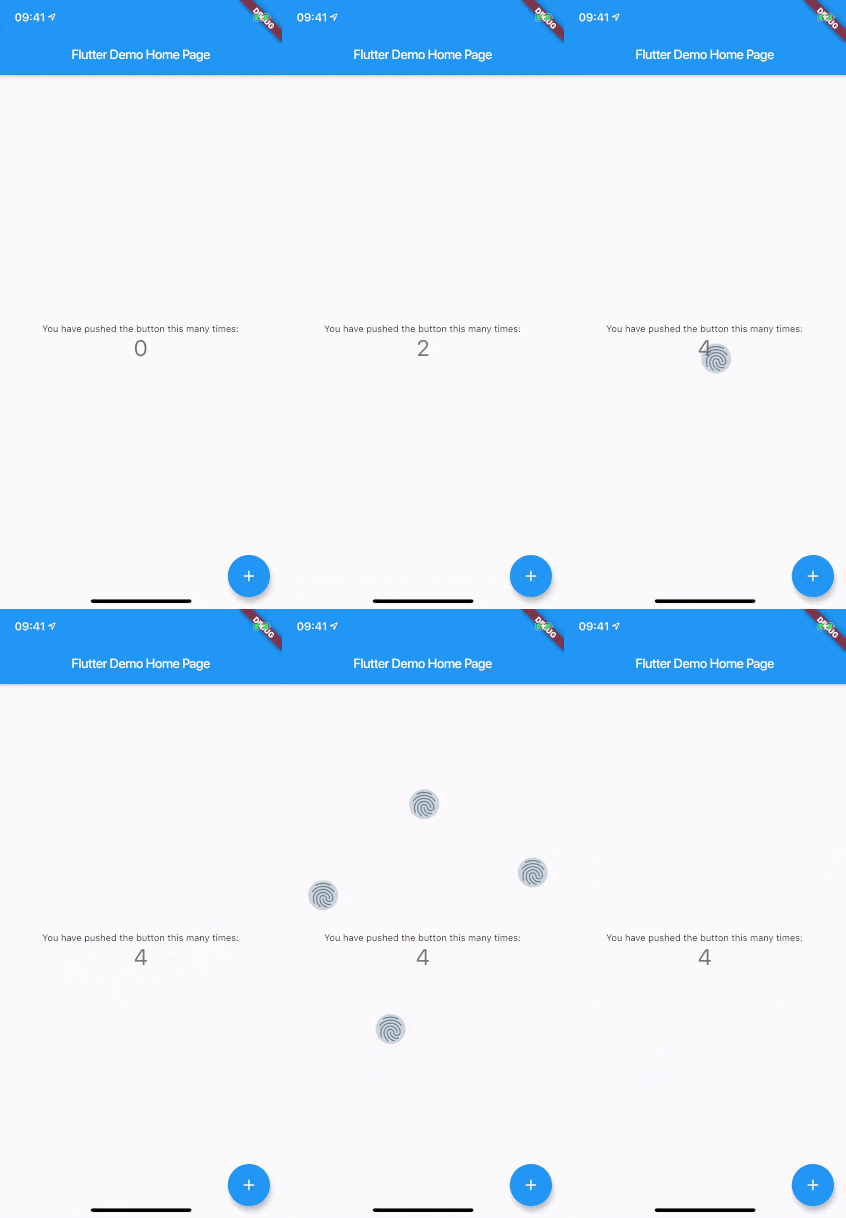
Show up to 5 touch indicators where you touch the screen. Useful when giving a demo for an audience or when recording your app.
57Likes 12.8K30-day downloads150Pub points
AndroidiOSWebmacOSWindowsLinux
Flutter plugin to show consistent touch indicators on iOS and Android while screencasting or recording videos

English project snapshot. Visit GitHub for the latest content.
When you are recording a screencast of your app, you often want to give visual indication of where your fingers are touching the screen. Showing that on Android is easy. On iOS it's less intuitive. touch_indicator makes it easier and consistent on both platforms.
You add this widget as the main widget where you want to display user touches. Usually this will be the direct child of your MaterialApp. It will show an indicator on every touching finger and is completely customizable.
Add the plugin to your pubspec.yaml:
dependencies:
  touch_indicator: ^2.0.0
Import the package in your Dart code:
import 'package:touch_indicator/touch_indicator.dart';
Wrap all routes in your app in the TouchIndicator widget:
class MyApp extends StatelessWidget {
  MaterialApp(
    title: 'Touch indicator example',
    builder: (context, child) => TouchIndicator(child: child!),
    home: MyHomePage(title: 'Flutter Demo Home Page'),
  );
}
Changes the color of the backdrop and icon. Default is Colors.blueGrey.
Changes the size of the indicator. Default is 40.0.
By adding a Widget here, you can change the complete look of the touch indicators. Make sure to supply a proper indicatorSize in order for the indicators to be positioned at the center of your touchpoints.
When you want to show indicators when the app is running in release mode, make sure to enable this option. Default is false.
You can enable or disable display of the indicators on the fly with this option. Default is true.
Dependency list 3 items
{"sdk":"flutter"}{"sdk":"flutter"}^1.4.0Start with your use case, compare repository activity, and check the original project before adopting it.
“A repository is the most basic element of GitHub.”
GitHub Docs — About repositories ↗