

v12.0.7
util_simple_3d
Utility for Sp3dObj. Includes 3D geometry generation utility and more.
28Likes 18530-day downloads160Pub points
AndroidiOSWebmacOSWindowsLinux
Utility for Sp3dObj.

English project snapshot. Visit GitHub for the latest content.
(en)Japanese ver is here.
(ja)日本語版はここにあります。
This package is a set of utilities for Sp3dObj (simple_3d package). It currently includes utilities that make it easy to generate geometry and a simple set of materials.
import 'package:simple_3d/simple_3d.dart';
import 'package:util_simple_3d/util_simple_3d.dart';

Sp3dObj obj = UtilSp3dGeometry.capsule(50, 250);
import 'package:simple_3d/simple_3d.dart';
import 'package:util_simple_3d/util_simple_3d.dart';

Sp3dObj obj = UtilSp3dGeometry.cube(200,200,200,4,4,4);
obj.materials.add(FSp3dMaterial.green.deepCopy());
obj.fragments[0].faces[0].materialIndex=1;
Sp3dObj obj = UtilSp3dGeometry.tile(200, 200, 4, 4);
obj.materials[0] = FSp3dMaterial.grey.deepCopy()..strokeColor=Color.fromARGB(255, 0, 255, 0);
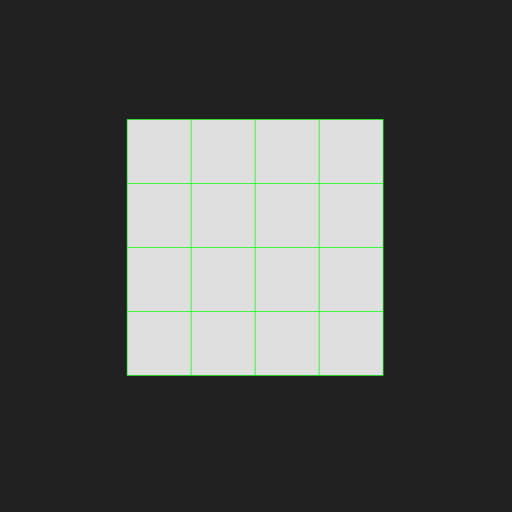
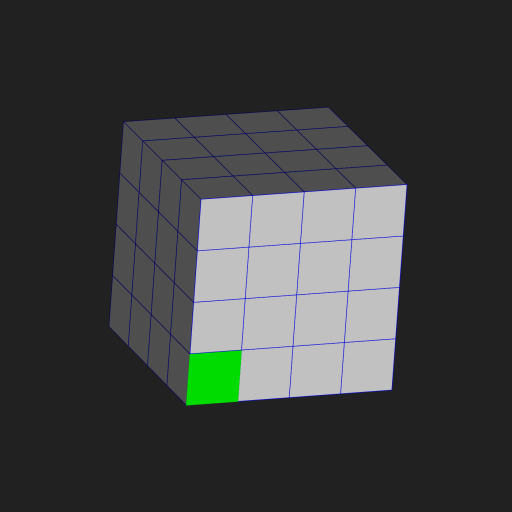
Sp3dObj obj = UtilSp3dGeometry.cube(200,200,200,4,4,4);
obj.materials.add(FSp3dMaterial.green.deepCopy());
obj.fragments[0].faces[0].materialIndex=1;
obj.materials[0] = FSp3dMaterial.grey.deepCopy()..strokeColor=Color.fromARGB(255, 0, 0, 255);
obj.rotate(Sp3dV3D(1,1,0).nor(), 30*3.14/180);
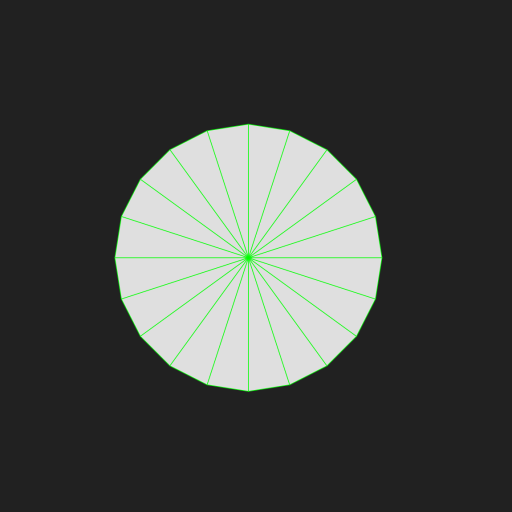
Sp3dObj obj = UtilSp3dGeometry.circle(100, fragments: 20);
obj.materials[0] = FSp3dMaterial.grey.deepCopy()..strokeColor=Color.fromARGB(255, 0, 255, 0);
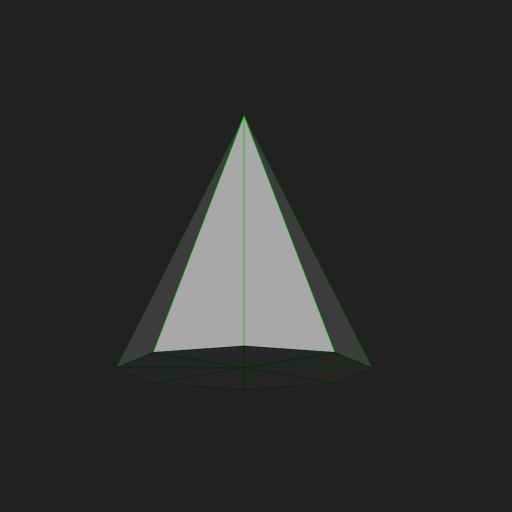
Sp3dObj obj = UtilSp3dGeometry.cone(100, 200);
obj.materials[0] = FSp3dMaterial.grey.deepCopy()..strokeColor=Color.fromARGB(255, 0, 255, 0);
obj.rotate(Sp3dV3D(1, 0, 0), -100*3.14/180);
obj.move(Sp3dV3D(0, -100, 0));
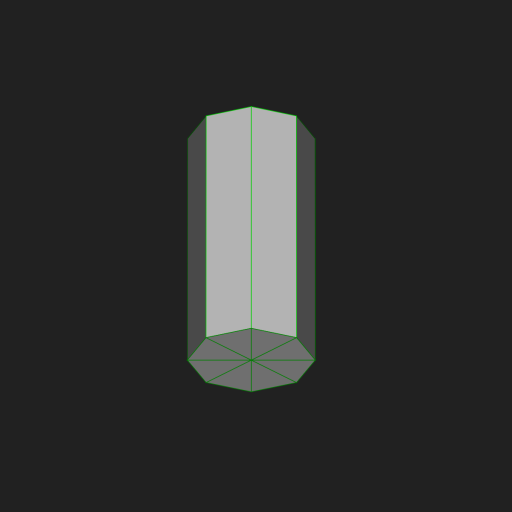
Sp3dObj obj = UtilSp3dGeometry.pillar(50, 50, 200);
obj.materials[0] = FSp3dMaterial.grey.deepCopy()..strokeColor=Color.fromARGB(255, 0, 255, 0);
obj.rotate(Sp3dV3D(1, 0, 0), -120*3.14/180);
obj.move(Sp3dV3D(0, -100, 0));
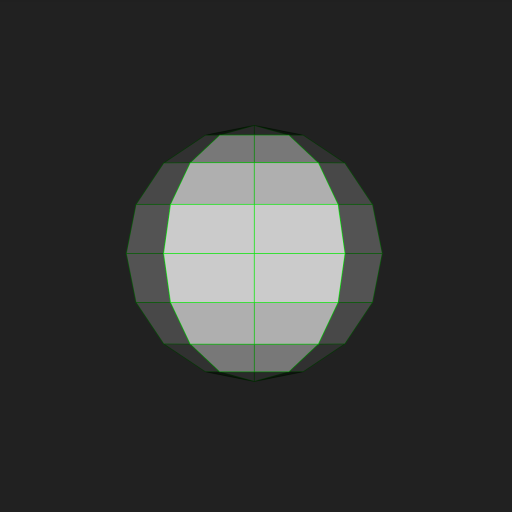
Sp3dObj obj = UtilSp3dGeometry.sphere(100);
obj.materials[0] = FSp3dMaterial.grey.deepCopy()..strokeColor=Color.fromARGB(255, 0, 255, 0);
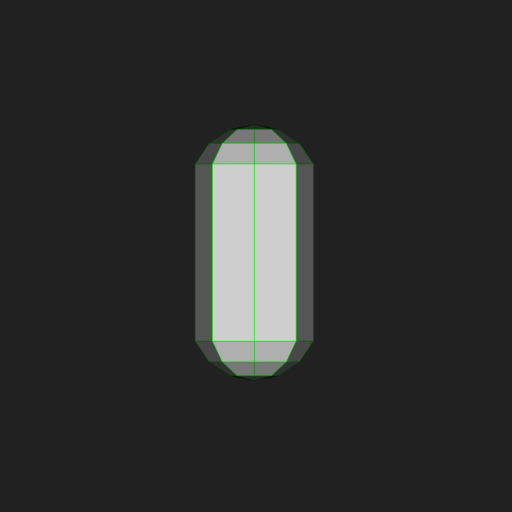
Sp3dObj obj = UtilSp3dGeometry.capsule(50,200);
obj.materials[0] = FSp3dMaterial.grey.deepCopy()..strokeColor=Color.fromARGB(255, 0, 255, 0);
obj.move(Sp3dV3D(0, 100, 0));
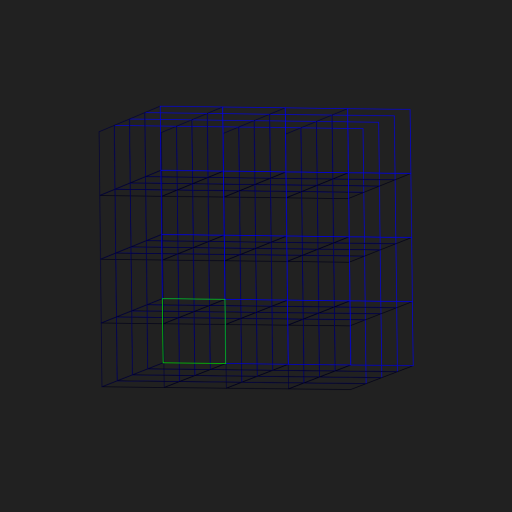
Sp3dObj obj = UtilSp3dGeometry.cube(200,200,200,4,4,4);
obj.materials.add(FSp3dMaterial.greenWire.deepCopy());
obj.fragments[0].faces[0].materialIndex = 1;
obj.materials[0] = FSp3dMaterial.blueWire.deepCopy();
obj.rotate(Sp3dV3D(-0.2,0.5,0).nor(), 15*3.14/180);
List<Sp3dObj> objs = UtilSp3dCommonParts.coordinateArrows(255);
objs.addAll(UtilSp3dCommonParts.worldMeshes(255));
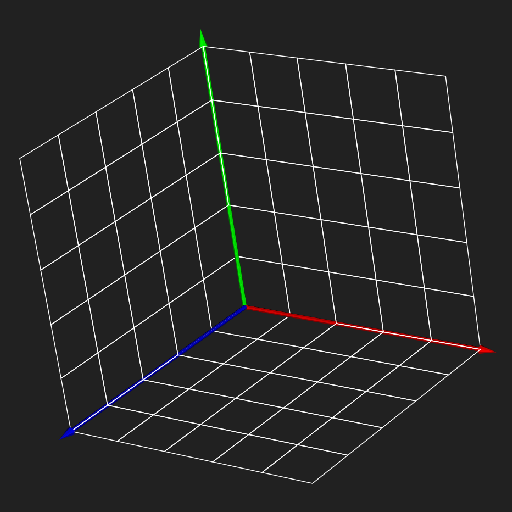
If you need paid support for any reason, please contact my company.
This package is developed by me personally, but may be supported via the company.
SimpleAppli Inc.
Some geometry may be added in the future.
Utilities are prefixed with "Util".
Static field definition files are prefixed with "F".
These are set up for easy calling from the IDE.
The C part will be changed at the time of version upgrade.
This software is released under the MIT License, see LICENSE file.
Dependency list 4 items
{"sdk":"flutter"}^17.1.0{"sdk":"flutter"}^2.0.0Start with your use case, compare repository activity, and check the original project before adopting it.
“A repository is the most basic element of GitHub.”
GitHub Docs — About repositories ↗