FLUTTER ECOSYSTEM

Mehmetyaz/binary_tree

Self-Balancing Binary Search Tree for Dart. BST is implemented as Iterable. There are many operations such as greaterThen, lessThenOrEqual (create sublist), max , min etc.

binary_tree project cover
Stars
35
Forks
2
Last push (UTC)
May 11, 2025
Project status
Active
Mehmet Yaz GitHub avatar
GITHUB User

Mehmet Yaz ↗

Flutter developer

Turkey
LanguagesDart

Packages published by this repository

Dependencies used

Dependency list 2 items

Original README

English project snapshot. Visit GitHub for the latest content.

Expand / collapse project README

Self-Balancing Binary Search Tree for Dart. BST is implemented as Iterable. There are many operations such as greaterThan, lessThanOrEqual (create sublist), max , min etc.

Features

void main() {
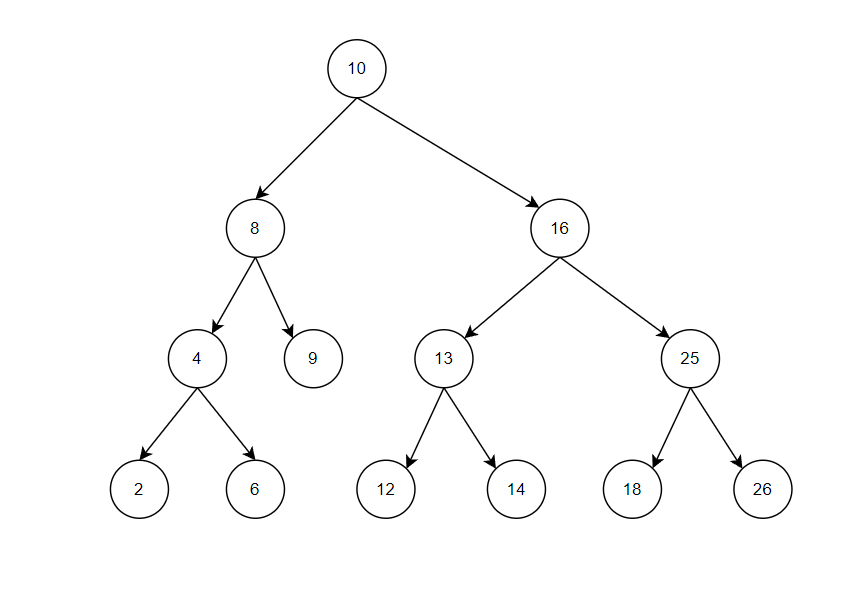
  final myNumbers = BinaryTree([10, 8, 16, 4, 9, 13, 25, 2, 6, 12, 26, 14, 18]);
}

Binary tree stores values as a binary search tree.
For more information : Binary Search Tree.

A Self-Balancing AVL type tree is used, which balances the depth of the nodes.
For more information : Self Balancing Binary Search Tree , AVL Tree.

img.png

Usage

Use Case

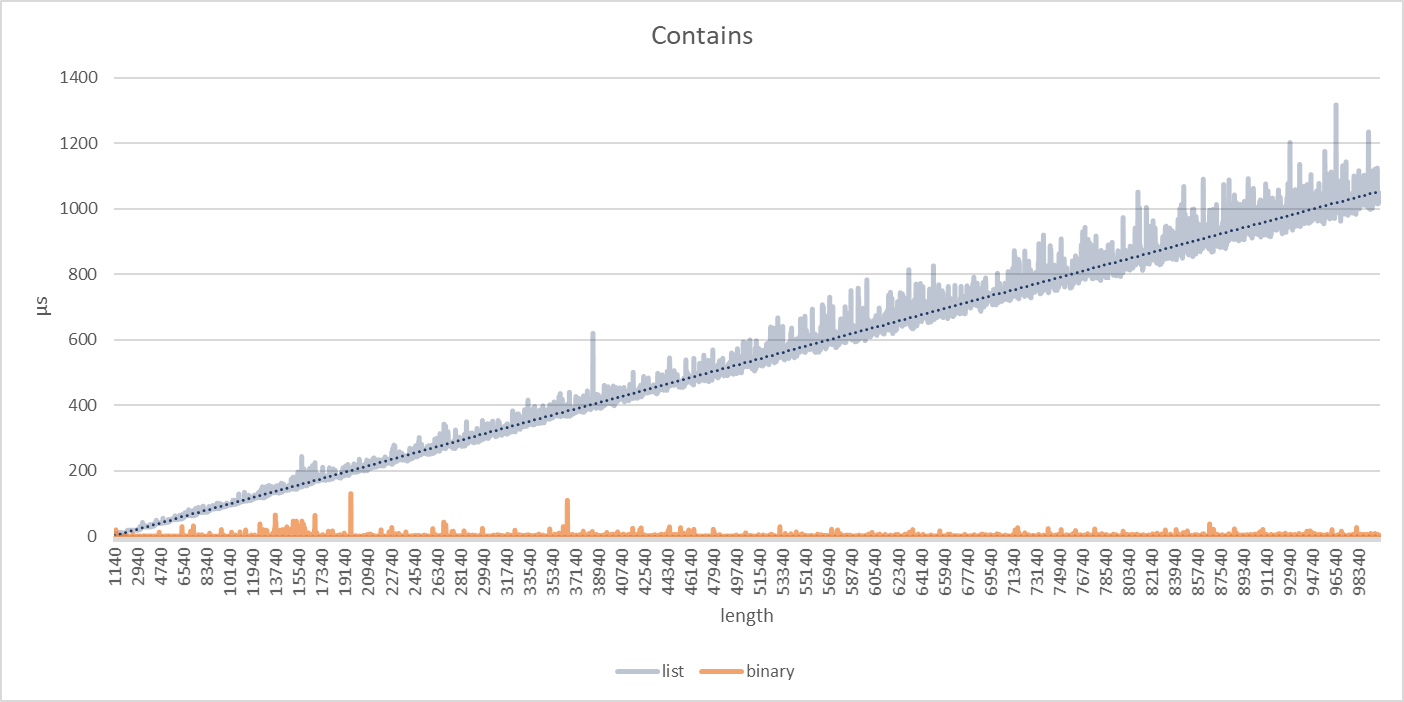
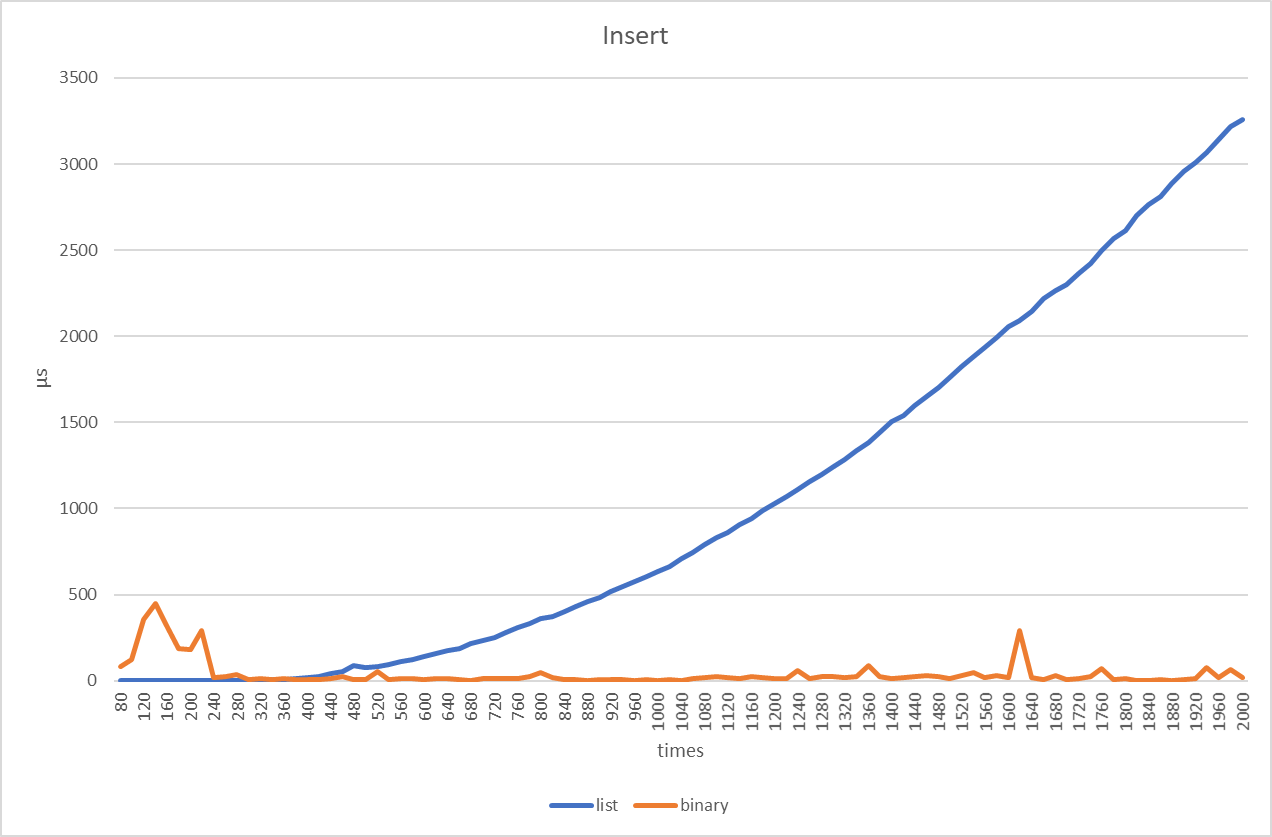
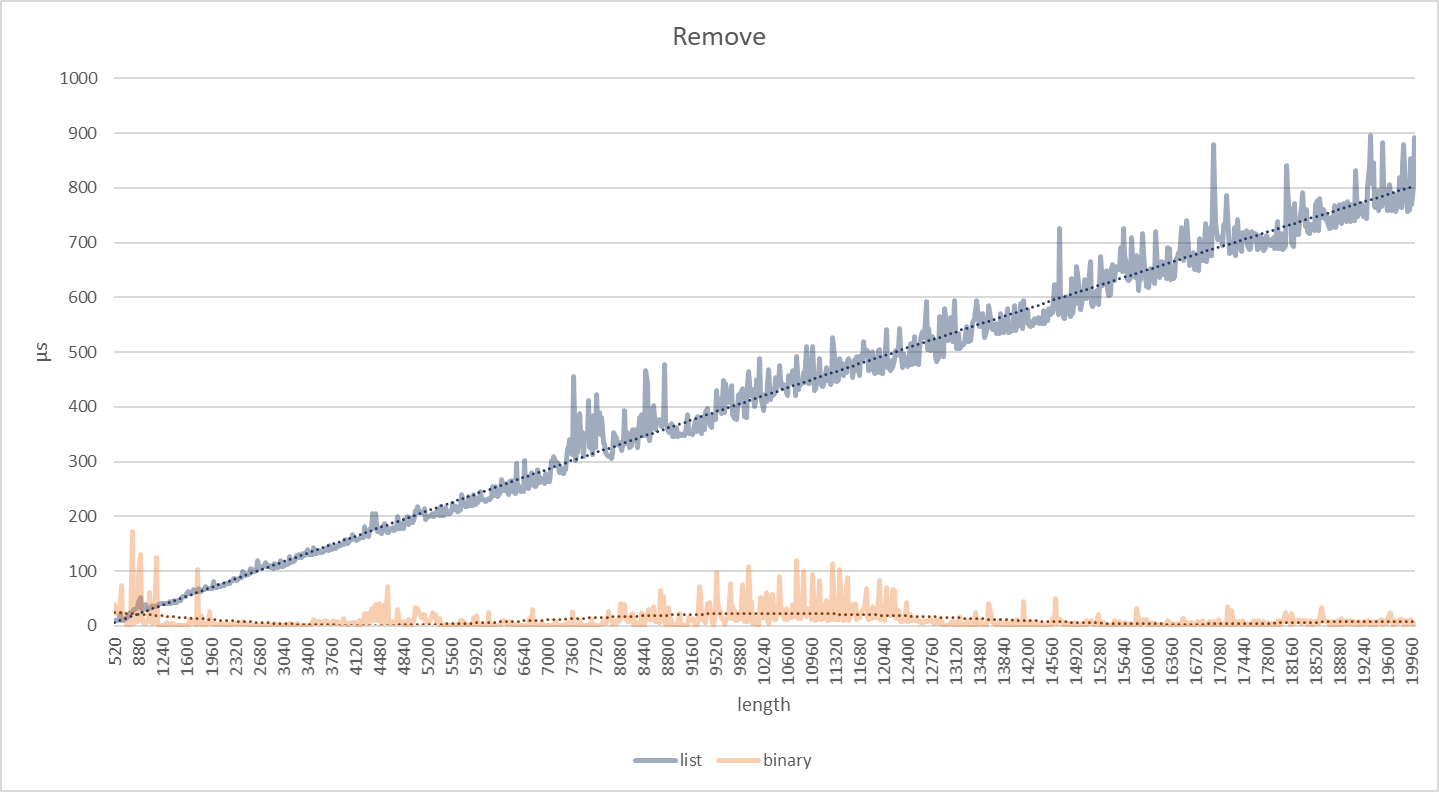
You can see if you need it by looking at the benchmarks given below. It is generally advantageous in keeping long and sorted datasets. Its advantage is not noticeable on short datasets.

Benchmark scenarios

img_3.png img_1.png img_2.png

Type

Binary Tree objects must be Comparable

All of num , String , Duration etc. are Comparable.

You can define your objects as Comparable.

Comparable Documentation

void main() {
  final myLetters = BinaryTree<String>(["a", "c", "b"]);
  final myDates = BinaryTree<DateTime>([DateTime.now()]);
}
Basic operations
void main() {
  final myNumbers = BinaryTree([ 
    /*initial*/
  ]);
  myNumbers.insert(value);
  myNumbers.remove(value);
  myNumbers.contains(value);
  
}
Iterator

You can create an Iterator by "startsWith" or "endsWith" given element.

f() {
  final myNumbers = BinaryTree([10, 8, 16, 4, 9, 13, 25, 2, 6, 12, 26, 14, 18]);
  final iterator = myNumbers.iteratorFrom(8, greaterThan: true, equal: false); // defaults
  while (iterator.moveNext()) {
    print(iterator.current); // 9 , 10 ... 26
  }
}

You can also define bounds

f() {
  final myNumbers = BinaryTree([10, 8, 16, 4, 9, 13, 25, 2, 6, 12, 26, 14, 18]);
  final iterator = myNumbers.iteratorFrom(8, bound: Bound(13, equal: true));
  while (iterator.moveNext()) {
    print(iterator.current); // 9 , 10 ... 13
  }
}
toList

You can create new lists using range iterators.

f() {
  final myNumbers = BinaryTree([10, 8, 16, 4, 9, 13, 25, 2, 6, 12, 26, 14, 18]);

  myNumbers.lessThan(16);

  /// 14 , 13 , ... 2
  myNumbers.lessThanOrEqual(16);

  /// 16 , 14 , 13 , ... 2
  myNumbers.greaterThan(16);

  ///  25 , 26
  myNumbers.greaterThanOrEqual(16);

  /// 16 , 25 , 26

  /// custom bound
  myNumbers.listFrom(16, bound: Bound(13, equal: true));

  /// 16 , 14 , 13

}