
custom_rich_text
A custom rich text package that allow highlights and link reference to text.

- Stars
- 17
- Forks
- 0
- Last push (UTC)
- Jan 8, 2026
- Project status
- Active
Original README
English project snapshot. Visit GitHub for the latest content.
Custom RichText
CustomRichText is a package that allows highlighting and link reference to the text.
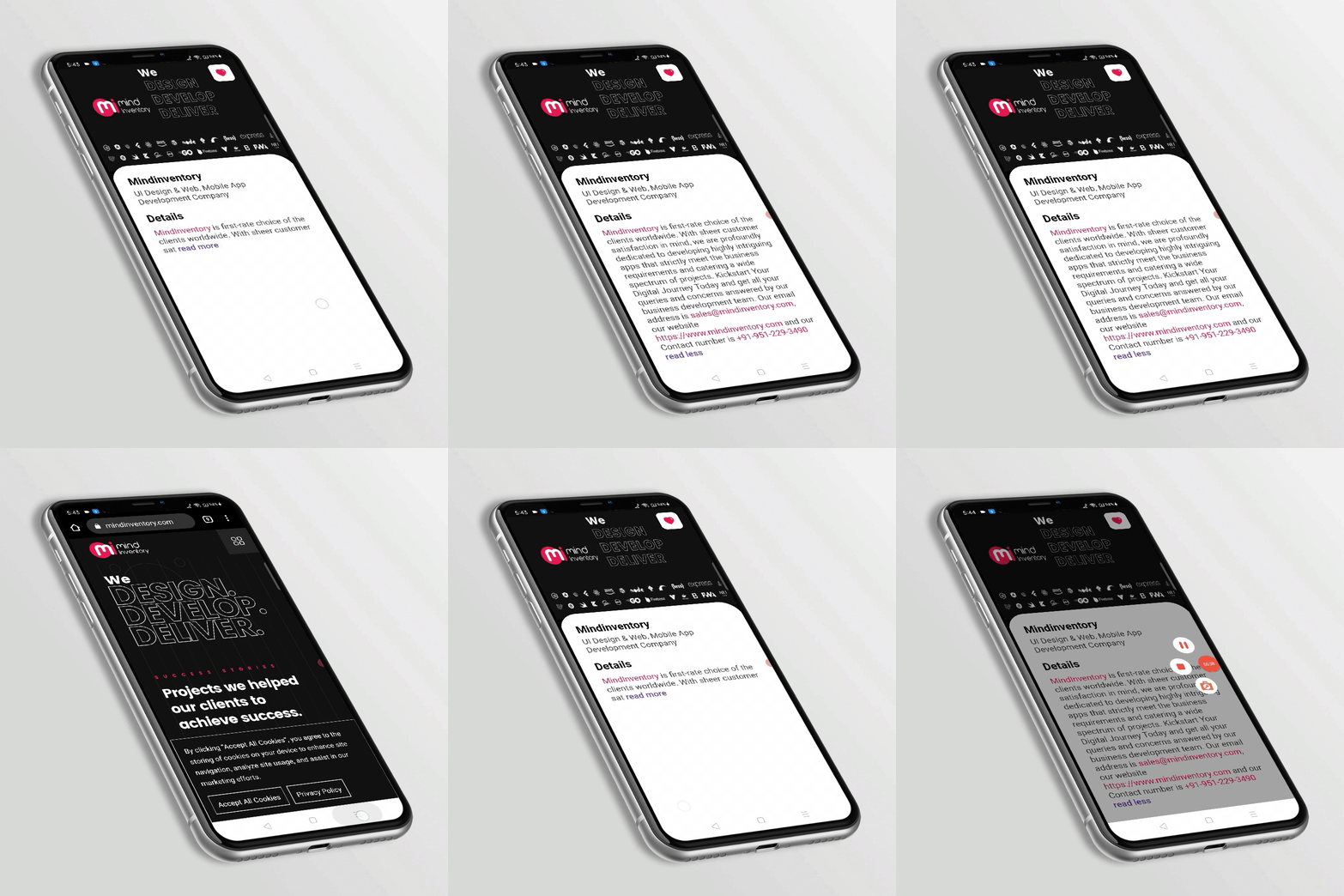
Key Features
- Highlights email, phone number, web link, custom RegExp, certain sub-strings
- Provides a call back on each highlighted string
- Option for read more, read less and a call back for both
- Allow text styling as per requirement
Note
- If you want to highlight any specific type of text then need to add the following on tap method.
- If any link or email consists the provided sub-string then it will ignore that and will be highlighted as web link or email.
Getting Started
To use this package, add custom_rich_text as a dependency in your pubspec.yaml file.
dependencies:
  ...
  custom_rich_text: any
Now in your Dart code, you can use:
import 'package:custom_rich_text/custom_rich_text.dart';
Usage
Example
CustomRichText(
  text: 'MindInventory is first-rate choice of the '
      'clients worldwide. With sheer customer satisfaction in mind, we are profoundly '
      'dedicated to developing highly intriguing apps that strictly meet the business '
      'requirements and catering a wide spectrum of projects. Kickstart Your Digital '
      'Journey Today and get all your queries and concerns answered by our business '
      'development team. Our email address is sales@mindinventory.com, our website '
      'https://www.mindinventory.com and our Contact number is +91-951-229-3490',
  caseSensitive: false,
  readMoreLessModel: ReadMoreLessModel(
    trimLines: 3,
    readMoreText: ' read more',
    readLessText: ' read less',
    readMoreLessStyle: kReadMoreLessStyle,
  ),
  textStyle: kTextStyle,
  linkStyle: kLinkStyle,
  highlightTermsStyle: kLinkStyle,
  onWebLinkTap: (web) async {
    await launch(web);
  },
  onPhoneTap: (phone) async {
    await launch('tel:$phone');
  },
  onEmailTap: (email) async {
    await launch('mailto:$email');
  },
  highlightTerms: [kMindinventory],
  onTermTap: (text) async {
    await launch('https://www.mindinventory.com/');
  },
),
Guideline for contributors
Contribution towards our repository is always welcome, we request contributors to create a pull request to the develop branch only.
Guideline to report an issue/feature request
It would be great for us if the reporter can share the below things to understand the root cause of the issue.
- Library version
- Code snippet
- Logs if applicable
- Device specification like (Manufacturer, OS version, etc)
- Screenshot/video with steps to reproduce the issue
LICENSE!
Custom RichText is MIT-licensed.
Let us know!
We’d be really happy if you send us links to your projects where you use our component. Just send an email to sales@mindinventory.com And do let us know if you have any questions or suggestion regarding our work.

MindInventory ↗
Dependencies used
Dependency list 2 items
- flutter
{"sdk":"flutter"} - flutter_testDevelopment
{"sdk":"flutter"}
How do I choose a repository?
Start with your use case, compare repository activity, and check the original project before adopting it.
- Search by repository name, owner or description, then narrow the results by topic.
- Compare stars, forks and recent pushes. Stars show community interest, not a guarantee of quality.
- Read the README, license and issues on GitHub before using a project.
Sources and maintenance
“A repository is the most basic element of GitHub.”
GitHub Docs — About repositories ↗