

 v0.0.7
game_levels_scrolling_map
A package for making game levels map like candy crush or similar games using flutter with ability to be horizontal or vertical
83Likes 18230-day downloads120Pub points
AndroidiOSmacOSWindowsLinux
A flutter package for making game levels map like candy crush or similar games using flutter with ability to be horizontal or vertical

English project snapshot. Visit GitHub for the latest content.
A package for making game levels map like candy crush or similar games using flutter with ability to be horizontal or vertical
| Android ✔️ | IOS ✔️ | MacOS ✔️ ️| Web ✔️ | Linux ✔️ | Windows ✔ ️|
Step 1 Import package:game_levels_scrolling_map/game_levels_scrolling_map.dart which contain the main widget of the map GameLevelsScrollingMap
then Import package:game_levels_scrolling_map/model/point_model.dart which contain the model of points
Step 2 Start adding your points widgets by creating a new List of points and adding widgets to it using the PointModel class
List<PointModel> points = [];

for(int i = 0; i<50 ; i++){
  PointModel point = PointModel(100,Container(width: 40, height: 40, color: Colors.red, child: Text("$i")));

  /* To make the map scroll to a specific point just make its parameter 'isCurrent' = true like the following which will make the map scroll to it once created*/
  if(i == 20) point.isCurrent = true;

  points.add(point);
}
Step 3 Use GameLevelScrollingMap.scrollable widget to build the map
- To make vertical map:
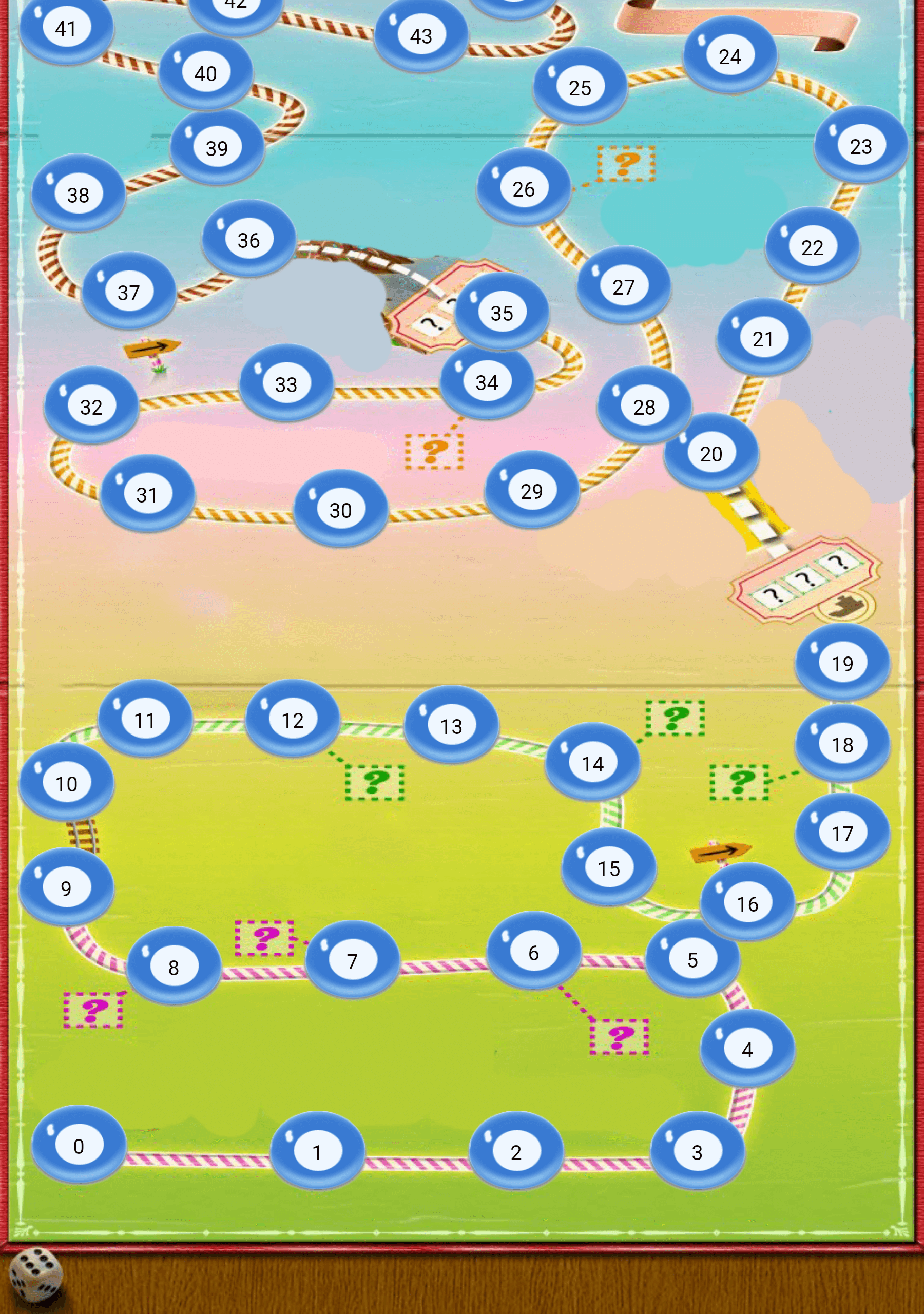
Widget build(BuildContext context) {
  return Scaffold(
    body: Container(
      child: GameLevelsScrollingMap.scrollable(
              imageUrl: "assets/drawable/map_vertical.png",
              direction: Axis.vertical,
              reverseScrolling: true,
              svgUrl: 'assets/svg/map_vertical.svg',
              points: points,)
          ),
        );
}
- To make horizontal map:
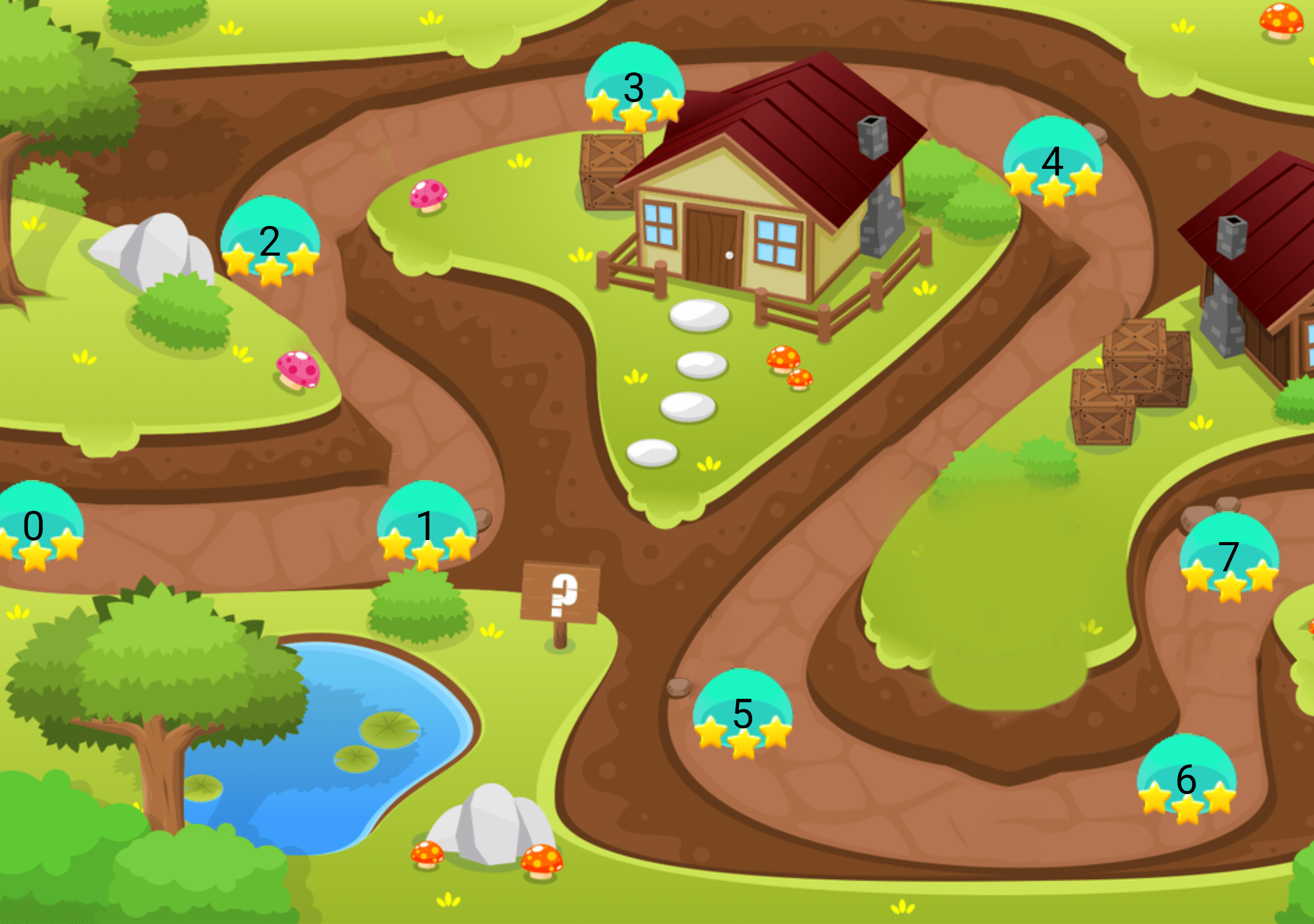
Widget build(BuildContext context) {
  return Scaffold(
    body: Container(
      child: GameLevelsScrollingMap.scrollable(
            imageUrl: "assets/drawable/map_horizontal.png",
            direction: Axis.horizontal,
            svgUrl: 'assets/svg/map_horizontal.svg',
            points: points,)
          ),
        );
}
Dependency list 5 items
{"sdk":"flutter"}^5.1.2^2.0.0{"sdk":"flutter"}^1.0.0Start with your use case, compare repository activity, and check the original project before adopting it.
“A repository is the most basic element of GitHub.”
GitHub Docs — About repositories ↗