A simple Text Widget, that can translate any text to any language using instant on device translation AI model, all you have to do is to provide the text and the widget will traslate automatically, as a result you don't have to specify and localization files and type translation manually the widget will do it for you.
English project snapshot. Visit GitHub for the latest content.
Bye Bye Localization 👋
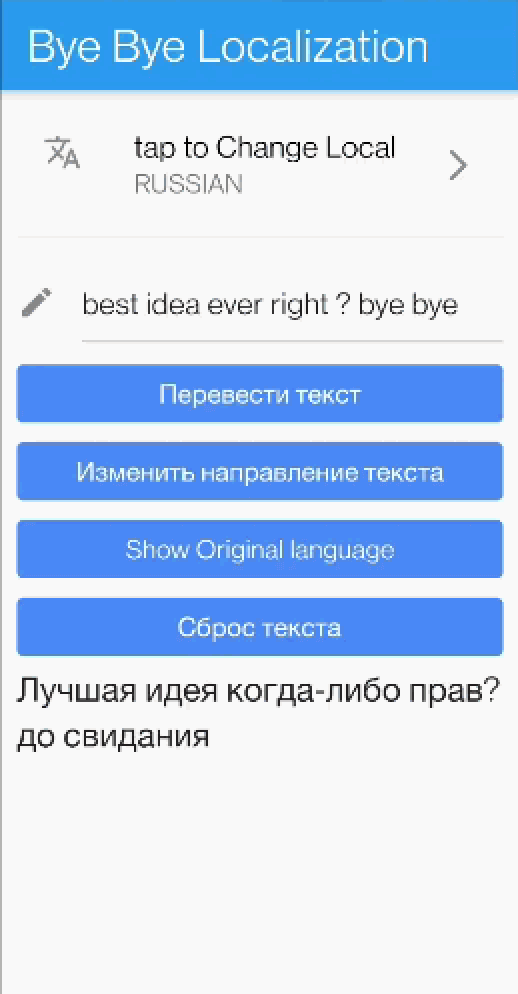
Its just a simple Text widget that will provide automatic fast translation for any text. it supports 59 languages.
No more boring Localization configuration files, all you have to do is change your old Text() widget to TranslatedText() and enjoy the sweet sweet life without Localization
PS: the translation will be fast as it uses translation model deployed to the device under the hood.
Demo 📹
How to use ?
Step 1: All you have to do is call the widget
TranslatedText('your text')
Step2: don't forget to call init the widget using the Manager
WidgetbuildWidget(){
returnFutureBuilder(
future: initTranslation(),
builder: (context, snapshot) {
if (snapshot.hasError) {
returnText('${snapshot.error}');
}
if (snapshot.connectionState == ConnectionState.done) {
returnTranslatedText('I am a text that will be translated always');
}
returnCircularProgressIndicator();
},
);
}
Future<bool> initWidget() async {
returnawaitTranslationManager().init(
originLanguage: Languages.ENGLISH,
/// Change here the language to change the translation, and re run./// For example Languages.RUSSIAN.
translateToLanguage: Languages.ARABIC,
);
}
Live Demo 🔆
below you will find a link to APK contains live demo




 v1.0.0+8