
k_chart
Maybe it is the best k chart in Flutter.

- Stars
- 521
- Forks
- 258
- Last push (UTC)
- Sep 29, 2023
- Project status
- Active
Original README
English project snapshot. Visit GitHub for the latest content.
k_chart
Maybe this is the best k chart in Flutter.Support drag,scale,long press,fling.And easy to use.
display
image
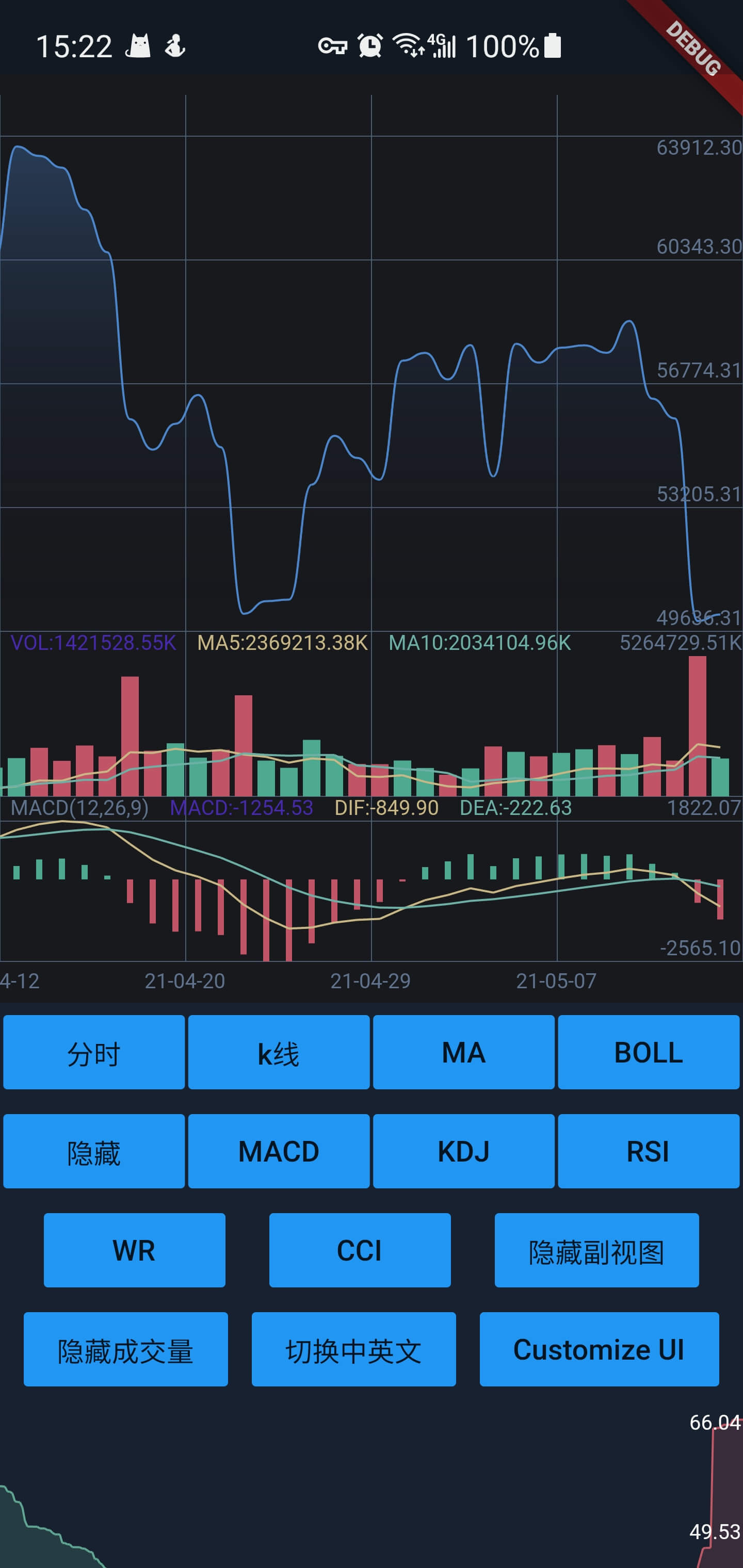


gif
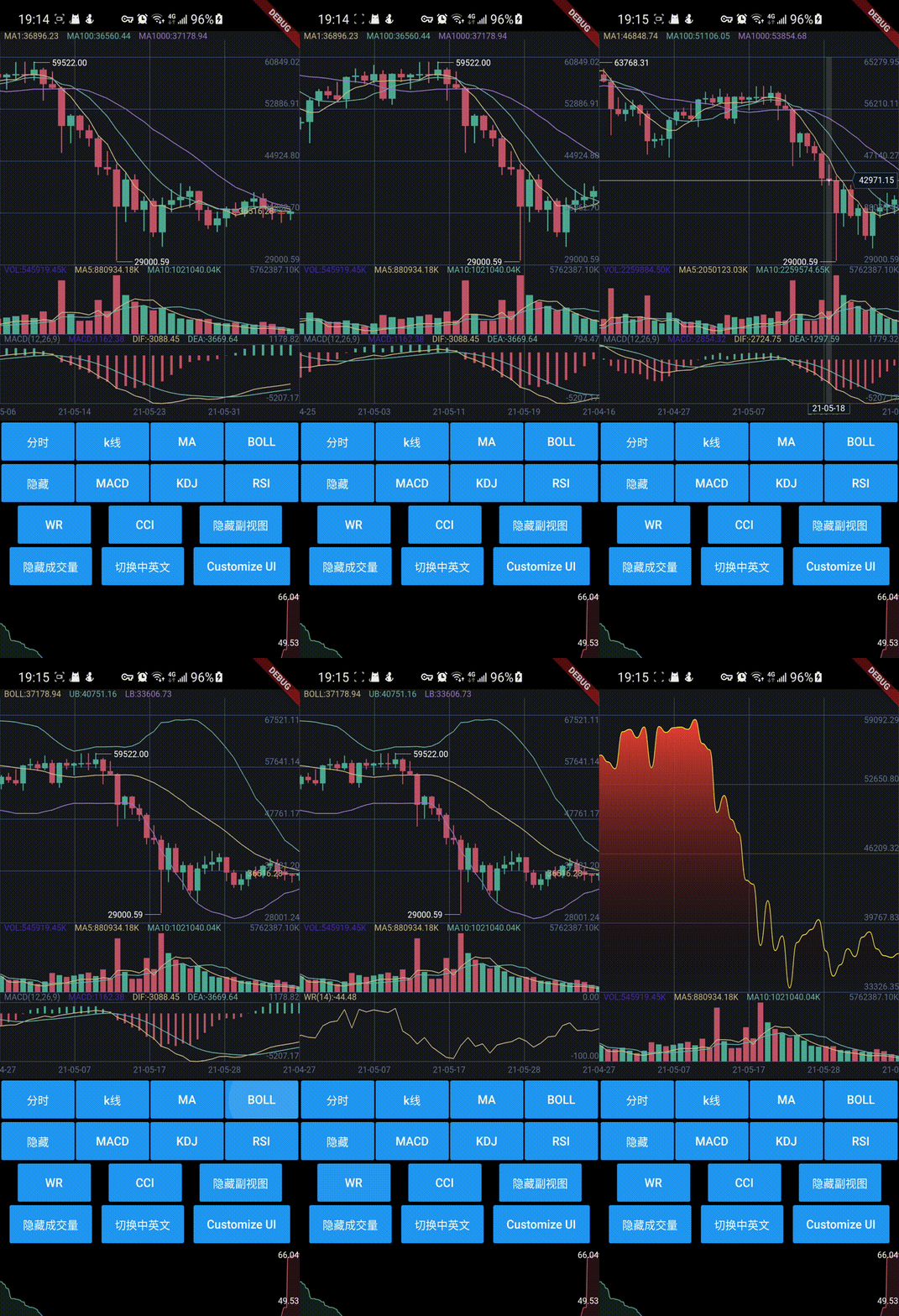
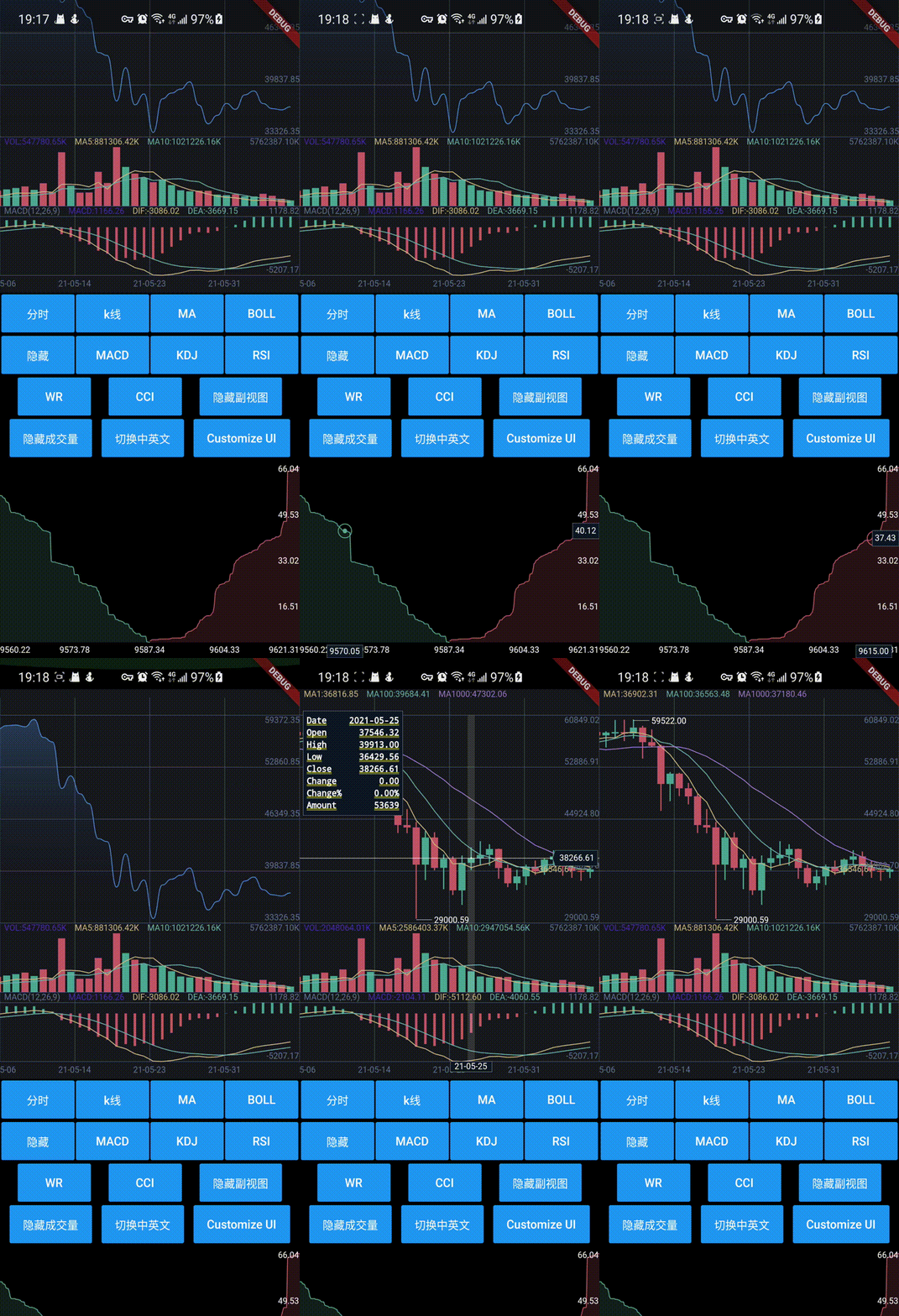
Getting Started
Install
dependencies:
  k_chart: ^0.7.1
or use latest:
k_chart:
    git:
      url: https://github.com/mafanwei/k_chart
Usage
When you change the data, you must call this:
DataUtil.calculate(datas); //This function has some optional parameters: n is BOLL N-day closing price. k is BOLL param.
use k line chart:
Container(
              height: 450,
              width: double.infinity,
              child: KChartWidget(
                chartStyle, // Required for styling purposes
                chartColors,// Required for styling purposes
                datas,// Required,Data must be an ordered list,(history=>now)
                isLine: isLine,// Decide whether it is k-line or time-sharing
                mainState: _mainState,// Decide what the main view shows
                secondaryState: _secondaryState,// Decide what the sub view shows
                fixedLength: 2,// Displayed decimal precision
                timeFormat: TimeFormat.YEAR_MONTH_DAY,
                onLoadMore: (bool a) {},// Called when the data scrolls to the end. When a is true, it means the user is pulled to the end of the right side of the data. When a
                // is false, it means the user is pulled to the end of the left side of the data.
                maDayList: [5,10,20],// Display of MA,This parameter must be equal to DataUtil.calculate‘s maDayList
                translations: kChartTranslations,// Graphic language
                volHidden: false,// hide volume
                showNowPrice: true,// show now price
                isOnDrag: (isDrag){},// true is on Drag.Don't load data while Draging.
                onSecondaryTap:(){},// on secondary rect taped.
                isTrendLine: false, // You can use Trendline by long-pressing and moving your finger after setting true to isTrendLine property.
                xFrontPadding: 100 // padding in front
              ),
            ),
use depth chart:
DepthChart(_bids, _asks, chartColors) //Note: Datas must be an ordered list,
Donate
Buy a cup of coffee for the author.


Thanks
Other
Maybe there are some bugs in this k chart,or you want new indicators,you can create a pull request.I will happy to accept it and I hope we can make it better.

GitHub author
OpenFlutter ↗
LanguagesDartC++CMakeHTMLCSwiftKotlinObjective-C
Categories
Dependencies used
Dependency list 2 items
- flutter
{"sdk":"flutter"} - flutter_testDevelopment
{"sdk":"flutter"}
How do I choose a repository?
Start with your use case, compare repository activity, and check the original project before adopting it.
- Search by repository name, owner or description, then narrow the results by topic.
- Compare stars, forks and recent pushes. Stars show community interest, not a guarantee of quality.
- Read the README, license and issues on GitHub before using a project.
Sources and maintenance
“A repository is the most basic element of GitHub.”
GitHub Docs — About repositories ↗
- OpenFlutter/k_chart · GitHub ↗
- GitHub Docs — Saving repositories with stars ↗
- Directory maintained by Ducafecat ↗