

 v1.1.0
cupertino_setting_control
Wrapper for multiple kind of Cupertino Inputs (Textfield, Dropdown, Slider)
34Likes 8330-day downloads140Pub points
AndroidiOSWebmacOSWindowsLinux
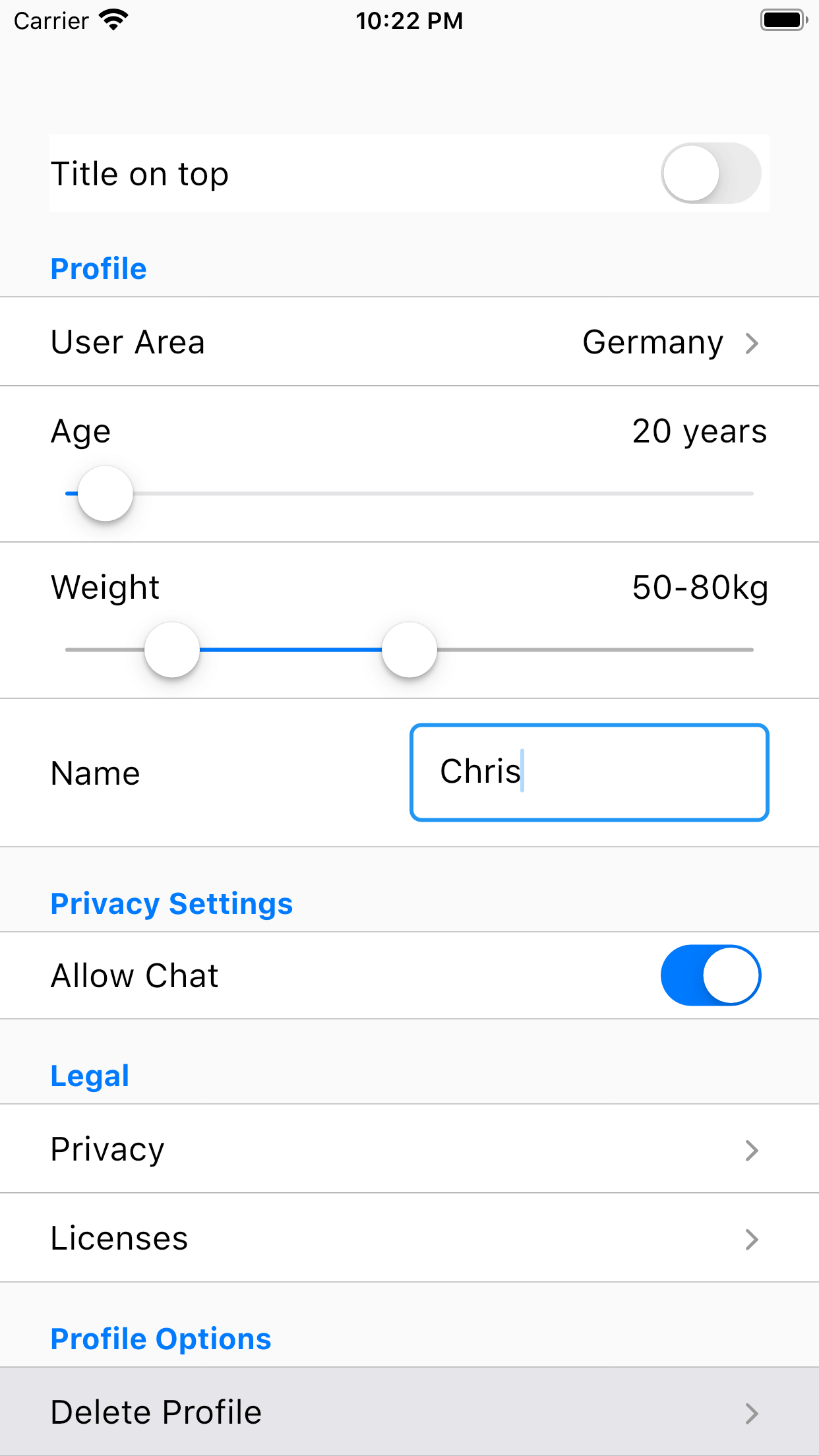
With cupertino_setting_control you can create a settings page or a simple form very easy.

English project snapshot. Visit GitHub for the latest content.

With cupertino_setting_control you can create a settings page or a simple form very easy. Therefore, cupertino_setting_control offers multiple Cupertino-Widgets which can be used very flexible and abstracted.
A few examples:
Example for a drop down widget displayed as text field:
new SettingRow(
    rowData: SettingsDropDownConfig(
        title: 'Search Area',
        initialKey: _searchAreaResult,
        choices: {
            'Germany': 'Germany',
            'Spain': 'Spain',
            'France': 'France'
        }),
    onSettingDataRowChange: onSearchAreaChange,
    config: const SettingsRowConfiguration(
        showAsTextField: true,
        showTitleLeft: false,
    showAsSingleSetting: false),
)
Example for a yes/no widget with a setting title on the left side:
new SettingRow(
    rowData: SettingsYesNoConfig(
        initialValue: _chatResult, title: 'Allow Chat'),
    onSettingDataRowChange: onChatSettingChange,
),
A complete tutorial how to use Cupertino Setting Control can be found here: Tutorial
Please refer to the example for more examples: Quick-Link
If you encounter any problems feel free to open an issue. If you feel the library is missing a feature, please raise a ticket on Github and I'll look into it. Pull Request are also welcome.
Dependency list 5 items
{"sdk":"flutter"}^2.0.1^6.1.7^1.0.5{"sdk":"flutter"}Start with your use case, compare repository activity, and check the original project before adopting it.
“A repository is the most basic element of GitHub.”
GitHub Docs — About repositories ↗