FLUTTER ECOSYSTEM

SilentCatD/animated_text_lerp

Package for animated text in Flutter. Useful for currency value increase/decrease value animation or text contents lerp animation.

animated_text_lerp project cover
Stars
7
Forks
1
Last push (UTC)
Dec 23, 2024
Project status
Active
SilentCatDev GitHub avatar
GITHUB User

SilentCatDev ↗

MIT Licensed packages developer @ HCMUS ngocphuocnguyen312@gmail.com

Ho Chi Minh City, Viet Nam
LanguagesDart

Packages published by this repository

Dependencies used

Dependency list 3 items
  • flutter{"sdk":"flutter"}
  • flutter_testDevelopment{"sdk":"flutter"}
  • flutter_lintsDevelopment^3.0.0

Original README

English project snapshot. Visit GitHub for the latest content.

Expand / collapse project README

pub package

Simple widgets to animate between number or string text. Useful for number increase/decrease animation, currency value animation or string content changing animation.

Features

  • Similar to a simple Text widget.
  • Animating between number (int or double) with AnimatedNumberText.
  • Animating between string, which will lerp each character respectively with AnimatedStringText.
  • TextStyle animation supported.
  • Think of Flutter's pre-built animated widget like AnimatedOpacity, AnimatedAlign, ..., but with text.

Getting started

  • First import it:
import 'package:animated_text_lerp/animated_text_lerp.dart';

Usage

AnimatedNumberText

https://github.com/SilentCatD/animated_text_lerp/blob/main/assets/animated_number_text.gif?raw=true

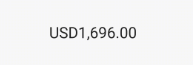
The widget support lerping between number values. Just setState with the current value and the widget will start animating to it.

AnimatedNumberText(
  value, // int or double
  curve: Curves.easeIn,
  duration: const Duration(seconds: 1),
  style: const TextStyle(fontSize: 30),
  formatter: (value) {
    final formatted =
    intl.NumberFormat.currency(locale: "en").format(value);
    return formatted;
  },
)

AnimatedStringText

https://github.com/SilentCatD/animated_text_lerp/blob/main/assets/animated_text.gif?raw=true

The widget support lerping between string values. Just setState with the current value and the widget will start animating to it. Each character will lerp to the new corresponding one respectively.

AnimatedStringText(
  value, // string
  curve: Curves.easeIn,
  duration: const Duration(seconds: 1),
  style: const TextStyle(fontSize: 30),
)