

v1.0.2
animated_number
A flutter package to create animated numbers.
30Likes 18130-day downloads150Pub points
AndroidiOSWebmacOSWindowsLinux
A flutter package to create animated numbers.

English project snapshot. Visit GitHub for the latest content.
This is an custom widget developed for flutter with some awesome features that will make your users more satisfied when they look into their numbers.
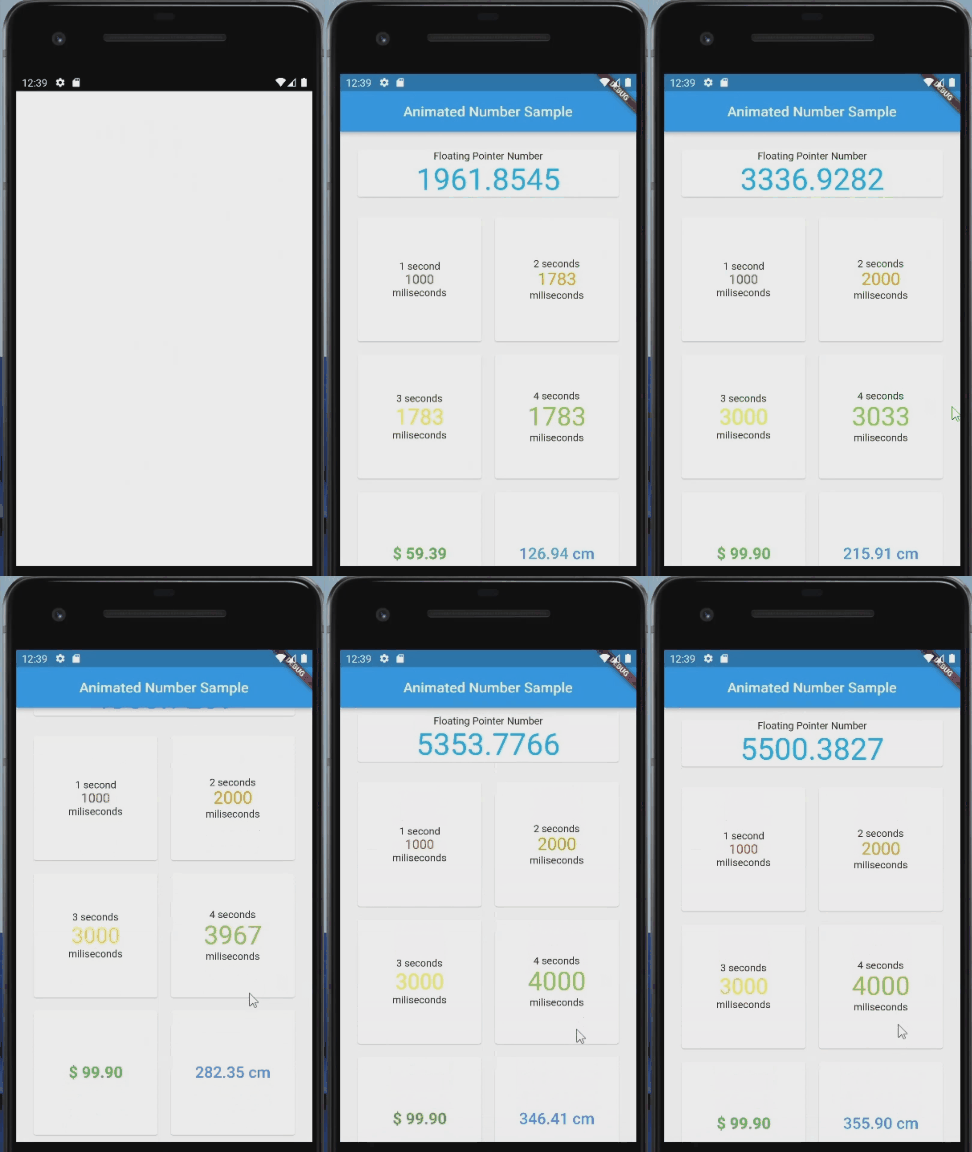
| Android | iOS | Linux | macOS | Web | Windows | |
|---|---|---|---|---|---|---|
| Support | SDK 16+ | 9.0+ | Any | 10.11+ | Any | Any |
To use this plugin, add animated_number as a dependency in your pubspec.yaml file.
AnimatedNumber(
    startValue: 0,
    endValue: 2000,
    duration: Duration(seconds: 2),
    isFloatingPoint: false,
    style: TextStyle(
    color: Colors.orange,
    fontSize: 24,
    ),
)
AnimatedNumber(
    startValue: 0,
    endValue: 5500.38273626732,
    duration: Duration(seconds: 5),
    isFloatingPoint: true,
    decimalPoint: 4,
    style: TextStyle(
        color: Colors.lightBlue,
        fontSize: 42,
    ),
)
| Properties | Type | Description |
|---|---|---|
| startValue | num | Desired start value. |
| endValue | num | Desired end value. |
| duration | Duration | Duration for the animation. |
| isFloatingPoint | bool | Flag that controls if the iteration of the animation will be integer or floating point. |
| decimalPoint | int | Desired decimal points. |
| style | TextStyle? | Text style. |
| textAlign | TextAlign? | How the text should be aligned horizontally. |
| prefixText | String? | Desired prefix text. |
| sufixText | String? | Desired sufix text. |
MIT
Dependency list 3 items
{"sdk":"flutter"}{"sdk":"flutter"}^2.0.0Start with your use case, compare repository activity, and check the original project before adopting it.
“A repository is the most basic element of GitHub.”
GitHub Docs — About repositories ↗