
 v1.0.1
counter_button
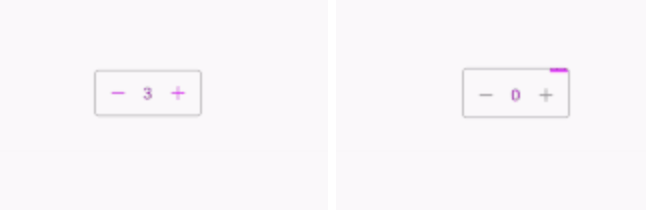
Counter Button is a flutter library that allows you to create a button with animation effects when you increase or decrease the counter value.
31Likes 27030-day downloads160Pub points
AndroidiOSWebmacOSWindowsLinux
counter button flutter plugin
English project snapshot. Visit GitHub for the latest content.


Counter Button is a flutter library that allows you to create a button with animation effects when you increase or decrease the counter value.


dependencies:
  counter_button: ^1.0.1
import 'package:counter_button/counter_button.dart';
CounterButton(
  loading: false,
  onChange: (int val) {
    setState(() {
      _counterValue = val;
    });
  },
  count: _counterValue,
  countColor: Colors.purple,
  buttonColor: Colors.purpleAccent,
  progressColor: Colors.purpleAccent,
)
| parameter | description | default |
|---|---|---|
| count | Value of the counter | |
| countColor | Color of the counter | Colors.black |
| onChange | Value change callback when the buttons are pressed | |
| loading | For showing the linear progress indicator | |
| progressColor | Color of the progress indicator | Colors.black |
| buttonColor | Color of the icon button | Colors.black |
| addIcon | Add button icon | |
| removeIcon | Remove button icon | const Icon(Icons.remove) |
If you encounter any bugs feel free to open an issue. Raise a ticket on github for suggestions. Pull request are also welcome.
For help getting started with Flutter, view our online documentation.
For help on editing plugin code, view the documentation.
MIT License

Dependency list 3 items
{"sdk":"flutter"}{"sdk":"flutter"}^1.0.0Start with your use case, compare repository activity, and check the original project before adopting it.
“A repository is the most basic element of GitHub.”
GitHub Docs — About repositories ↗