Search packages, repositories and app categories

GitHub repositoryandrea689/flutter_bloc_devtools

flutter_bloc_devtools

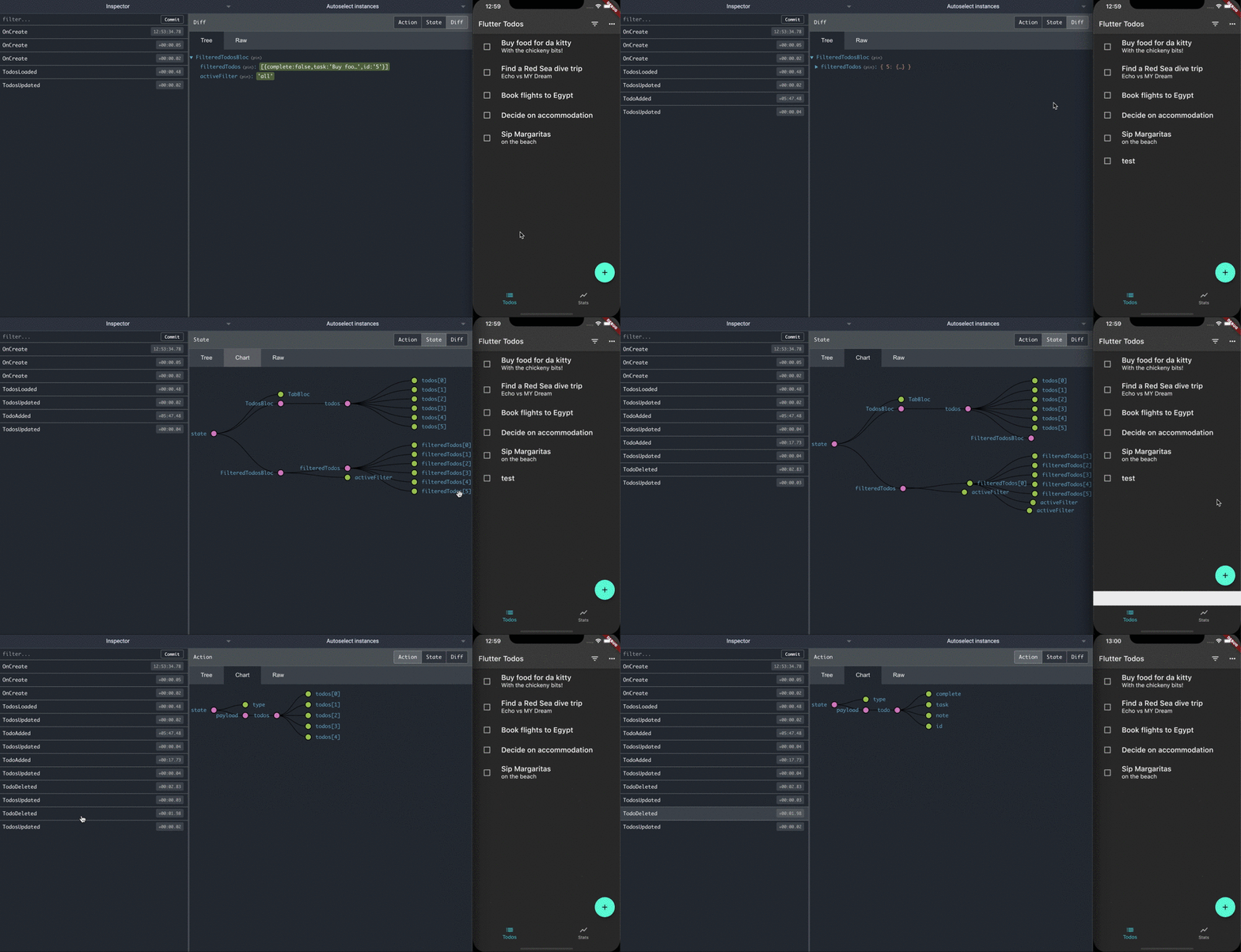
Remote DevTools for flutter_bloc. This package connects all Bloc (not working with Cubit) to the Remote Devtools Server, allowing the developer to inspect changes to the Blocs during runtime.

flutter_bloc_devtools project cover
Stars
70
Forks
15
Last push (UTC)
Dec 30, 2021
Project status
Active

Original README

English project snapshot. Visit GitHub for the latest content.

Remote Devtools for flutter_bloc

Remote Devtools support for Blocs of flutter_bloc.

N.B. Cubit is not supported

Devtools Demo

Installation

Add the library to pubspec.yaml:

dependencies:
  flutter_bloc_devtools: ^0.1.0

BlocObserver configuration

Add RemoteDevToolsObserver to your Bloc.observer:

void main() async {
  final observer = RemoteDevToolsObserver('192.168.1.7:8000');
  await observer.connect();
  Bloc.observer = observer;

  runApp(const CounterApp());
}

Making your Events and States Mappable

Events and States have to implements Mappable:

class CounterState extends Equatable implements Mappable {
  final int counter;

  const CounterState({
    this.counter,
  });

  @override
  List<Object> get props => [
        counter,
      ];

  @override
  Map<String, dynamic> toMap() => {
        'counter': counter,
      };
}

Using remotedev

Use the Javascript Remote Devtools package. Start the remotedev server on your machine

npm install -g remotedev-server
remotedev --port 8000

Run your application. It will connect to the remotedev server. You can now debug your flutter_bloc application by opening up http://localhost:8000 in a web browser.

Examples

Andrea Valenzano GitHub avatar
GitHub author

Andrea Valenzano ↗

Software Engineer @ 3Bee - Flutter enthusiast

Catania
LanguagesDartRubySwiftKotlinObjective-C

Packages published by this repository

Dependencies used

Dependency list 3 items

  • bloc^6.1.0
  • socketcluster_client^0.2.0
  • pedanticDevelopment^1.9.0

How do I choose a repository?

Start with your use case, compare repository activity, and check the original project before adopting it.

  1. Search by repository name, owner or description, then narrow the results by topic.
  2. Compare stars, forks and recent pushes. Stars show community interest, not a guarantee of quality.
  3. Read the README, license and issues on GitHub before using a project.

Sources and maintenance

“A repository is the most basic element of GitHub.”

GitHub Docs — About repositories ↗