screen_loader
Why ScreenLoader?
- With the help of
stream_mixin, it shows and hides the loader without updating the state of the widget which increases the performance
- It does not push any sort of widget to navigation stack, this helps in not messing up the navigation stack and context
- Easy to use, just use your screen with
ScreenLoader mixin and wrap the widget with loadableWidget
- The loader is customizable. You can use any widget as a loader
- You can configure same loader for all the screens at once
- You can also configure different loader for different screens
Basic usage
- Use your screen with the
ScreenLoader mixin
- Wrap the widget with
loadableWidget
- Use
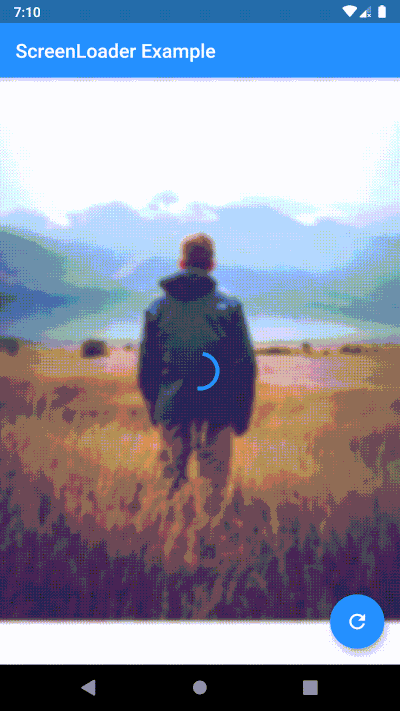
performFuture function to show loader while your future is being performed
https://raw.githubusercontent.com/arnold-parge/screen_loader/master/example/basic.gif
Configure different loader for individual screen
Simply overide loader() method
loader() {
    // here any widget would do
    return AlertDialog(
        title: Text('Wait.. Loading data..'),
    );
}
https://raw.githubusercontent.com/arnold-parge/screen_loader/master/example/local.gif
Configure the loader for all screens at once
void main() {
  configScreenLoader(
    loader: AlertDialog(
      title: Text('Gobal Loader..'),
    ),
    bgBlur: 20.0,
  );
  runApp(MyApp());
}
https://raw.githubusercontent.com/arnold-parge/screen_loader/master/example/global.gif
Priority of loaders (highest first)
- Local loader: the one you override in your widget
- Global loader: the one you specify in
configScreenLoader. Note: if you don't override local(), this loader will be used
- Default loader: if you don't specify global loader or override local loader, this loader will be used
Migration guide to 4.0.0
ScreenLoaderApp widget is removed. Now no need to wrap your App around any widget just to set the global configurations. Instead call configScreenLoader() before runApp()
-void main() => runApp(MyApp());
+void main() {
+  configScreenLoader(
+    loader: AlertDialog(
+      title: Text('Gobal Loader..'),
+    ),
+    bgBlur: 20.0,
+  );
+  runApp(MyApp());
+}

 class MyApp extends StatelessWidget {
   @override
   Widget build(BuildContext context) {
-    return ScreenLoaderApp(
-      app: MaterialApp(
-        debugShowCheckedModeBanner: false,
-        title: 'Screen Loader',
-        theme: ThemeData(
-          primarySwatch: Colors.blue,
-        ),
-        home: Screen(),
-      ),
-      globalLoader: AlertDialog(
-        title: Text('Gobal Loader..'),
+    return MaterialApp(
+      debugShowCheckedModeBanner: false,
+      title: 'Screen Loader',
+      theme: ThemeData(
+        primarySwatch: Colors.blue,
       ),
-      globalLoadingBgBlur: 20.0,
+      home: Screen(),
     );
   }
 }
- Instead of replacing the
build function with screen use the build function itself and wrap the widget you want to show loader on with the loadableWidget.
-class _ScreenState extends State<Screen> with ScreenLoader<Screen> {
+class _ScreenState extends State<Screen> with ScreenLoader {
   @override
   loader() {
     return AlertDialog(
@@ -49,17 +51,19 @@ class _ScreenState extends State<Screen> with ScreenLoader<Screen> {
   }

   @override
-  Widget screen(BuildContext context) {
-    return Scaffold(
-      appBar: AppBar(
-        title: Text('ScreenLoader Example'),
-      ),
-      body: _buildBody(),
-      floatingActionButton: FloatingActionButton(
-        onPressed: () async {
-          await this.performFuture(NetworkService.getData);
-        },
-        child: Icon(Icons.refresh),
+  Widget build(BuildContext context) {
+    return loadableWidget(
+      child: Scaffold(
+        appBar: AppBar(
+          title: Text('ScreenLoader Example'),
+        ),
+        body: _buildBody(),
+        floatingActionButton: FloatingActionButton(
+          onPressed: () async {
+            await this.performFuture(NetworkService.getData);
+          },
+          child: Icon(Icons.refresh),
+        ),
       ),
     );
   }
PS
- PRs are welcome
- Please raise issues on https://github.com/arnold-parge/screen_loader.
- Open for suggestions ❤️


 v4.0.1