

v1.0.6
flutter_paystack_max
A Flutter package for making payments via Paystack Payment Gateway (https://paystack.com).
26Likes 21630-day downloads160Pub points
AndroidiOSmacOS
A Flutter package for making payments via Paystack Payment Gateway (https://paystack.com). Compatible with Android and iOS (Bank, Bank transfer, Card, USSD, Mobile Money, QR and EFT)

English project snapshot. Visit GitHub for the latest content.
A Flutter package for making payments via Paystack Payment Gateway (https://paystack.com)




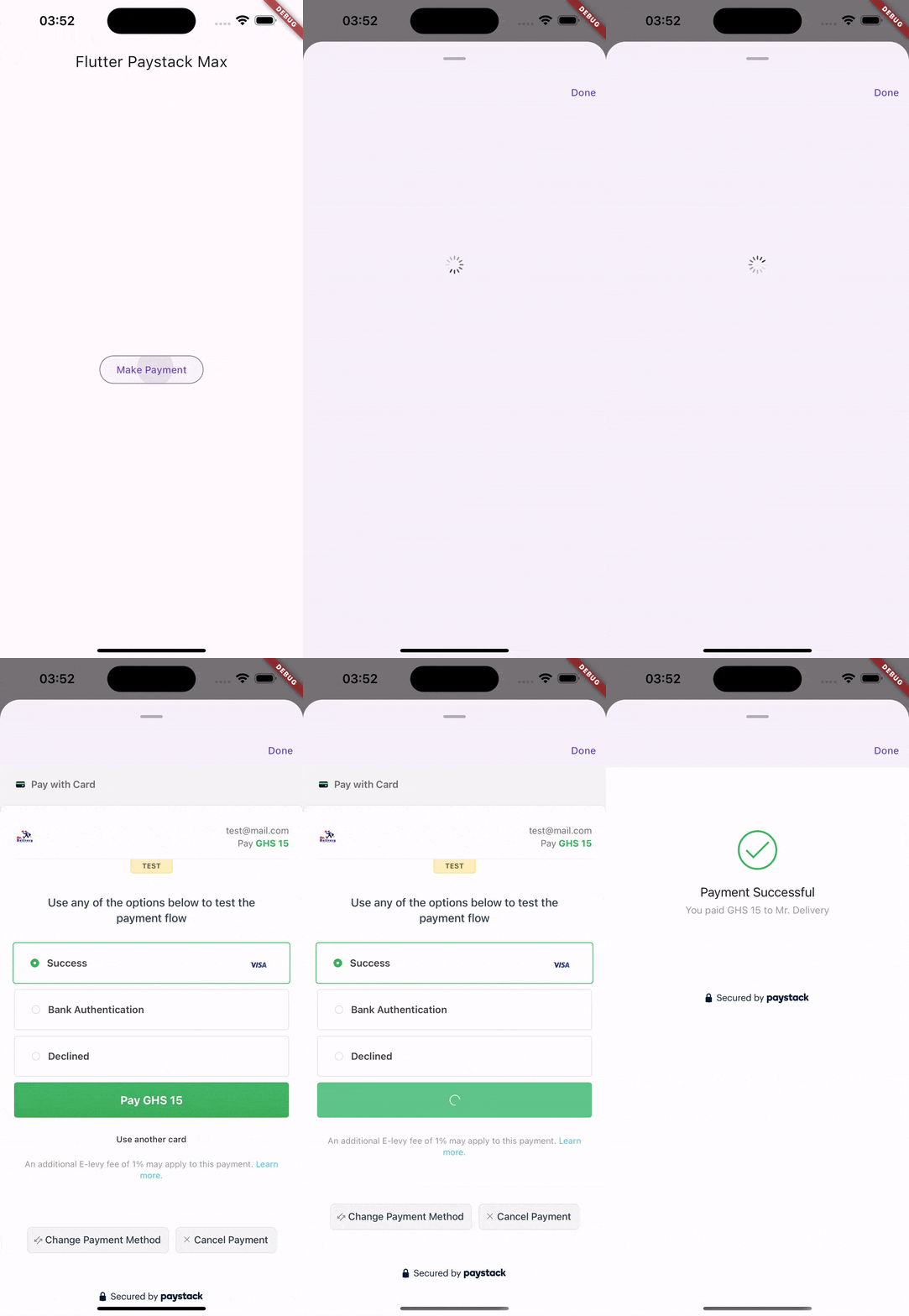
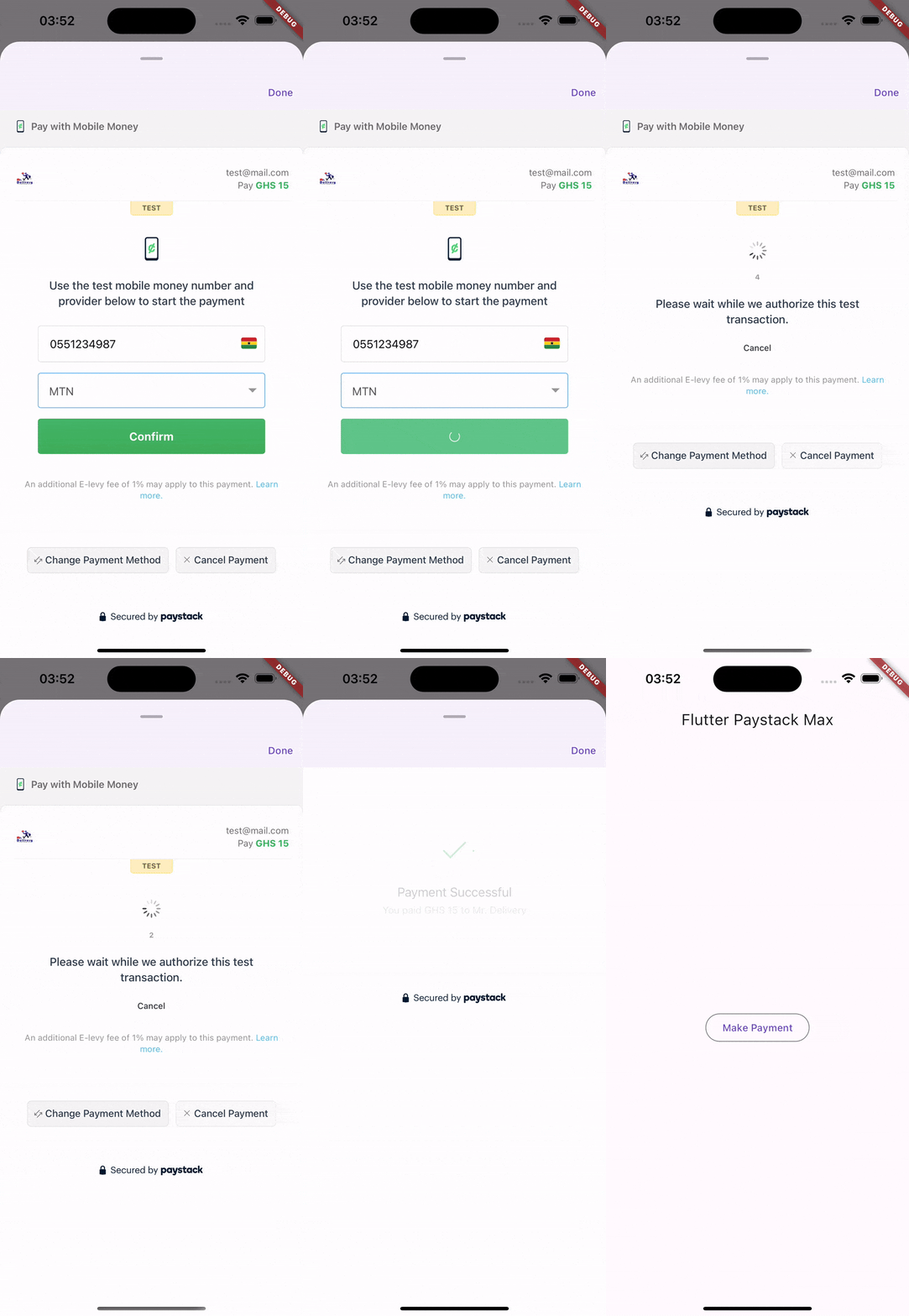
:heavy_check_mark: All Paystack supported payment methods/channels
:heavy_check_mark: Verifying Transactions
No configuration required for this package works out of the box.
final request = PaystackTransactionRequest(
    reference: '...',
    secretKey: '....',
    email: '...',
    amount: 15 * 100,
    currency: PaystackCurrency.ngn,
    channel: [
        PaystackPaymentChannel.mobileMoney,
        PaystackPaymentChannel.card,
        PaystackPaymentChannel.ussd,
        PaystackPaymentChannel.bankTransfer,
        PaystackPaymentChannel.bank,
        PaystackPaymentChannel.qr,
        PaystackPaymentChannel.eft,
    ],
);
final initializedTransaction = await PaymentService.initializeTransaction(request);

if (!initializedTransaction.status) {
    ScaffoldMessenger.of(context).showSnackBar(SnackBar(
        backgroundColor: Colors.red,
        content: Text(initializedTransaction.message),
    ));

    return;
}
final response = await PaymentService.showPaymentModal(
    context,
    transaction: initializedTransaction,
    // Callback URL must match the one specified on your paystack dashboard,
    callbackUrl: '...'
).then((_) async {
    return await PaymentService.verifyTransaction(
        paystackSecretKey: '...',
        initializedTransaction.data?.reference ?? request.reference,
    );
});

print(response); // Result of the confirmed payment
Visit the paystack documentation for more information https://paystack.com/docs/api/transaction
This project is open to contributions.
Please feel very free to help improve the payment experience on Flutter.
Experienced an issue or want to report a bug? Please, report it here.
Dependency list 7 items
{"sdk":"flutter"}^1.2.0^6.3.1^4.10.0{"sdk":"flutter"}^4.0.0^2.2.0Start with your use case, compare repository activity, and check the original project before adopting it.
“A repository is the most basic element of GitHub.”
GitHub Docs — About repositories ↗