
v0.0.9
dynamic_image_crop
A Flutter Package that crops the image by drawing lines or cropping into various shapes.
30Likes 7730-day downloads150Pub points
AndroidiOSmacOSWindowsLinux
A Flutter Package that crops the image by drawing lines or cropping into various shapes
English project snapshot. Visit GitHub for the latest content.


A Flutter package to crop images into various shapes.
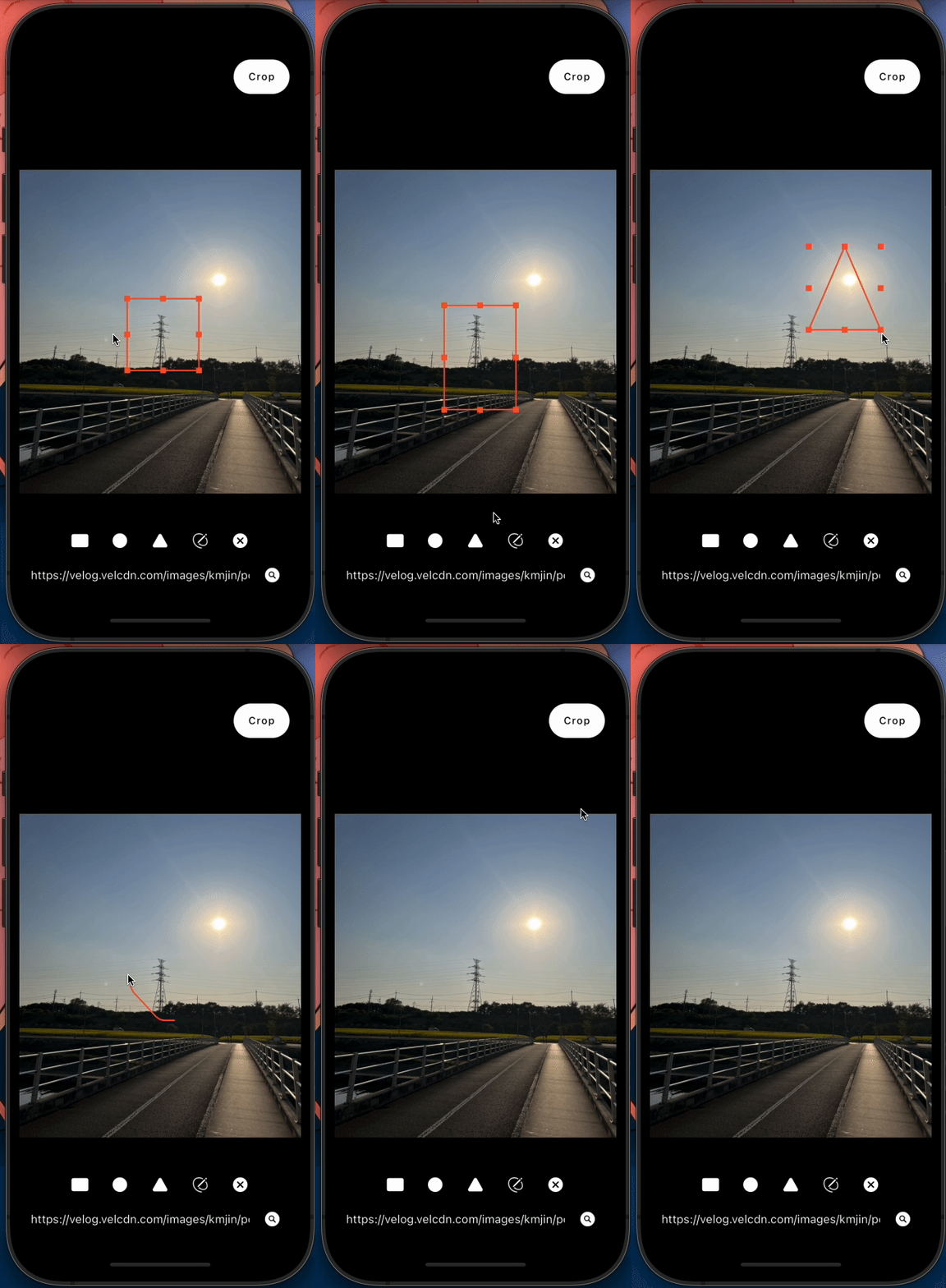
You can test the package by this link: demo_link
dynamic_image_crop supports the following features:
import 'package:dynamic_image_crop/dynamic_image_crop.dart';

final controller = CropController();

DynamicImageCrop(
  controller: controller,
  image: image!,  // Uint8List
  onResult: (image, width, height) {
    // cropped Image (Uint8List), width and height
  },
  cropLineColor: Colors.red, // (Optional)
  cropLineWidth: 1.0, // (Optional)
)

DynamicImageCrop.fromFile(
  imageFile: file,  // File
  controller: controller,
  onResult: (image, width, height) {
    // cropped Image (Uint8List), width and height
  },
)
CropController has the following methods:
void cropImage() {}
void changeType(CropType type) {}
void changeImage(Uint8List image) {}
void clearCropArea() {}
CropType has the following types:
enum CropType {
  rectangle, circle, triangle, drawing, none
}

Dependency list 3 items
{"sdk":"flutter"}{"sdk":"flutter"}—Start with your use case, compare repository activity, and check the original project before adopting it.
“A repository is the most basic element of GitHub.”
GitHub Docs — About repositories ↗