
cometchat-uikit-flutter
Voice & Video Calling and Text Chat App for Flutter

- Stars
- 544
- Forks
- 43
- Last push (UTC)
- Sep 10, 2026
- Project status
- Active
Original README
English project snapshot. Visit GitHub for the latest content.

CometChat UIKit for Flutter
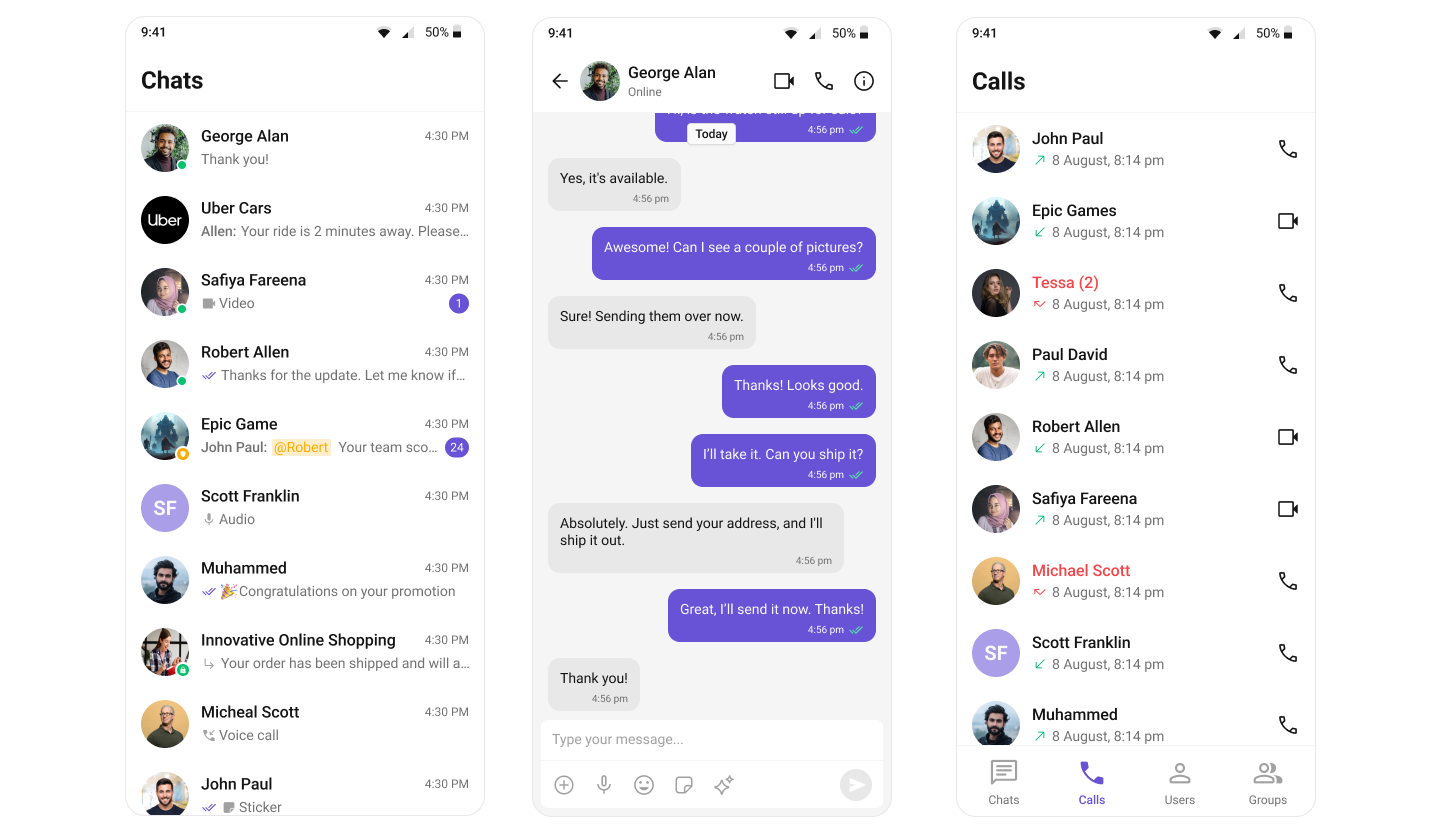
CometChat UIKit for Flutter provides pre-built UI components to quickly add chat, voice, and video calling features to your Flutter application.
Repository Structure
| Directory | Description |
|---|---|
| packages/cometchat_uikit | The open source UIKit package (local setup, structure, tests) |
| packages/cometchat_uikit/skills | Kiro AI skills for consumers and contributors |
| examples/sample_app | Sample app demonstrating UIKit usage |
| examples/ai_sample_app | AI-powered sample app with CometChat AI agents |
Prerequisites
- Flutter SDK >= 3.27.0
- Dart SDK >= 3.6.0
- iOS 16.0+ / Android 5.0+
- A CometChat account with App ID and Auth Key
Getting Started
- Sign up at the CometChat Dashboard and create a new app.
- Note your App ID, Region, and Auth Key from the dashboard.
- Clone this repository and navigate to the sample app:
git clone https://github.com/cometchat/cometchat-uikit-flutter.git
cd cometchat-uikit-flutter/examples/sample_app
flutter pub get
flutter run
- On first launch, enter your App ID, Region, and Auth Key in the credentials screen.
Installation
Add the UIKit to your project's pubspec.yaml:
dependencies:
  cometchat_chat_uikit: ^6.1.0
Then run:
flutter pub get
Documentation
Refer to our official documentation for detailed setup and usage guides.
Help and Support
For issues running the project or integrating with our UI Kit, consult our documentation or create a support ticket or seek real-time support via the CometChat Dashboard.
License
This project is licensed under the terms of the LICENSE file.

CometChat ↗
Categories
Rankings
How do I choose a repository?
Start with your use case, compare repository activity, and check the original project before adopting it.
- Search by repository name, owner or description, then narrow the results by topic.
- Compare stars, forks and recent pushes. Stars show community interest, not a guarantee of quality.
- Read the README, license and issues on GitHub before using a project.
Sources and maintenance
“A repository is the most basic element of GitHub.”
GitHub Docs — About repositories ↗