

 v0.3.1
flutter_circular_text
Flutter package which places text in a curved circular path.
177Likes 3.5K30-day downloads160Pub points
AndroidiOSWebmacOSWindowsLinux
Flutter circular text widget

English project snapshot. Visit GitHub for the latest content.

Add dependency in pubspec.yaml:
dependencies:
  flutter_circular_text: "^0.3.1"
Import in your project:
import 'package:flutter_circular_text/circular_text.dart';
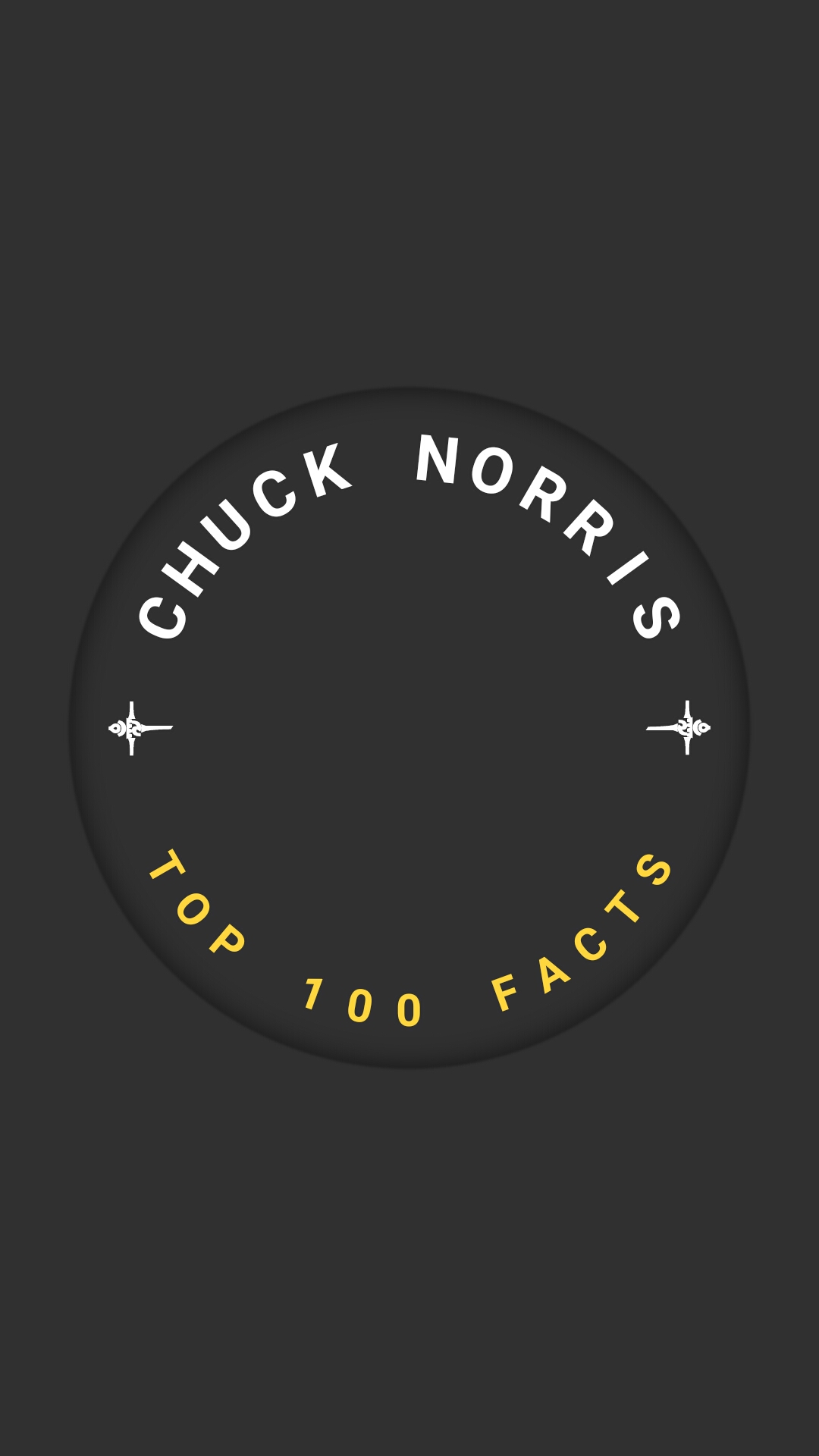
CircularText(
  children: [
    TextItem(
      text: Text(
        "Chuck Norris".toUpperCase(),
        style: TextStyle(
          fontSize: 28,
          color: Colors.blue,
          fontWeight: FontWeight.bold,
        ),
      ),
      space: 12,
      startAngle: -90,
      startAngleAlignment: StartAngleAlignment.center,
      direction: CircularTextDirection.clockwise,
    ),
    TextItem(
      text: Text(
        "top 100 Facts".toUpperCase(),
        style: TextStyle(
          fontSize: 20,
          color: Colors.amberAccent,
          fontWeight: FontWeight.bold,
        ),
      ),
      space: 10,
      startAngle: 90,
      startAngleAlignment: StartAngleAlignment.center,
      direction: CircularTextDirection.anticlockwise,
    ),
  ],
  radius: 125,
  position: CircularTextPosition.inside,
  backgroundPaint: Paint()..color = Colors.grey.shade200,
)
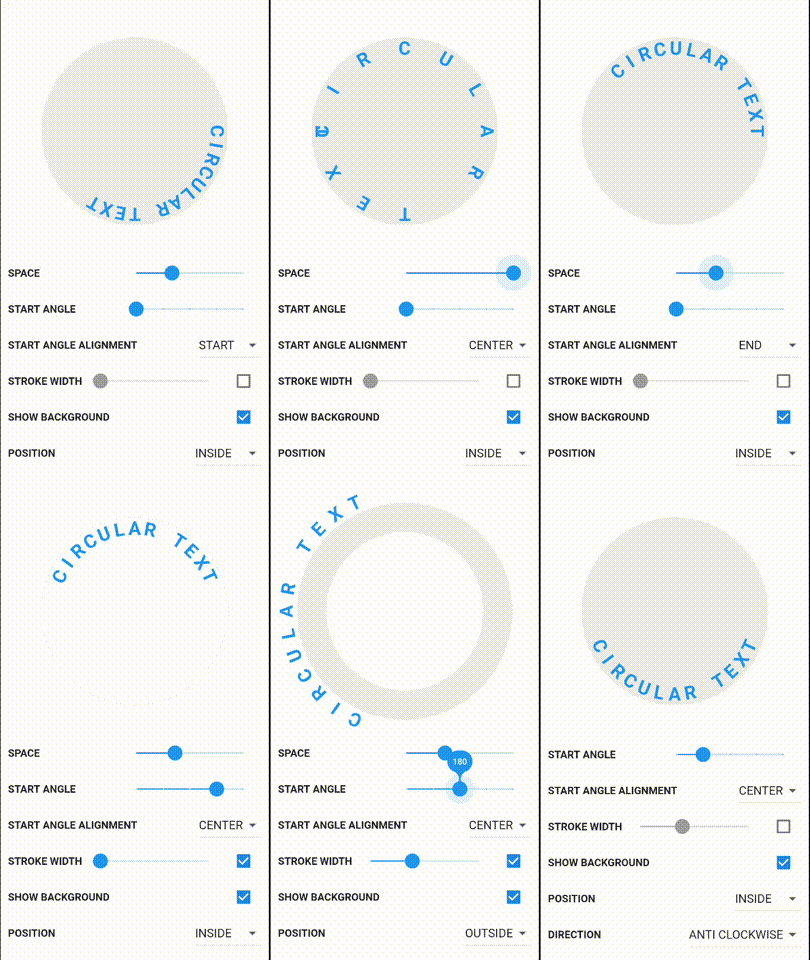
example project contains single and multi text demos
Check Changelog for updates
Reporting issues and requests for new features are always welcome.
Dependency list 2 items
{"sdk":"flutter"}{"sdk":"flutter"}Start with your use case, compare repository activity, and check the original project before adopting it.
“A repository is the most basic element of GitHub.”
GitHub Docs — About repositories ↗