
v1.2.0
file_preview
A plug-in that supports flutter preview files
35Likes 14730-day downloads110Pub points
AndroidiOS
A plug-in that supports flutter preview files,Flutter文档预览
English project snapshot. Visit GitHub for the latest content.






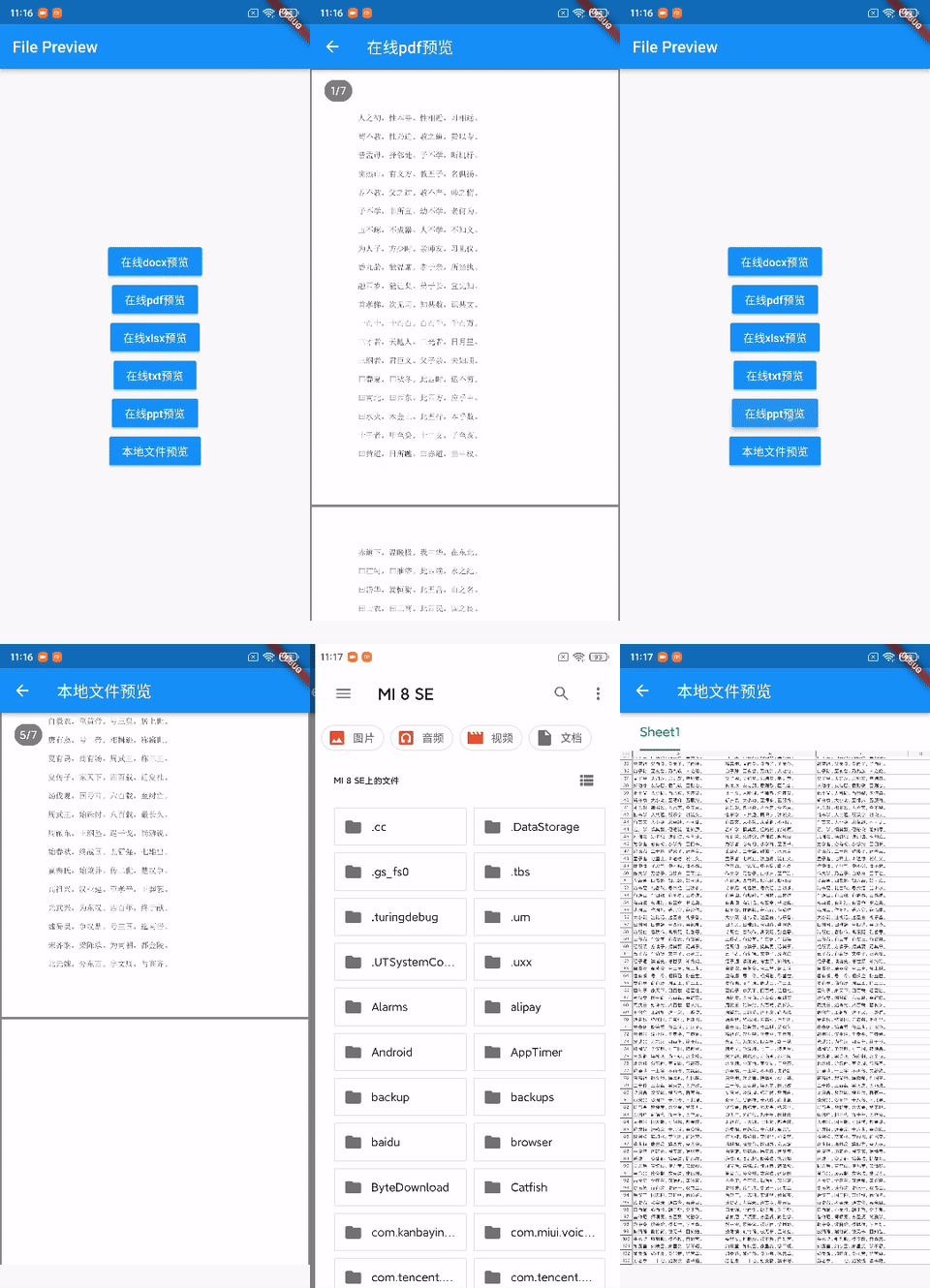

使用file_preview可以像在使用Flutter weidget一样在andorid、ios页面中预览doc、docx、rtf、ppt、pptx、xls、xlsx、xlsm、csv、pdf、txt、epub、chm等文件。 演示app
| 格式 | android | ios |
|---|---|---|
| .doc | ✅ | ✅ |
| .docx | ✅ | ✅ |
| .ppt | ✅ | ✅ |
| .pptx | ✅ | ✅ |
| .xls | ✅ | ✅ |
| .xlsx | ✅ | ✅ |
| ✅ | ✅ | |
| .OFD | ✅ | ✅ |
| more | TBS限制不可预览 | WKWebView支持均可预览 |
//v2
file_preview: ^latest

//v1
file_preview:
  git:
    url: https://github.com/gstory0404/file_preview.git
    ref: v1
import 'package:file_preview/file_preview.dart';
由于使用android使用TBS服务,所以必须在FilePreviewWidget使用前完成初始化,不然无法加载。
await FilePreview.initTBS(license: "your license");
String version = await FilePreview.tbsVersion();
   //使用前进行判断是否已经初始化
    var isInit = await FilePreview.tbsHasInit();
    if (!isInit) {
        await FilePreview.initTBS();
        return;
    }
//文件控制器
FilePreviewController controller = FilePreviewController();

//切换文件
//path 文件地址 https/http开头、文件格式结尾的地址,或者本地绝对路径
controller.showFile(path);

//文件预览widget
FilePreviewWidget(
    controller: controller,
    width: 400,
    height: 600,
    //path 文件地址 https/http开头、文件格式结尾的地址,或者本地绝对路径
    path: widget.path,
    callBack: FilePreviewCallBack(onShow: () {
      print("文件打开成功");
    }, onDownload: (progress) {
      print("文件下载进度$progress");
    }, onFail: (code, msg) {
      print("文件打开失败 $code  $msg");
    }),
),
andorid预览在线文件需要先将文件下载到本地/data/user/0/包名/files/file_preview/目录下, 可以通过以下方法删除缓存,仅andorid生效
await FilePreview.deleteCache();
高版本andorid、ios默认禁用http,可以设置打开防止文件加载失败
android/app/src/main/res/xml下新建network_config.xml
<?xml version="1.0" encoding="utf-8"?>
<network-security-config>
    <base-config cleartextTrafficPermitted="true"/>
</network-security-config>
在android/app/src/main/AndroidManifest.xml中使用
<application
       android:networkSecurityConfig="@xml/network_config">
ios/Runner/Info.plist中
 <key>NSAppTransportSecurity</key>
        <dict>
            <key>NSAllowsArbitraryLoads</key>
            <true/>
        </dict>
https://gstory.vercel.app/ceshi/ceshi.docx
https://gstory.vercel.app/ceshi/ceshi.pdf
https://gstory.vercel.app/ceshi/ceshi.xlsx
https://gstory.vercel.app/ceshi/ceshi.txt
https://gstory.vercel.app/ceshi/ceshi.pptx
| 插件 | 地址 |
|---|---|
| 字节-穿山甲广告插件 | flutter_unionad |
| 腾讯-优量汇广告插件 | flutter_tencentad |
| 百度-百青藤广告插件 | baiduad |
| 字节-Gromore聚合广告 | gromore |
| Sigmob广告 | sigmobad |
| 聚合广告插件(迁移至GTAds) | flutter_universalad |
| GTAds聚合广告 | GTAds |
| 字节穿山甲内容合作插件 | flutter_pangrowth |
| 文档预览插件 | file_preview |
| 滤镜 | gpu_image |

Dependency list 3 items
{"sdk":"flutter"}{"sdk":"flutter"}^1.0.0Start with your use case, compare repository activity, and check the original project before adopting it.
“A repository is the most basic element of GitHub.”
GitHub Docs — About repositories ↗