
markdown_viewer
A Markdown viewer widget for Flutter. It renders Markdown string to rich text output.

- Stars
- 18
- Forks
- 21
- Last push (UTC)
- Jun 2, 2024
- Project status
- Active
Original README
English project snapshot. Visit GitHub for the latest content.

Markdown Viewer
A Markdown viewer widget for Flutter. It renders Markdown string to rich text output.
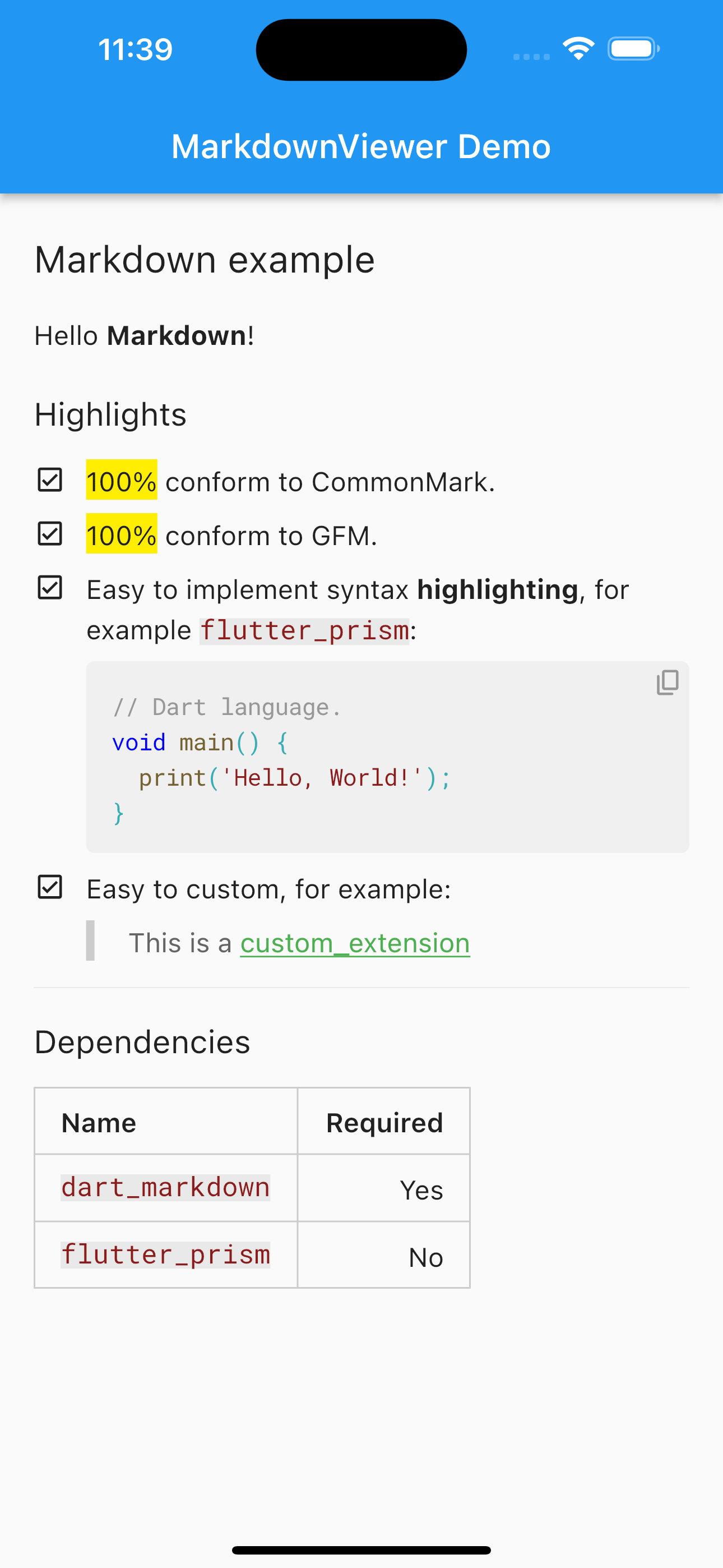
Check the source code of this screenshot here
Usage
MarkdownViewer(
  'Hello **Markdown**!',
  enableTaskList: true,
  enableSuperscript: false,
  enableSubscript: false,
  enableFootnote: false,
  enableImageSize: false,
  enableKbd: false,
  syntaxExtensions: const [],
  elementBuilders: const [],
);
How to create a syntax extension
class ExampleSyntax extends MdInlineSyntax {
  ExampleSyntax() : super(RegExp(r'#[^#]+?(?=\s+|$)'));

  @override
  MdInlineObject? parse(MdInlineParser parser, Match match) {
    final markers = [parser.consume()];
    final content = parser.consumeBy(match[0]!.length - 1);

    return MdInlineElement(
      'example',
      markers: markers,
      children: content.map((e) => MdText.fromSpan(e)).toList(),
    );
  }
}
How to create a element builder
class ExampleBuilder extends MarkdownElementBuilder {
  ExampleBuilder()
      : super(
          textStyle: const TextStyle(
            color: Colors.green,
            decoration: TextDecoration.underline,
          ),
        );

  @override
  bool isBlock(element) => false;

  @override
  List<String> matchTypes = <String>['example'];
}

GitHub author
Hanlogy ↗
LanguagesDartC++CMakeHTMLCSwiftKotlinShellObjective-C
Dependencies used
Dependency list 4 items
- flutter
{"sdk":"flutter"} - dart_markdown
^3.1.7 - flutter_testDevelopment
{"sdk":"flutter"} - flutter_lintsDevelopment
^2.0.0
How do I choose a repository?
Start with your use case, compare repository activity, and check the original project before adopting it.
- Search by repository name, owner or description, then narrow the results by topic.
- Compare stars, forks and recent pushes. Stars show community interest, not a guarantee of quality.
- Read the README, license and issues on GitHub before using a project.
Sources and maintenance
“A repository is the most basic element of GitHub.”
GitHub Docs — About repositories ↗
- hanlogy/markdown_viewer · GitHub ↗
- GitHub Docs — Saving repositories with stars ↗
- Directory maintained by Ducafecat ↗