
 v0.1.2
smooth_highlight
This package allows you to emphasize a specific widget by highlight animation when you want to emphasize something to your users.
32Likes 1.4K30-day downloads160Pub points
AndroidiOSWebmacOSWindowsLinux
This package allows you to emphasize a specific widget by highlight animation when you want to emphasize something to your users.
English project snapshot. Visit GitHub for the latest content.
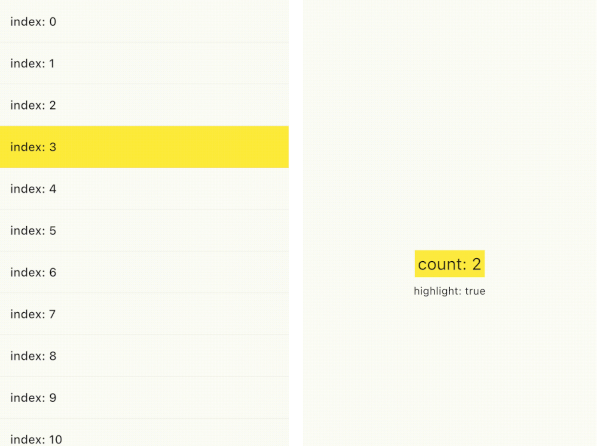
You can emphasize a specific widget by highlight animation when you want to emphasize something to your users. As you can see from the following samples, you can use smooth_highlight in any widget.
And also, you can use ValueChangeHighlight that is useful when you simply want to highlight only the text changes(refer to Sample2). It is inspired by the Cloud Firestore value change animation in the Firebase console.
| Sample1 | Sample2 | Sample3 |
|---|---|---|
 |
 |
 |
You just wrap SmoothHighlight in your widget.
SmoothHighlight(
  // set your custom color
  color: Colors.yellow,
  child: Text('Highlight'),
);
and you can also define custom behavior.
SmoothHighlight(
  // highlight in initState phase.
  useInitialHighLight: true,

  // Set custom duration.
  duration: const Duration(seconds: 1),

  // highlight whenever count is even.
  enabled: count % 2 ==0,
);
If you want to highlight the widget only the value changed, ValueChangeHighlight is useful. It requires highlight trigger value.
ValueChangeHighlight(
  // highlight if count changes
  value: count,
  color: Colors.yellow,
  child: Text('count: $count'),
);
if you don't want to highlight a specific values, disableFromValues property prevents it.
ValueChangeHighlight(
  value: count,

  // disable highlight if count changes from `null` or `2` to some value.
  // In this counter example, `0`, `3`, won't be highlighted.
  disableFromValues: const [null, 2],
);
Following gif is Firestore GUI in Firebase Console. Firestore realtime listener is powerful, but it is hard for your user to see what value changed. You can make the user notice by highlighting the changed value. It's probably a user-friendly consideration, I think.


Dependency list 3 items
{"sdk":"flutter"}{"sdk":"flutter"}^2.0.0Start with your use case, compare repository activity, and check the original project before adopting it.
“A repository is the most basic element of GitHub.”
GitHub Docs — About repositories ↗