FireNoti
FireNoti is a Flutter-based mobile application that leverages Firebase Cloud Messaging (FCM) for sending and managing push notifications. This project aims to provide a seamless notification experience by integrating Firebase FCM, enabling real-time alerts and updates for users.
Features
- Firebase FCM Integration: Uses Firebase Cloud Messaging for sending push notifications.
- Real-Time Notifications: Receive instant alerts and updates directly on your mobile device.
- Customizable Alerts: Allows easy customization of notification content and appearance.
- Efficient Message Delivery: Ensures reliable and timely notification delivery.
- User Engagement: Boosts user engagement with interactive notifications.
Fire-Noti Project Contribution Acknowledgement
Imran's Avatar
We would like to acknowledge the valuable contributions made by Imran to the Fire-Noti project.
Updates by Imran
- iOS Project Configuration and Assets
- Added CocoaPods support by creating a
Podfile and including necessary configurations in Debug.xcconfig and Release.xcconfig.
- Updated
Runner.xcodeproj to include Pods frameworks and configurations.
- Added new app icon images to
Assets.xcassets and updated Contents.json for proper asset management.
- Modified
Info.plist to include user tracking usage description and background modes for notifications.
- Refactored
NotificationCalendar class to allow mutable properties: year, month, day, hour, minute, second, and millisecond.
Thank you, Imran, for your dedication and excellent work on improving the Fire-Noti project!
Getting Started
Prerequisites
Before you begin, ensure you have met the following requirements:
Add these dependencies to your pubspec.yaml file:
dependencies:
  flutter:
    sdk: flutter
  firebase_core: ^3.6.0
  firebase_messaging: ^15.1.3
  awesome_notifications: ^0.10.0
Installation
- Clone the repository:
git clone https://github.com/Puneetsharma5525/Fire-Noti.git
cd FireNoti
Android Output
Main Screen
This is the main screen of the Flutter application, showcasing the primary user interface.
Simple Notification
Example of a simple notification that alerts the user to a new message or event.
Sound Notification
Demonstration of a notification with sound, enhancing user engagement through audio cues.
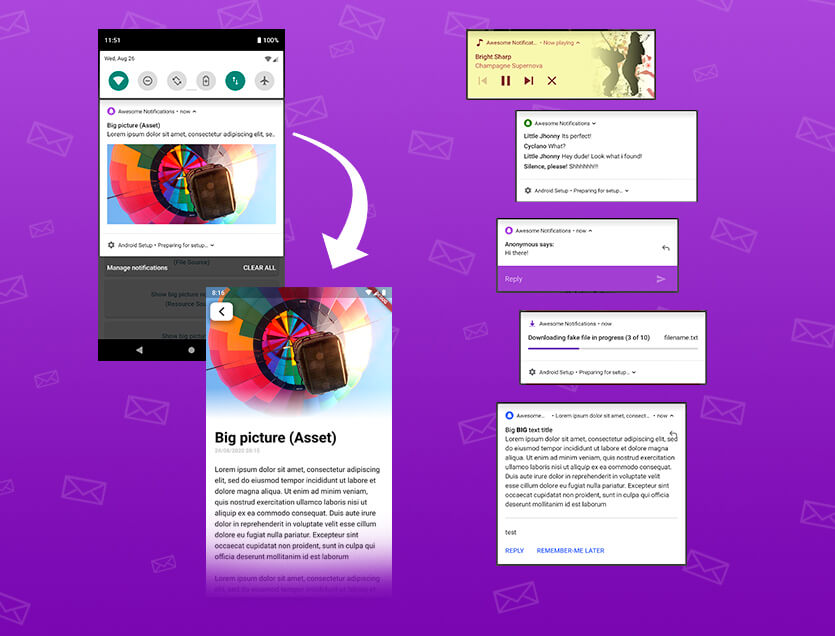
Big Image Notification
An example of a big image notification.
Button Notification
Illustration of a notification featuring action buttons, allowing users to respond directly from the notification.
Reply Notification
This shows a reply notification, enabling users to quickly respond to messages without opening the app.
Chat Message Notification
Example of a chat message notification, indicating new messages from contacts.
Music Notification
Music notification showing playback controls and information about the currently playing track.
Big Text Notification
A big text notification that provides detailed information and context to the user.
Simulator Output
1. Home Screen with App Icon and Badge
Home Screen with App Icon and Badge
The main home screen of the app displays the **FireNoti** app icon, app name, and notification badge on iOS.
2. Notification with Image
Notification with Image
This shows a Flutter alert notification featuring an image alongside the notification message on iOS.
3. Notification with Logo and Image
Notification with Logo and Image
Here, the notification displays both a logo and a large image, providing a rich notification experience on iOS.
4. Home Screen with Various Notification Types
Various Notifications Demo
The app's home screen demonstrates different notification types available on iOS, including:
- Simple Notification
- Sound Notification
- Big Image Notification
- Button Notification
- Reply Message Notification
- Scheduled Notification
- Music Notification
- Big Text Notification


 v0.12.1