Search packages, repositories and app categories

GitHub repositoryibako/resizable_widget

resizable_widget

A Flutter package that enables users to resize the internal widgets by dragging.

resizable_widget project cover
Stars
53
Forks
40
Last push (UTC)
Apr 2, 2023
Project status
Active

Original README

English project snapshot. Visit GitHub for the latest content.

resizable_widget

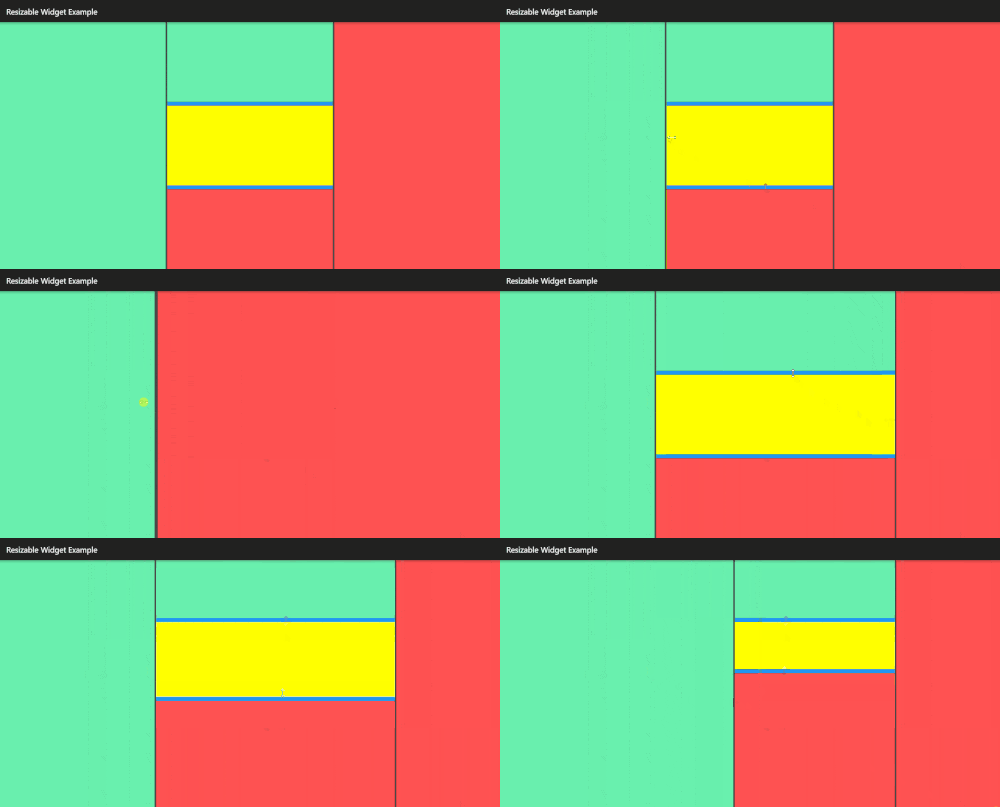
ResizableWidget enables users to resize the internal widgets by dragging.

This package contains simple APIs, but if needed, you can customize ResizableWidget flexibly.

Example

example

Shows a simple code example below.

import 'package:flutter/material.dart';
import 'package:resizable_widget/resizable_widget.dart';

class MyPage extends StatelessWidget {
  @override
  Widget build(BuildContext context) {
    return Scaffold(
      body: ResizableWidget(
        children: [ // required
          Container(color: Colors.greenAccent),
          Container(color: Colors.yellowAccent),
          Container(color: Colors.redAccent),
        ],
        isHorizontalSeparator: false,   // optional
        isDisabledSmartHide: false,     // optional
        separatorColor: Colors.white12, // optional
        separatorSize: 4,               // optional
        percentages: [0.2, 0.5, 0.3],   // optional
        onResized: (infoList) =>        // optional
            print(infoList.map((x) => '(${x.size}, ${x.percentage}%)').join(", ")),
      ),
    );
  }
}

Package page (pub.dev)

https://pub.dev/packages/resizable_widget

API Document

https://pub.dev/documentation/resizable_widget/latest/resizable_widget/resizable_widget-library.html

ibako GitHub avatar
GitHub author

ibako ↗

Software Engineer

LanguagesDart

Packages published by this repository

Dependencies used

Dependency list 3 items

  • flutter{"sdk":"flutter"}
  • flutter_testDevelopment{"sdk":"flutter"}
  • flutter_lintsDevelopment^1.0.0-0

How do I choose a repository?

Start with your use case, compare repository activity, and check the original project before adopting it.

  1. Search by repository name, owner or description, then narrow the results by topic.
  2. Compare stars, forks and recent pushes. Stars show community interest, not a guarantee of quality.
  3. Read the README, license and issues on GitHub before using a project.

Sources and maintenance

“A repository is the most basic element of GitHub.”

GitHub Docs — About repositories ↗