
 v1.0.4
animated_introduction
A new flutter introduction package with image and animation, which you can use to show your app features or product showcase.
104Likes 10830-day downloads150Pub points
AndroidiOSWebmacOSWindowsLinux
animated introduction screen slide package for flutter
English project snapshot. Visit GitHub for the latest content.
Simple Animated Introduction Screen for Flutter
Add this to your flutter app to get a simple animated introduction screen.
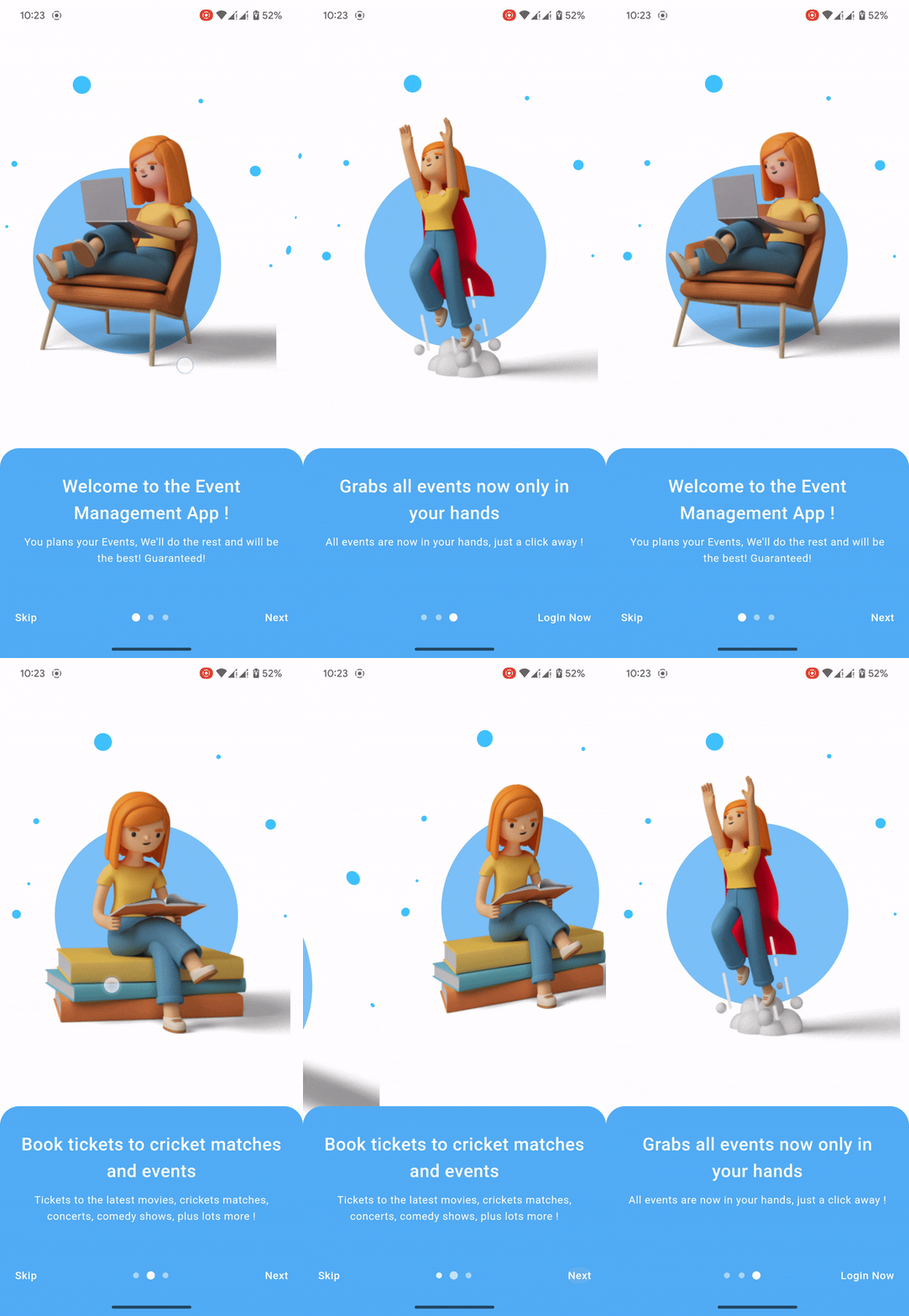
Add this to your package's pubspec.yaml file:
dependencies:
  animated_introduction: ^1.0.3
import 'package:animated_introduction/animated_introduction.dart';
SingleIntroScreen objectsfinal List<SingleIntroScreen> pages = [
const SingleIntroScreen(
title: 'Welcome to the Event Management App !',
description: 'You plans your Events, We\'ll do the rest and will be the best! Guaranteed! ',
imageAsset: 'assets/onboard_one.png',
),
const SingleIntroScreen(
title: 'Book tickets to cricket matches and events',
description: 'Tickets to the latest movies, crickets matches, concerts, comedy shows, plus lots more !',
imageAsset: 'assets/onboard_two.png',
),
const SingleIntroScreen(
title: 'Grabs all events now only in your hands',
description: 'All events are now in your hands, just a click away ! ',
imageAsset: 'assets/onboard_three.png',
),
];
AnimatedIntroduction widgetScaffold(
body: AnimatedIntroduction(
slides: pages,
indicatorType: IndicatorType.circle,
onDone: () {
/// TODO: Go to desire page like login or home
},
),
);

Dependency list 3 items
{"sdk":"flutter"}{"sdk":"flutter"}^2.0.0Start with your use case, compare repository activity, and check the original project before adopting it.
“A repository is the most basic element of GitHub.”
GitHub Docs — About repositories ↗