
 v2.0.0
duration_picker
A time picker widget that can select both minutes and hours. Fork from flutter_duration_picker.
126Likes 10.1K30-day downloads160Pub points
AndroidiOSWebmacOSWindowsLinux
A library for a duration picker in Flutter.
English project snapshot. Visit GitHub for the latest content.
Fork from flutter_duration_picker. https://github.com/cdharris/flutter_duration_picker
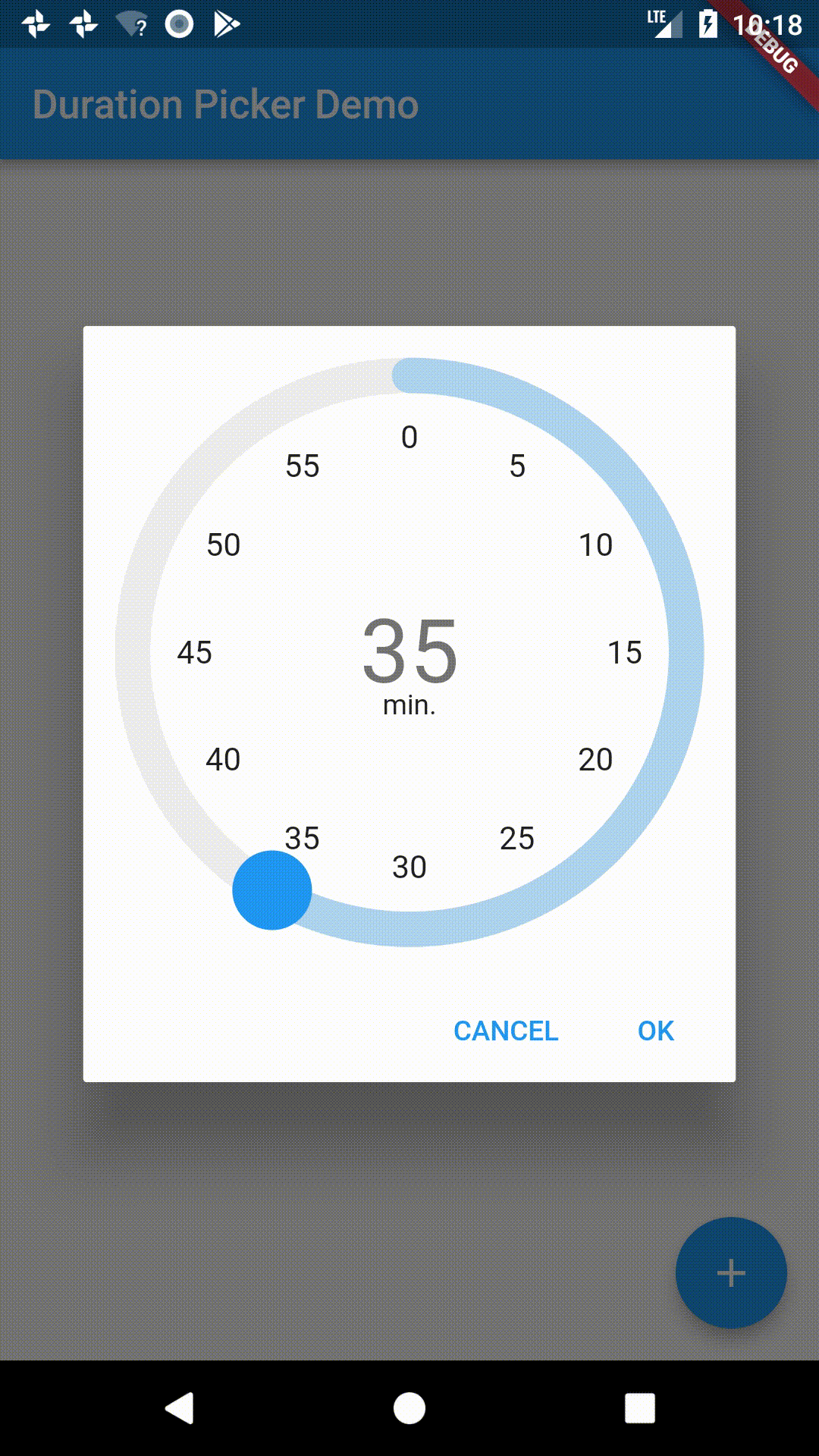
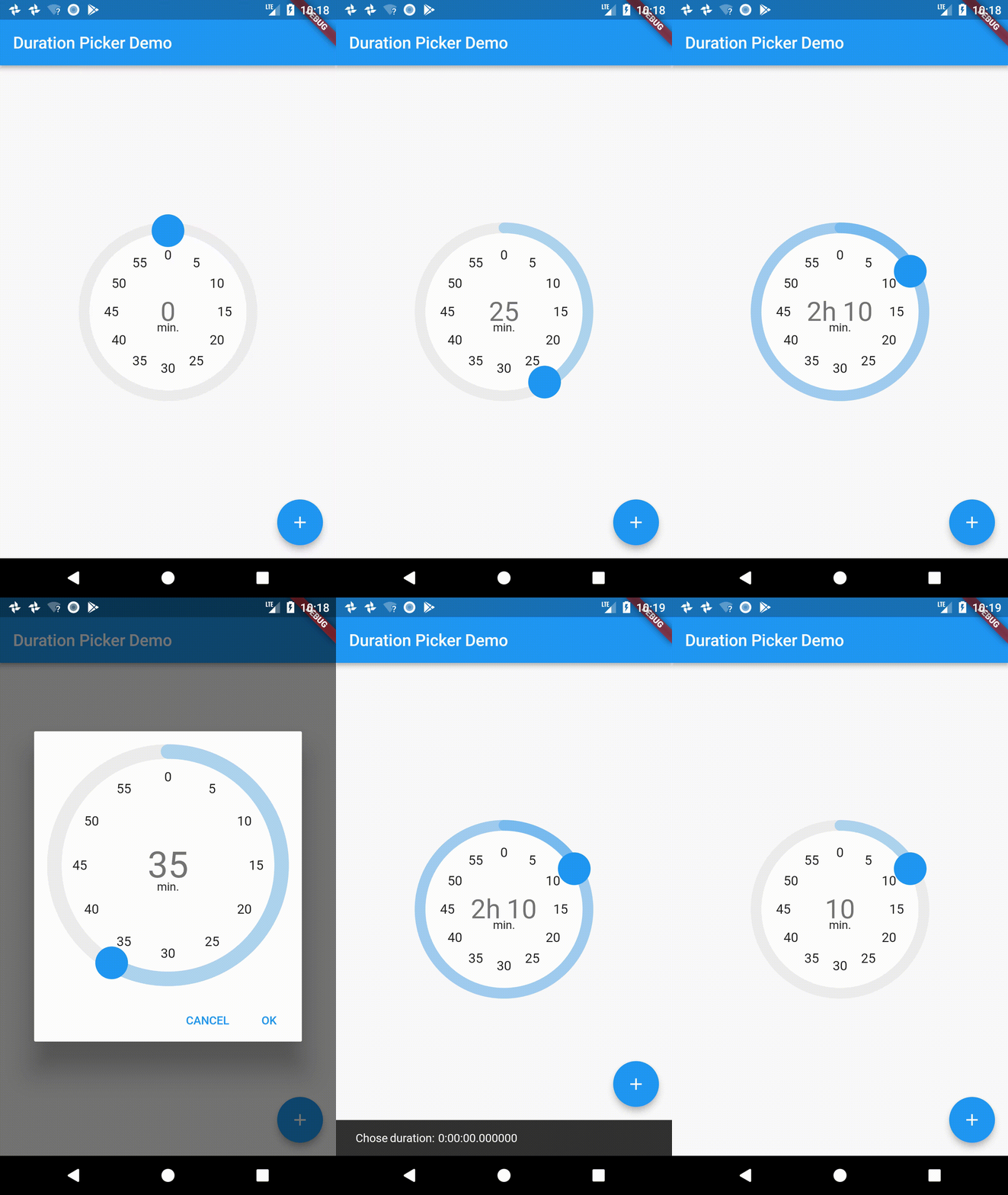
A little widget for picking durations. Heavily inspired from the Material Design time picker widget.
In order to support other languages, developers need to configure localization settings like the settings for the time picker. Example for english and korean:
class MyApp extends StatelessWidget {
  const MyApp({Key? key}) : super(key: key);

  @override
  Widget build(BuildContext context) {
    return MaterialApp(
      title: 'Duration Picker Demo',
      theme: ThemeData(
        primarySwatch: Colors.blue,
      ),
      localizationsDelegates: [
        DurationPickerLocalizations.delegate,
        GlobalMaterialLocalizations.delegate,
        GlobalWidgetsLocalizations.delegate,
        GlobalCupertinoLocalizations.delegate,
      ],
      supportedLocales: [Locale('en'), Locale('ko')],
      home: const MyHomePage(title: 'Duration Picker Demo'),
    );
  }
}
localizataions dir.class DurationPickerLocalizationsKo extends DurationPickerLocalizations {
@override
String get baseUnitHour => '시간';
@override
String get baseUnitMillisecond => '밀리초';
...
}
The class should extend DurationPickerLocalizations. This makes it easy to write everything you should write.
supportedLocales array in _DurationPickerLocalizationDelegate.class _DurationPickerLocalizationDelegate
extends LocalizationsDelegate<DurationPickerLocalizations> {
const _DurationPickerLocalizationDelegate();
static const supportedLocales = ['en', 'ko'];
...
}
DurationPickerLocalizations implementation as locale at load method in _DurationPickerLocalizationDelegate.@override
Future<DurationPickerLocalizations> load(Locale locale) async {
switch (locale.languageCode) {
case 'ko':
return DurationPickerLocalizationsKo();
default:
return DurationPickerLocalizationsEn();
}
}
dependencies:
  duration_picker: "^1.0.0"
import 'package:flutter/material.dart';
import 'package:duration_picker/duration_picker.dart';

void main() => runApp(MyApp());

class MyApp extends StatelessWidget {
  @override
  Widget build(BuildContext context) {
    return MaterialApp(
      title: 'Duration Picker Demo',
      theme: ThemeData(
        primarySwatch: Colors.blue,
      ),
      home: MyHomePage(title: 'Duration Picker Demo'),
    );
  }
}

class MyHomePage extends StatefulWidget {
  MyHomePage({Key key, this.title}) : super(key: key);

  final String title;

  @override
  _MyHomePageState createState() => _MyHomePageState();
}

class _MyHomePageState extends State<MyHomePage> {
  Duration _duration = Duration(hours: 0, minutes: 0);
  @override
  Widget build(BuildContext context) {
    return Scaffold(
      appBar: AppBar(
        title: Text(widget.title),
      ),
      body: Center(
        child: Column(
          mainAxisAlignment: MainAxisAlignment.center,
          children: <Widget>[
            Expanded(
                child: DurationPicker(
              duration: _duration,
              onChange: (val) {
                setState(() => _duration = val);
              },
            ))
          ],
        ),
      ),
      floatingActionButton: Builder(
          builder: (BuildContext context) => FloatingActionButton(
                onPressed: () async {
                  var resultingDuration = await showDurationPicker(
                    context: context,
                    initialTime: Duration(minutes: 30),
                  );
                  ScaffoldMessenger.of(context).showSnackBar(SnackBar(
                      content: Text('Chose duration: $resultingDuration')));
                },
                tooltip: 'Popup Duration Picker',
                child: Icon(Icons.add),
              )),
    );
  }
}

Dependency list 3 items
{"sdk":"flutter"}{"sdk":"flutter"}^2.0.0Start with your use case, compare repository activity, and check the original project before adopting it.
“A repository is the most basic element of GitHub.”
GitHub Docs — About repositories ↗