GitHub repositorykekland/future_button

future_button

Customizable Material and Cupertino buttons with progress indicators and more

future_button project cover
Stars
36
Forks
7
Last push (UTC)
Dec 19, 2022
Project status
Active

Original README

English project snapshot. Visit GitHub for the latest content.

future_button

Coverage Status Build status Pub version

Customizable Material and Cupertino buttons with progress indicators and more.

Useful if you want to run some background tasks when user presses on the button, and then show the result of the task.
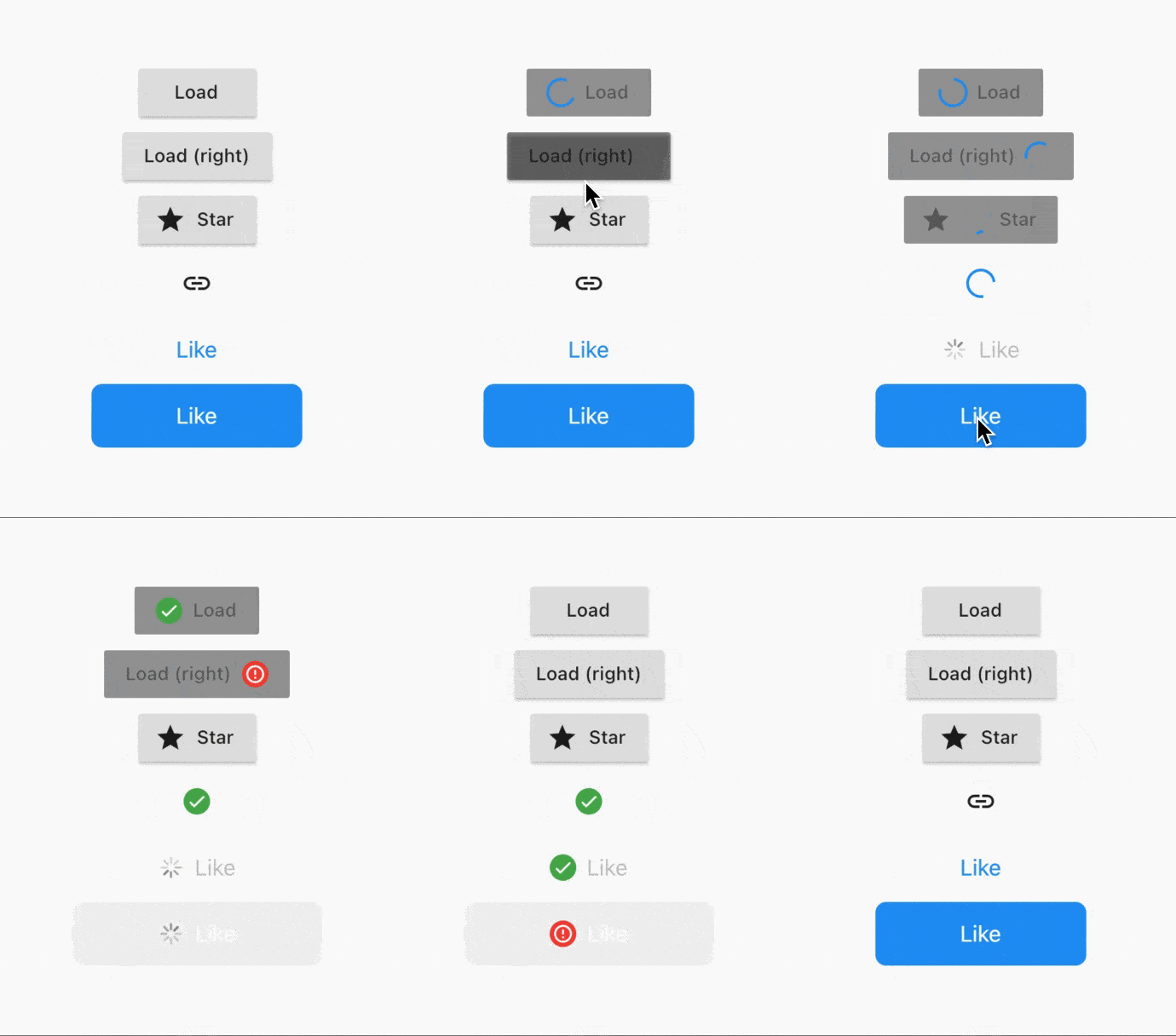
Demonstration

How to use it

Usage is extremely simple - right now 5 types of buttons are supported:

  • CupertinoButton (normal + filled)
  • FlatButton (normal + icon)
  • IconButton
  • OutlineButton (normal + icon)
  • RaisedButton (normal + icon)

To convert a button to a FutureButton, just add a Future prefix and make sure that your onPressed callback is of type Future<void> Function(), instead of usual void Function().

Everything that the package does can be customized. Below is the list of all parameters:

/// The widget that's used as the progress indicator.
/// You can substitute it with your own progress indicator if necessary.
/// See [defaultMaterialProgressIndicatorBuilder] and[defaultCupertinoProgressIndicatorBuilder] for more info.
final WidgetBuilder progressIndicatorBuilder;

/// The location of progress indicator.
/// See [ProgressIndicatorLocation] for more info.
final ProgressIndicatorLocation progressIndicatorLocation;

/// Whether to show the result of the Future.
/// Will show [successIndicatorBuilder] if Future completes without errors.
/// Otherwise, will show [failureIndicatorBuilder].
final bool showResult;

/// Whether to animate the transitions using [AnimatedSwitcher].
/// Defaults to [true].
final bool animateTransitions;

/// Indicator to show when the Future is completed successfully.
/// Defaults to [defaultSuccessResultIndicatorBuilder].
final WidgetBuilder successIndicatorBuilder;

/// Indicator to show when the Future fails.
/// Defaults to [defaultFailureResultIndicatorBuilder].
final WidgetBuilder failureIndicatorBuilder;

/// For how long should the result be shown for.
/// Default to `Duration(seconds: 2)`.
final Duration resultIndicatorDuration;

/// Curve that's used to animate the button size.
/// Defaults to [Curves.easeInOut].
final Curve animationCurve;

/// Duration that's used to animate the button size.
/// Defaults to `Duration(milliseconds: 150)`.
final Duration animationDuration;

Example

FutureRaisedButton.icon(
  icon: Icon(Icons.star),
  label: Text('Star'),
  onPressed: () async {
    // Do some background task
    await Future.delayed(Duration(seconds: 5));
  },
);

See example project for more details.

Getting Started

Depend on it

Add this to your package's pubspec.yaml file:

dependencies:
  future_button: ^0.1.1
Install it

You can install packages from the command line:

$ flutter pub get
Import it

Now in your Dart code, you can use:

import 'package:future_button/future_button.dart';

Contact me

E-mail: kk.erzhan@gmail.com

Erzhan GitHub avatar
GitHub author

Erzhan ↗

i do some flutter things

Almaty, Kazakhstan
LanguagesDartSwiftKotlinObjective-C

Categories

Packages published by this repository

Dependencies used

Dependency list 3 items

  • flutter{"sdk":"flutter"}
  • pedanticDevelopment^1.9.0
  • flutter_testDevelopment{"sdk":"flutter"}

How do I choose a repository?

Start with your use case, compare repository activity, and check the original project before adopting it.

  1. Search by repository name, owner or description, then narrow the results by topic.
  2. Compare stars, forks and recent pushes. Stars show community interest, not a guarantee of quality.
  3. Read the README, license and issues on GitHub before using a project.

Sources and maintenance

“A repository is the most basic element of GitHub.”

GitHub Docs — About repositories ↗
