
checkbox_formfield
Flutter package

- Stars
- 3
- Forks
- 9
- Last push (UTC)
- May 30, 2024
- Project status
- Active
Original README
English project snapshot. Visit GitHub for the latest content.
checkbox_formfield

A few kinds of checkbox that can be used as FormField
Getting Started
This library currently has two Widgets.
- CheckboxListTileFormField: Use CheckboxListTile in Form
- CheckboxIconFormField: Use two Icons as if they consist a checkbox and also in Form
Demo
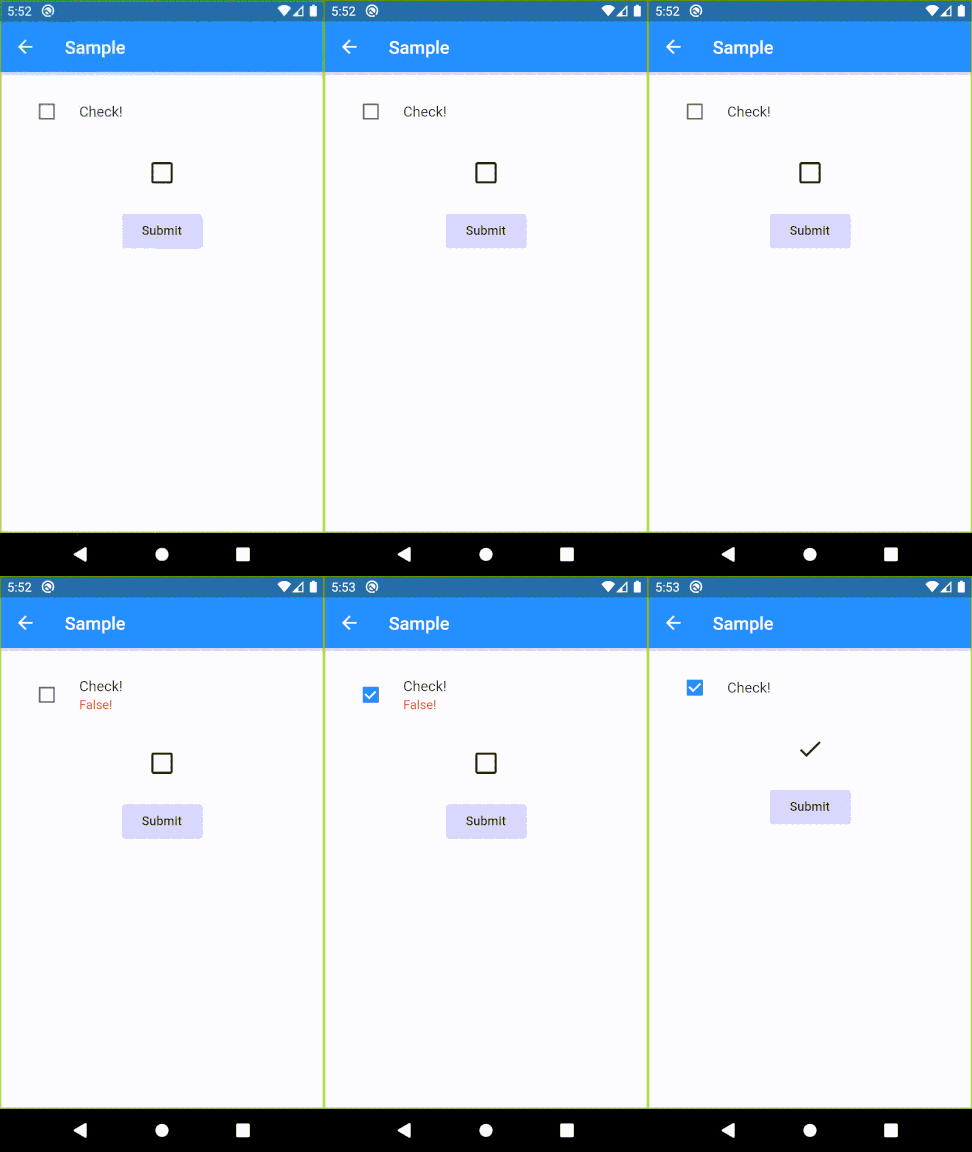
Usage sample
Please check example/lib in this library.
Specifications
CheckboxListTileFormField
| Parameter | Description |
|---|---|
| key | FormField.key |
| title | CheckboxListTile.title |
| context | Provide a default color to errorColor |
| onSaved | FormField.onSaved |
| validator | FormField.validator |
| initialValue | FormField.initialValue |
| autovalidateMode | FormField.autovalidateMode |
| enabled | Whether the checkbox is enabled |
| dense | CheckboxListTile.dense |
| errorColor | Color of error message Default: Theme.errorColor (context is given), Colors.red (otherwise) |
| activeColor | CheckboxListTile.activeColor |
| checkColor | CheckboxListTile.checkColor |
| controlAffinity | CheckboxListTile.controlAffinity |
| secondary | CheckboxListTile.secondary |
| contentPadding | CheckboxListTile.contentPadding |
| autofocus | CheckboxListTile.autofocus |
CheckboxIconFormField
| Parameter | Description |
|---|---|
| key | FormField.key |
| context | Provide a default color to errorColor |
| onSaved | FormField.onSaved |
| initialValue | FormField.initialValue |
| autovalidateMode | FormField.autovalidateMode |
| enabled | Whether the checkbox is enabled |
| trueIcon | IconData if true Default: Icons.check |
| falseIcon | IconData if false Default: Icons.check_box_outline_blank |
| trueIconColor | Color if true Default: Theme.colorScheme.secondary (if context is given), Theme.iconTheme.color (otherwise) |
| falseIconColor | Color if false Default: Theme.iconTheme.color |
| disabledColor | Color if disabled Default: Theme.disabledColor |
| padding | paddingDefault: 24.0 |
| iconSize | Icon.size |

GitHub author
K ↗
LanguagesDartKotlinSwiftObjective-C
Dependencies used
Dependency list 2 items
- flutter
{"sdk":"flutter"} - flutter_testDevelopment
{"sdk":"flutter"}
How do I choose a repository?
Start with your use case, compare repository activity, and check the original project before adopting it.
- Search by repository name, owner or description, then narrow the results by topic.
- Compare stars, forks and recent pushes. Stars show community interest, not a guarantee of quality.
- Read the README, license and issues on GitHub before using a project.
Sources and maintenance
“A repository is the most basic element of GitHub.”
GitHub Docs — About repositories ↗
- kskdmn/checkbox_formfield · GitHub ↗
- GitHub Docs — Saving repositories with stars ↗
- Directory maintained by Ducafecat ↗