

 v2.1.3
flutter_swipe_button
Avoid accidental clicks or dialogs to prevent them using SwipeButton.
68Likes 7K30-day downloads140Pub points
AndroidiOSWebmacOSWindowsLinux
Avoid accidental clicks or dialogs to prevent them using SwipeButton.

English project snapshot. Visit GitHub for the latest content.


Avoid accidental clicks or dialogs to prevent them using SwipeButton.
| Example 1 | Example 2 | Example 3 |
|---|---|---|
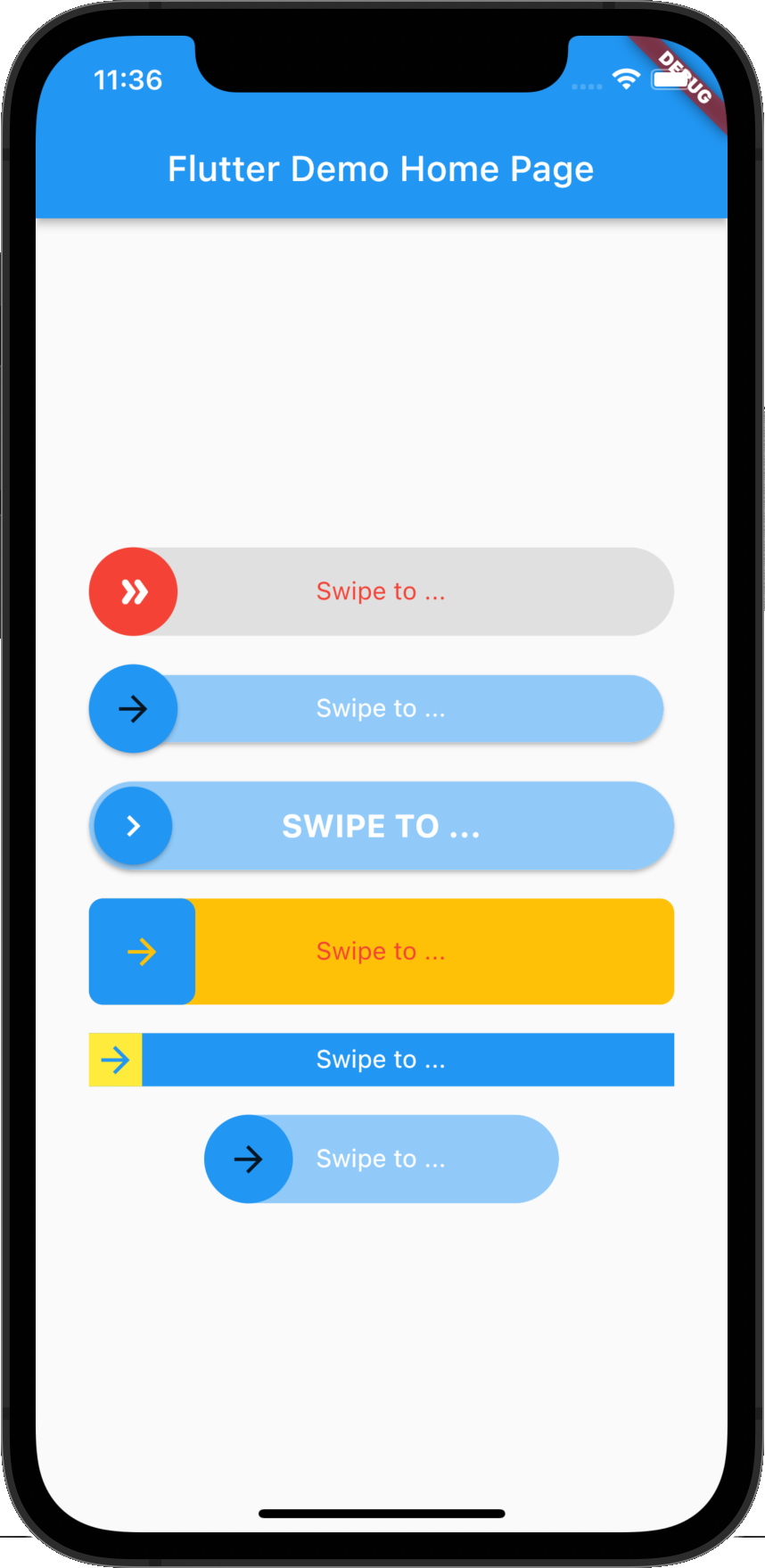 |
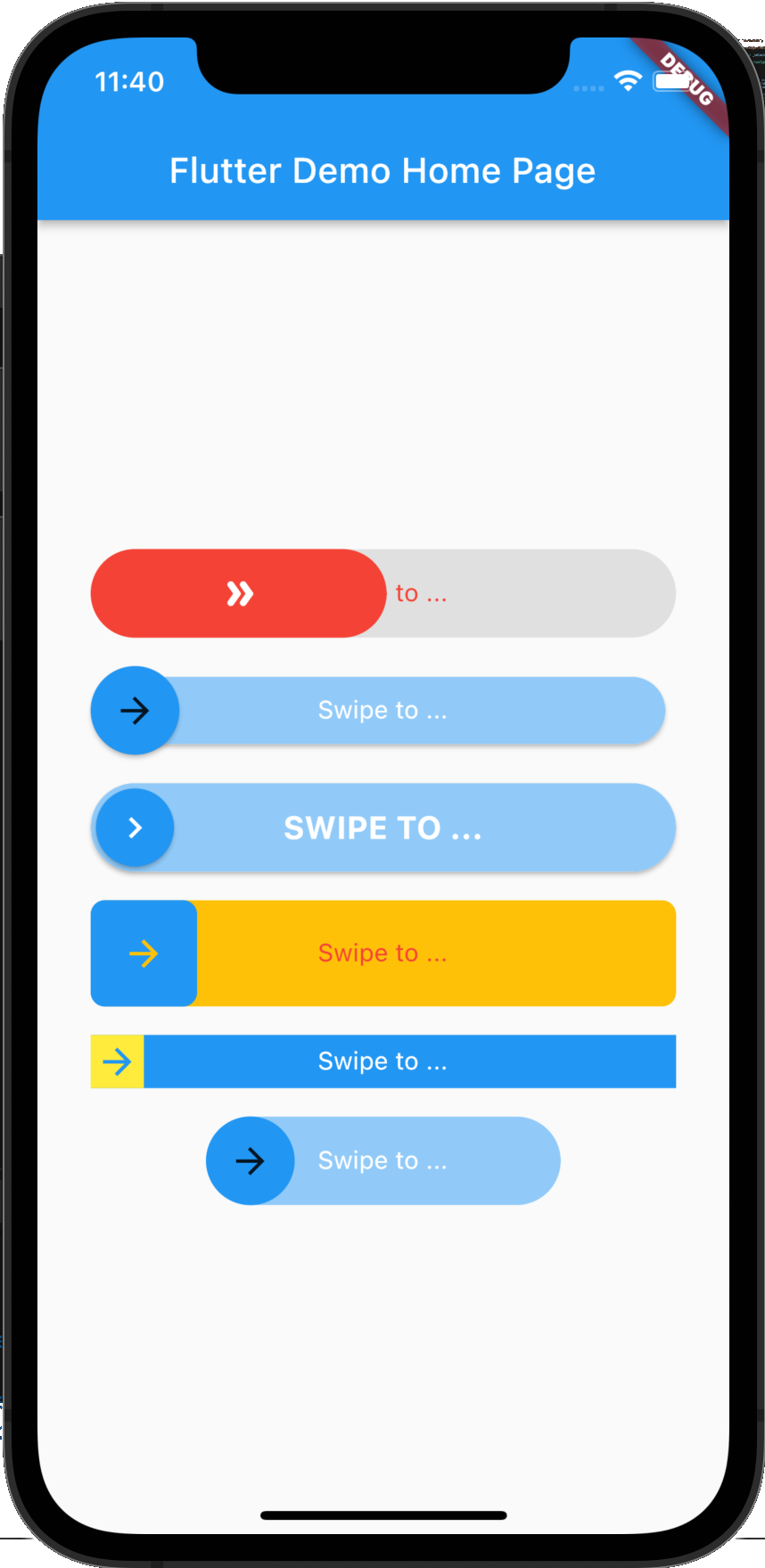 |
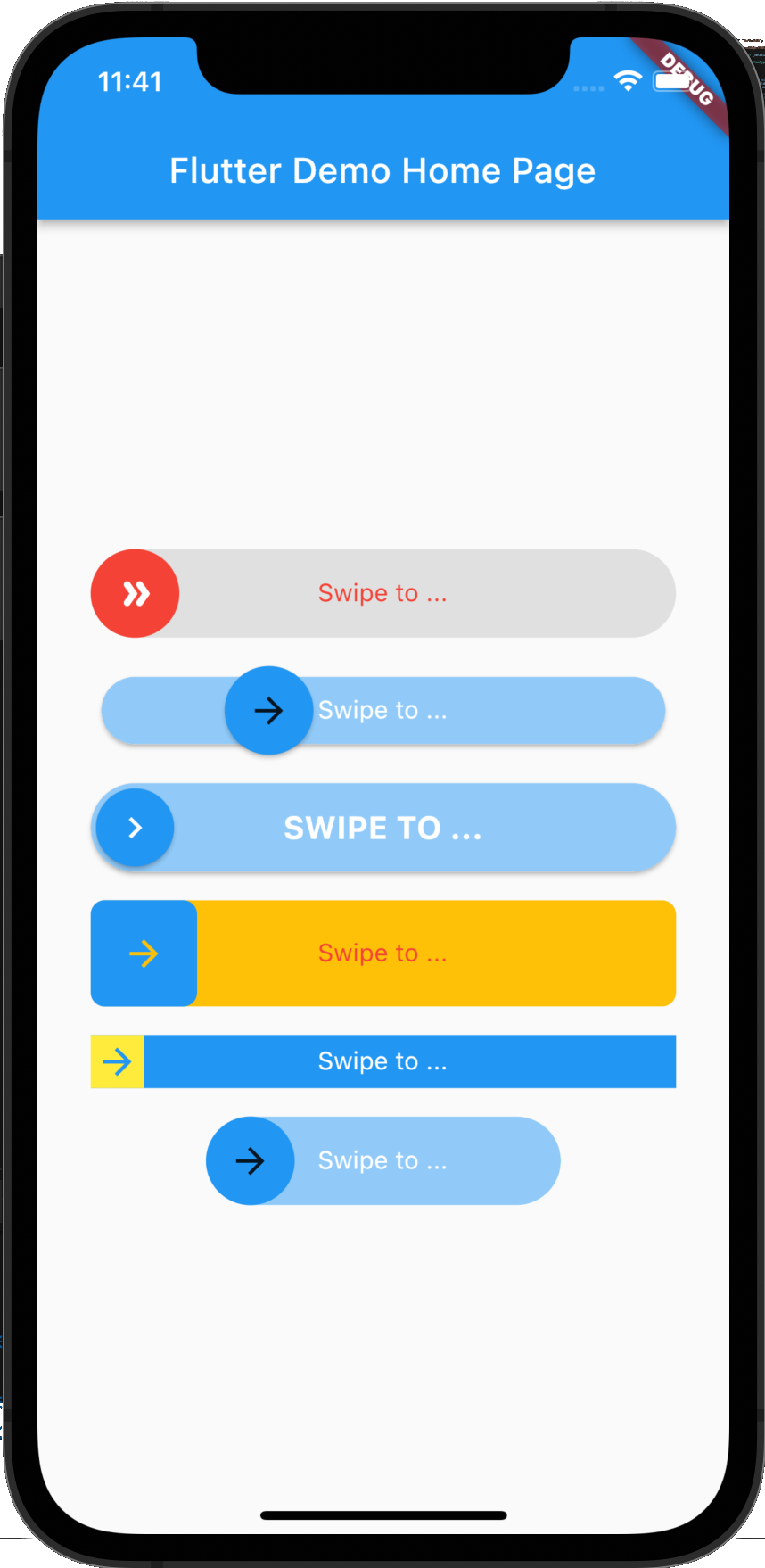 |
flutter_swipe_button: ^2.1.1+1
import 'package:flutter_swipe_button/flutter_swipe_button.dart';
SwipeButton.expand(
  thumb: Icon(
    Icons.double_arrow_rounded,
    color: Colors.white,
  ),
  child: Text(
    "Swipe to ...",
    style: TextStyle(
      color: Colors.red,
    ),
  ),
  activeThumbColor: Colors.red,
  activeTrackColor: Colors.grey.shade300,
  onSwipe: () {
    ScaffoldMessenger.of(context).showSnackBar(
      SnackBar(
        content: Text("Swipped"),
        backgroundColor: Colors.green,
      ),
    );
  },
)
SwipeButton(
  trackPadding: EdgeInsets.all(6),
  elevationThumb: 2,
  child: Text(
    "Swipe to ...",
    style: TextStyle(
      color: Colors.white,
    ),
  ),
  onSwipe: () {
    ScaffoldMessenger.of(context).showSnackBar(
      SnackBar(
        content: Text("Swipped"),
        backgroundColor: Colors.green,
      ),
    );
  },
)
SwipeButton(
  thumbPadding: EdgeInsets.all(3),
  thumb: Icon(
    Icons.chevron_right,
    color: Colors.white,
  ),
  elevationThumb: 2,
  elevationTrack: 2,
  child: Text(
    "Swipe to ...".toUpperCase(),
    style: TextStyle(
      color: Colors.white,
      fontSize: 18,
      fontWeight: FontWeight.bold,
    ),
  ),
  onSwipe: () {
    ScaffoldMessenger.of(context).showSnackBar(
      SnackBar(
        content: Text("Swipped"),
        backgroundColor: Colors.green,
      ),
    );
  },
)
SwipeButton(
  borderRadius: BorderRadius.circular(8),
  activeTrackColor: Colors.amber,
  height: 60,
  child: Text(
    "Swipe to ...",
    style: TextStyle(
      color: Colors.red,
    ),
  ),
  onSwipe: () {
    ScaffoldMessenger.of(context).showSnackBar(
      SnackBar(
        content: Text("Swipped"),
        backgroundColor: Colors.green,
      ),
    );
  },
)
SwipeButton(
  activeTrackColor: Colors.blue,
  activeThumbColor: Colors.yellow,
  borderRadius: BorderRadius.zero,
  height: 30,
  child: Text(
    "Swipe to ...",
    style: TextStyle(
      color: Colors.white,
    ),
  ),
  onSwipe: () {
    ScaffoldMessenger.of(context).showSnackBar(
      SnackBar(
        content: Text("Swipped"),
        backgroundColor: Colors.green,
      ),
    );
  },
)
SwipeButton(
  width: 200,
  child: Text(
    "Swipe to ...",
    style: TextStyle(
      color: Colors.white,
    ),
  ),
  onSwipe: () {
    ScaffoldMessenger.of(context).showSnackBar(
      SnackBar(
        content: Text("Swipped"),
        backgroundColor: Colors.green,
      ),
    );
  },
)
MIT License
Dependency list 3 items
{"sdk":"flutter"}{"sdk":"flutter"}^4.0.0Start with your use case, compare repository activity, and check the original project before adopting it.
“A repository is the most basic element of GitHub.”
GitHub Docs — About repositories ↗