
v1.0.2
flutter_speedometer
Simple widget that let Flutter Devs can easily integrate speedometer to their apps with customizable options
15Likes 6330-day downloads40Pub points
Platforms unavailable
Flutter Speedometer widget package
English project snapshot. Visit GitHub for the latest content.
Flutter Speedometer widget package
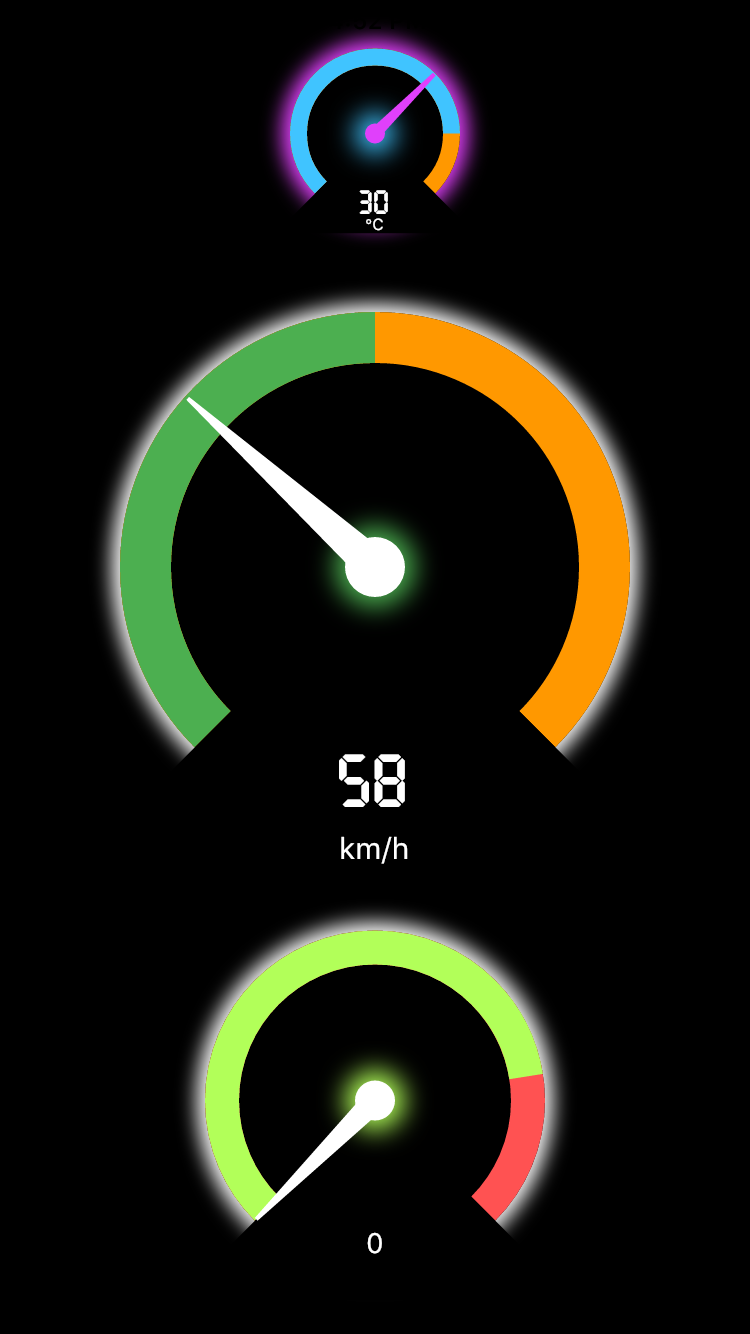
In order to use this package, do import
import 'package:flutter_speedometer/flutter_speedometer.dart';
Basic implementation can be done like below code:
import 'package:flutter/material.dart';
import 'package:flutter_speedometer/flutter_speedometer.dart';

void main() {
  runApp(
    Center(
      child: Speedometer(
        size: 250,
        minValue: 0,
        maxValue: 180,
        currentValue: 76,
        warningValue: 150,
        displayText: 'mph',
      ),
    ),
  );
}
You can find more examples from Example App
In this table, you can find all attributes provided by this package:
| Attribute | Default value | Description |
|---|---|---|
| size | 200 | Min value to be displayed |
| minValue | 0 | Min value to be displayed |
| maxValue | 100 | Max value to be displayed |
| currentValue | 0 | Set the current value |
| warningValue | 80 | Set the current value |
class Speedometer {

    final double size;
    final int minValue;
    final int maxValue;
    final int currentValue;
    final int warningValue;
    final Color backgroundColor;
    final Color meterColor;
    final Color warningColor;
    final Color kimColor;
    final TextStyle displayNumericStyle;
    final String displayText;
    final TextStyle displayTextStyle;
}
Feel free to leave any feedback for helping support this package 🍻

Dependency list 2 items
{"sdk":"flutter"}{"sdk":"flutter"}Start with your use case, compare repository activity, and check the original project before adopting it.
“A repository is the most basic element of GitHub.”
GitHub Docs — About repositories ↗