flutter anchor_scroll_controller
This package implement a ScrollController which supports anchor. That is, AnchorScrollController supports to scroll to index and listen to index changed while scrolling by user.
Pub
Features
-
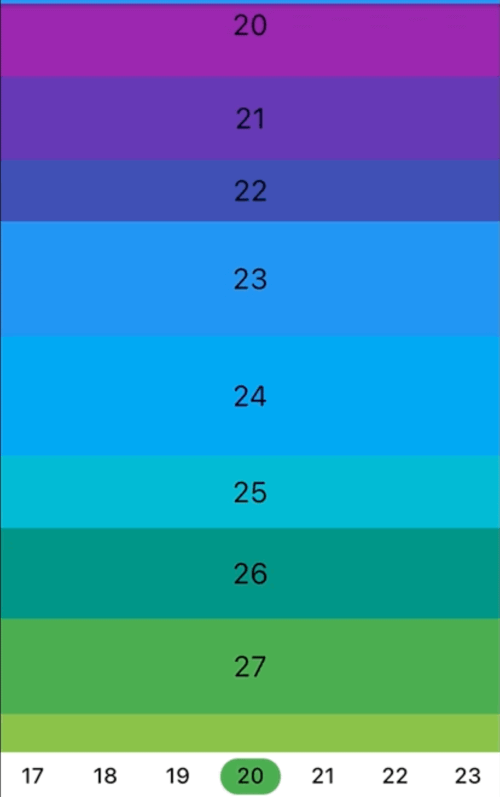
Scroll to index
Screenshot
-
Listen to index changed
Screenshot
Getting Started
In the pubspec.yaml of your flutter project, add the following dependency:
dependencies:
  ...
  anchor_scroll_controller: <latest_version>
In your library add the following import:
import 'package:anchor_scroll_controller/anchor_scroll_controller.dart';
Initialize an AnchorScrollController object and use it as the ScrollController of ListView, and wrap the items in the ListView with AnchorItemWrapper
late final AnchorScrollController _scrollController;

@override
void initState() {
  super.initState();

  _scrollController = AnchorScrollController(
    onIndexChanged: (index) {
      _tabController?.animateTo(index);
    },
  );
}

@override
Widget build(BuildContext context) {
  return Scaffold(
    appBar: AppBar(
      title: Text("GeneralScrollViewWidget"),
    ),
    body: Column(
      children: [
        Expanded(
          child: ListView.builder(
            controller: _scrollController,
            itemCount: length,
            itemBuilder: (context, index) => AnchorItemWrapper(
              index: index,
              controller: _scrollController,
              child: Container(
                height: 50.0 + Random().nextInt(50),
                color: Colors.primaries[index % Colors.primaries.length],
                alignment: Alignment.center,
                child: Text(index.toString(),
                            style: const TextStyle(fontSize: 24, color: Colors.black)),
              ),
            )
          ),
        ),
        ... // omit more code
      ],
    )
  );

  ...
  // call AnchorScrollController.scrollToIndex() to scroll to the target index item
  _scrollController.scrollToIndex(index);
  ...
Additional notes
- If the size of items are fixed, there is no need to wrap item with AnchorItemWrapper. Just set the
fixedItemSize param of AnchorScrollController to the size of items. For example, if the height of all items are 50, then set fixedItemSize param to 50.
- For the ScrollView which needs to support pin, wrap pinned headers with AnchorItemWrapper. See pin_scroll_view.dart for more detail.
- If you already have a ScrollController and want to use it, wrap the ListView with AnchorScrollViewWrapper and wrap its items with AnchorItemWrapper. Meanwhile, set the
scrollViewWrapper param instead of controller param to AnchorItemWrapper. See cascaded_scroll_controller.dart for more detail.


 v0.4.4