
keyboard_avoider
A lightweight alternative to the Scaffold widget for avoiding the on-screen software keyboard. Automatically scrolls obscured TextField child widgets into view on focus.

- Stars
- 124
- Forks
- 41
- Last push (UTC)
- May 15, 2024
- Project status
- Active
Original README
English project snapshot. Visit GitHub for the latest content.
keyboard_avoider
A lightweight alternative to the Scaffold widget for avoiding the on-screen software keyboard. Automatically scrolls obscured TextField child widgets into view on focus.
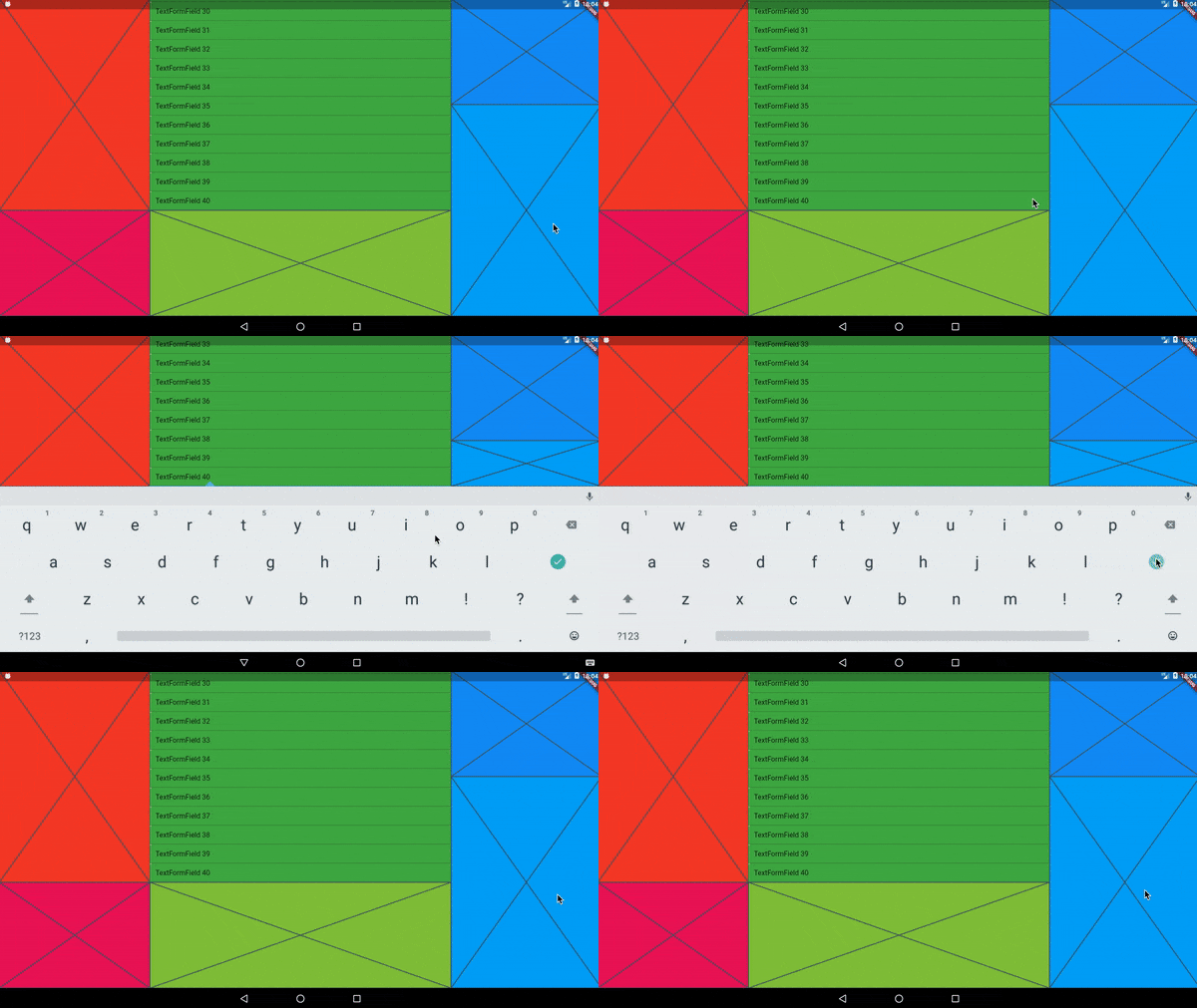
In the video above, every colored area is wrapped in its own KeyboardAvoider.
Examples
A basic Placeholder:
import 'package:keyboard_avoider/keyboard_avoider.dart';

class MyWidget extends StatelessWidget {
  @override
  Widget build(BuildContext context) {
    return KeyboardAvoider(
      child: Placeholder(),
    );
  }
}
A ListView containing multiple TextFields, with auto-scroll enabled:
import 'package:keyboard_avoider/keyboard_avoider.dart';

class MyWidget extends StatelessWidget {
  final ScrollController _scrollController = ScrollController();

  @override
  Widget build(BuildContext context) {
    return KeyboardAvoider(
      autoScroll: true,
      child: ListView.builder(
        controller: _scrollController,
        itemCount: 40,
        itemBuilder: (context, index) {
          return TextFormField(
            initialValue: 'TextFormField ${index + 1}',
          );
        },
      ),
    );
  }
}
Why not use a Scaffold?
Flutter comes with a built-in Scaffold widget that automatically adjusts the bottom padding of its body widget to accomodate the on-screen keyboard. However, it comes with 2 major caveats:
- It pushes all content up, which you may not want.
- It assumes that it fills the whole screen, which it may not.
In contrast, you can apply the KeyboardAvoider selectively to only certain widgets, and it only insets its bottom padding by the actual amount obscured by the keyboard.
Auto Scroll
To auto-scroll to a focused widget such as a TextField, set the autoScroll property to true. If child is not a ScrollView, it is automatically embedded in a SingleChildScrollView to make it scrollable.

Martin Rybak ↗
Dependencies used
Dependency list 3 items
- flutter
{"sdk":"flutter"} - flutter_testDevelopment
{"sdk":"flutter"} - flutter_lintsDevelopment
^4.0.0
How do I choose a repository?
Start with your use case, compare repository activity, and check the original project before adopting it.
- Search by repository name, owner or description, then narrow the results by topic.
- Compare stars, forks and recent pushes. Stars show community interest, not a guarantee of quality.
- Read the README, license and issues on GitHub before using a project.
Sources and maintenance
“A repository is the most basic element of GitHub.”
GitHub Docs — About repositories ↗
- martinrybak/keyboard_avoider · GitHub ↗
- GitHub Docs — Saving repositories with stars ↗
- Directory maintained by Ducafecat ↗