

v0.0.2
colorify
A simple Flutter package to generate deterministic, random colors from a given dynamic seed.
1Likes 4630-day downloads160Pub points
AndroidiOSWebmacOSWindowsLinux
🎨 A simple Flutter package to generate deterministic, random colors from a given dynamic seed.

English project snapshot. Visit GitHub for the latest content.
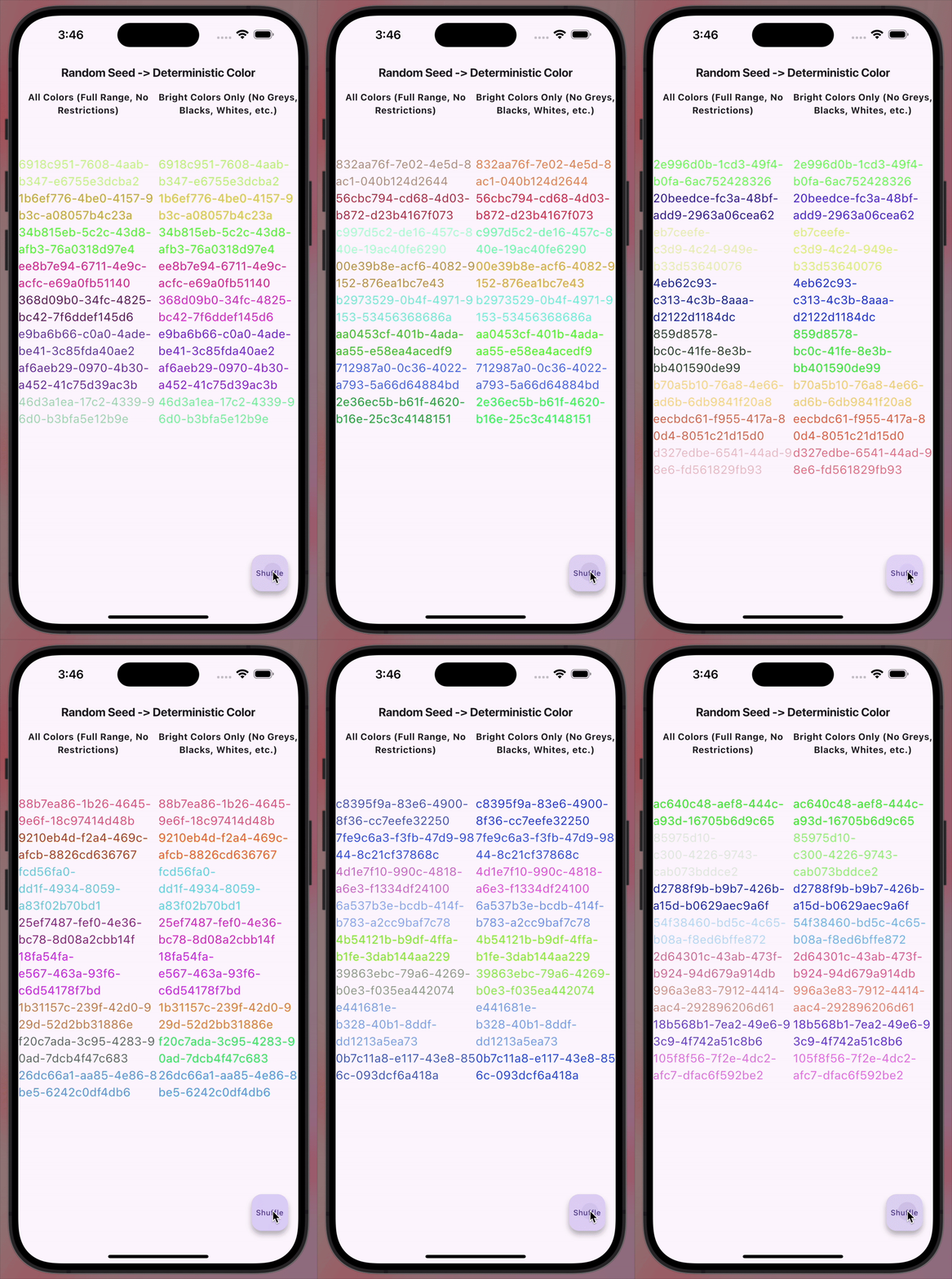
An extremely simple Flutter package that deterministically converts arbitrary dynamic input into a Color. Published mainly for personal use to avoid reinventing the wheel in my projects.
import 'package:colorify/colorify.dart' as c;
import 'package:flutter/material.dart';

void main() {
  final input = 'example-seed';
  final color = c.colorify(input);
  print(color); // Outputs a Color object deterministically derived from 'example-seed'.
}
You can specify the type of colors generated by using the ColorType enum:
ColorType.all: Generates colors from the full spectrum.ColorType.brights: Generates bright and vibrant colors.Example:
import 'package:colorify/colorify.dart' as c;
import 'package:flutter/material.dart';

void main() {
  final input = 'example-seed';

  // Generate a color from the full spectrum
  final allColors = c.colorify(input, colorType: c.ColorType.all);

  // Generate a bright color
  final brightColor = c.colorify(input, colorType: c.ColorType.brights);
}
Dependency list 4 items
{"sdk":"flutter"}^3.0.6{"sdk":"flutter"}^4.0.0Start with your use case, compare repository activity, and check the original project before adopting it.
“A repository is the most basic element of GitHub.”
GitHub Docs — About repositories ↗