internet_popup
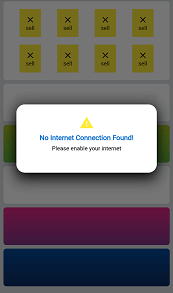
A package that shows a pop up alert when the internet connection is lost
GitHub License
App Screenshot
Features
- auto popUp
- option to fix or pop the warning
- one line implementation
- callBack function to do something after internet connectivity status change
Usage
initialize InternetPopup class and add context inside initState() funtion of the top of your widget tree.
InternetPopup().initialize(context: context);
when the widget is popped from widget tree, initialize it again on next page.
If you want your own widget to popUp, use
InternetPopup().initializeCustomWidget(context: context, widget: /*** your custom widget ***/);
You can write custom message title and description using customMessage and customDescription parameter inside initialize.
use onTapPop parameter to decide if the box can be removed before internet connection is back online.
You can use checkInternet function to get a Future value to check connectivity manually before some task.
bool isConnected = await InternetPopup().checkInternet();


 v2.0.2