

 v0.0.5
sliver_header_delegate
A flexible sliver header delegate that allows easily customize your SliverHeader
84Likes 38430-day downloads60Pub points
Platforms unavailable
https://pub.dev/packages/sliver_header_delegate

English project snapshot. Visit GitHub for the latest content.
This package provides a flexible sliver header delegate that allows easily customize your SliverHeader
In the pubspec.yaml of your flutter project, add the following dependency:
dependencies:
    ...
    sliver_header_delegate: ^0.0.1
Import in your project:
import 'package:sliver_header_delegate/sliver_header_delegate.dart';
Inside your CustomScrollView declare SliverPersistentHeader and set FlexibleHeaderDelegate as it's delegate
CustomScrollView(
      slivers: [
        SliverPersistentHeader(
          delegate: FlexibleHeaderDelegate(),
        ),
      ],
    );
If you want your widget to fill the status bar, specify statusBarHeight parameter:
delegate: FlexibleHeaderDelegate(
            statusBarHeight: MediaQuery.of(context).padding.top,
          ),
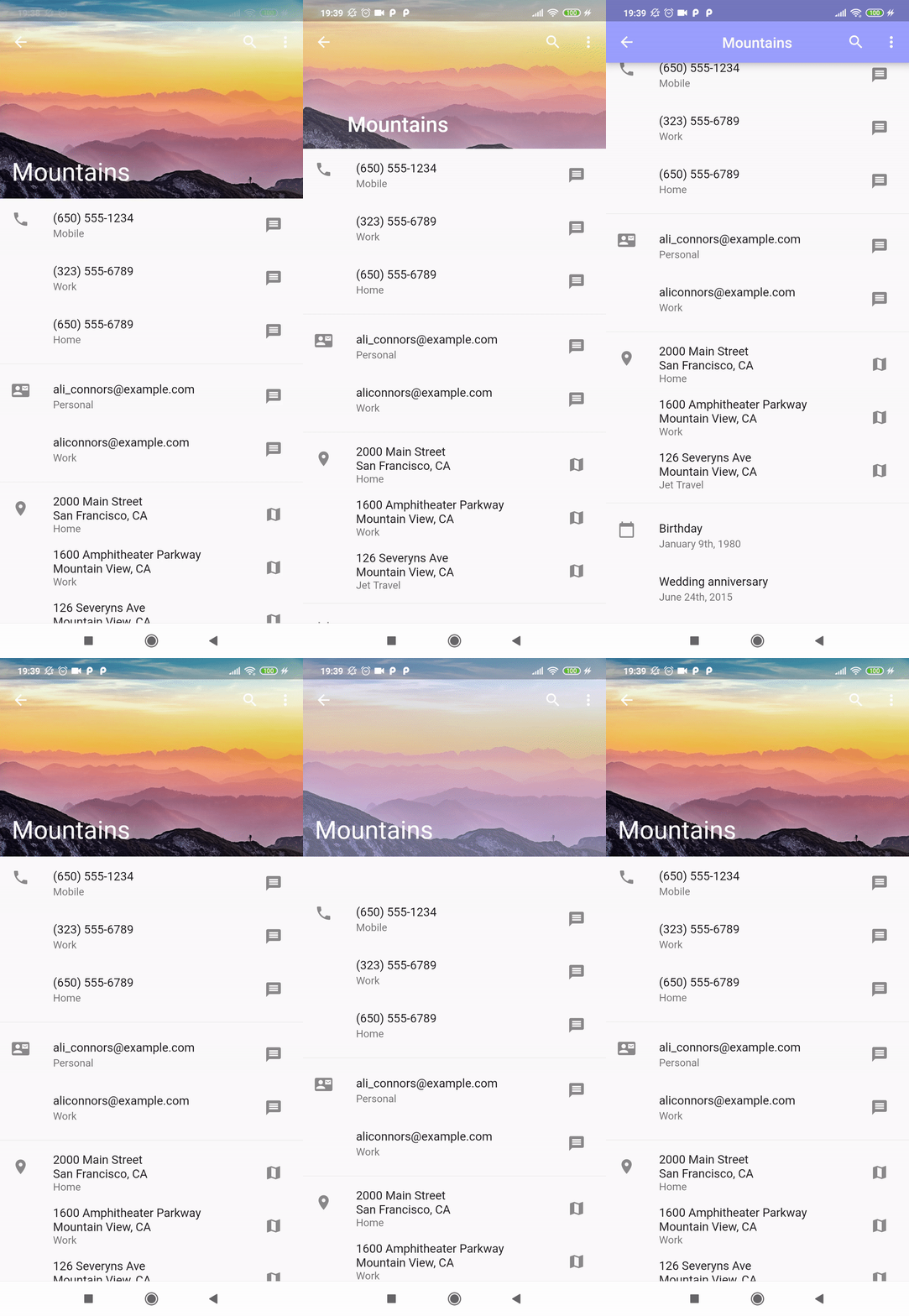
SliverPersistentHeader(
  pinned: true,
  delegate: FlexibleHeaderDelegate(
    statusBarHeight: MediaQuery.of(context).padding.top,
    expandedHeight: 240,
    background: MutableBackground(
      expandedWidget: Image.asset(
        'assets/images/mountains.jpg',
        fit: BoxFit.cover,
      ),
      collapsedColor: primaryColor,
    ),
    actions: [
      IconButton(
        icon: const Icon(Icons.search),
        onPressed: () {},
      ),
      IconButton(
        icon: const Icon(Icons.more_vert),
        onPressed: () {},
      ),
    ],
    children: [
      FlexibleTextItem(
        text: 'Mountains',
        collapsedStyle: collapsedStyle,
        expandedStyle: expandedStyle,
        expandedAlignment: Alignment.bottomLeft,
        collapsedAlignment: Alignment.center,
        expandedPadding: padding,
      ),
    ],
  ),
)
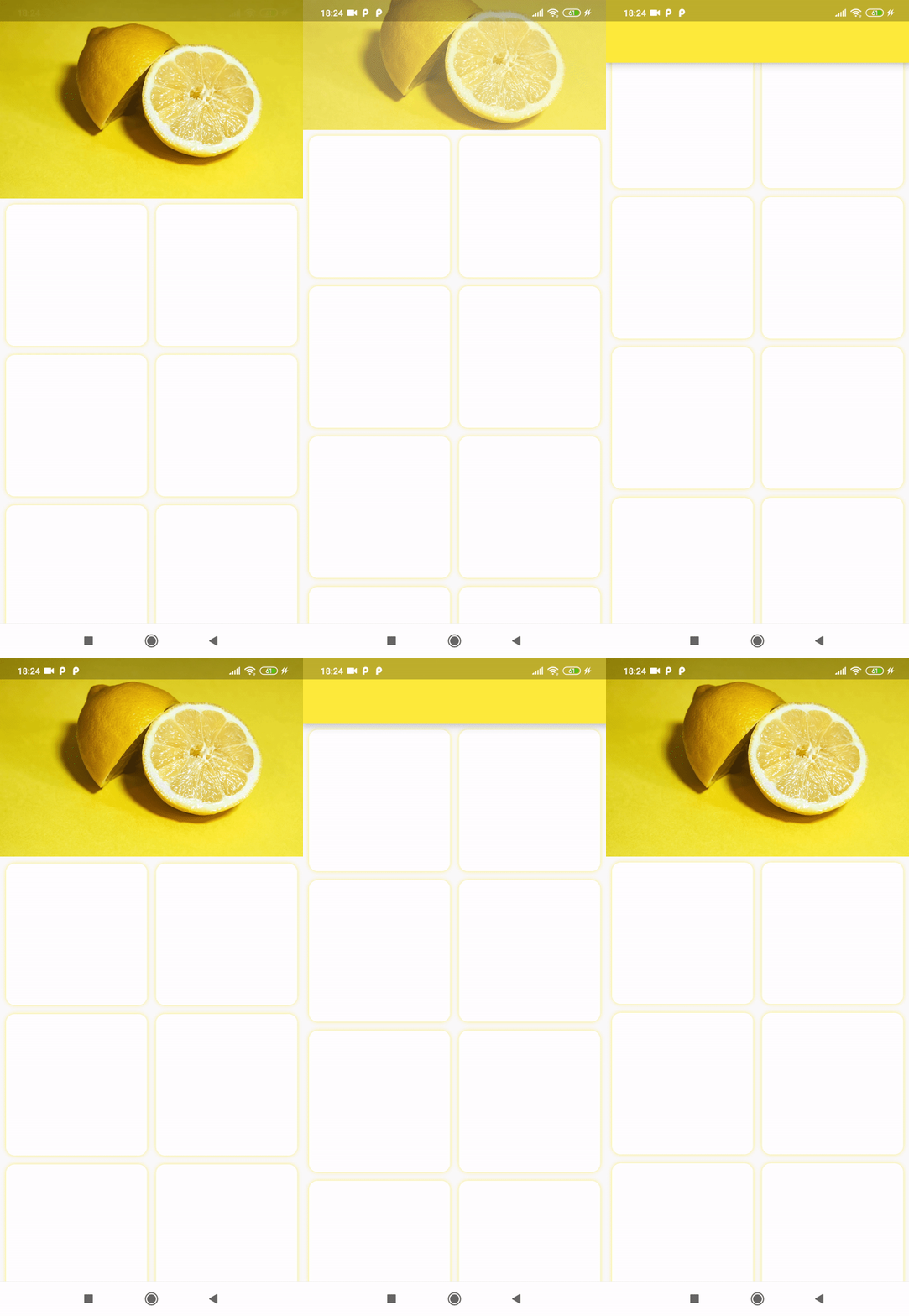
 SliverPersistentHeader(
            pinned: true,
            delegate: FlexibleHeaderDelegate(
              expandedHeight: 240,
              background: MutableBackground(
                expandedWidget: Image.network(_imageUrl, fit: BoxFit.cover),
                collapsedColor: _headerColor,
              ),
            ),
          ),
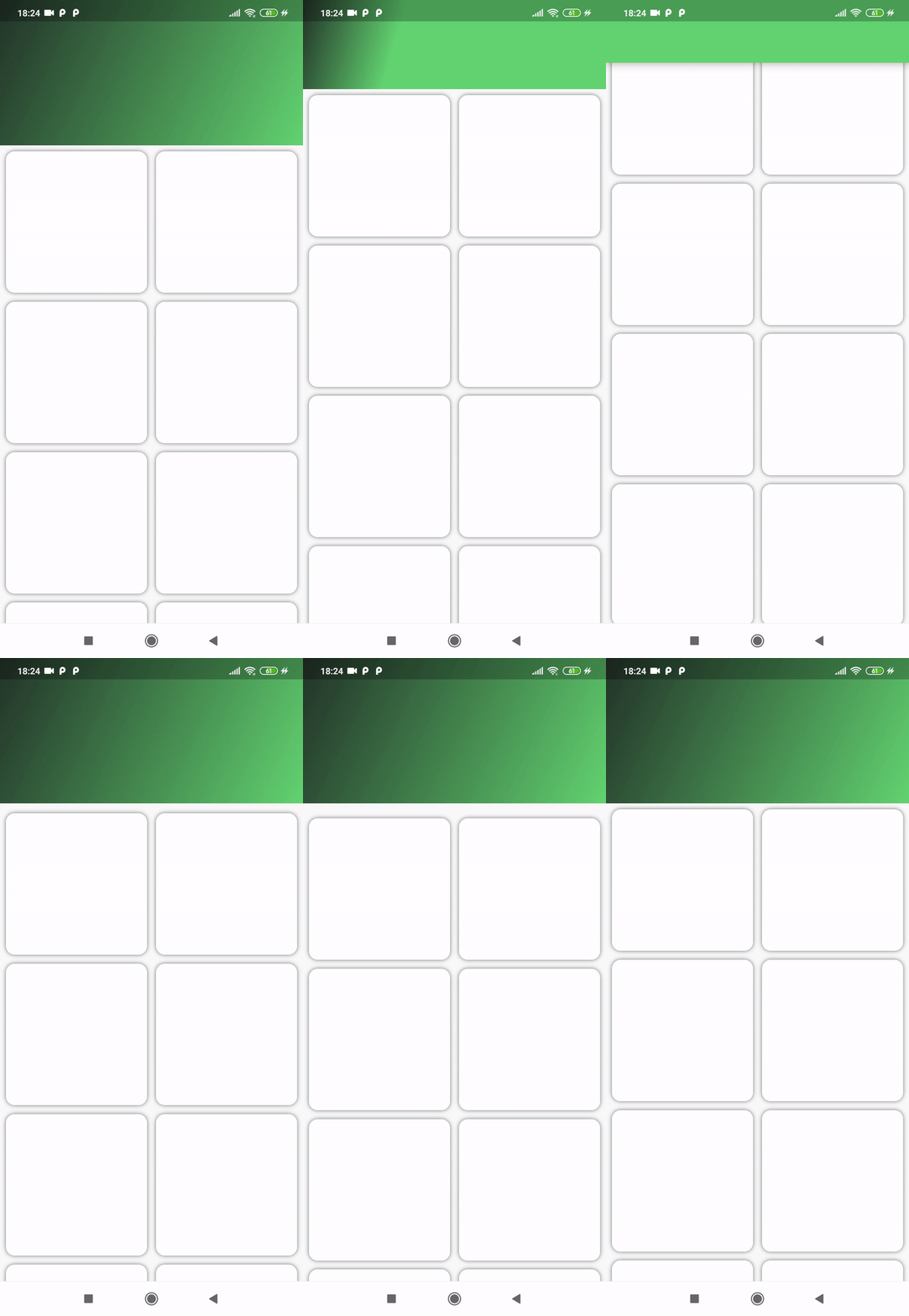
  SliverPersistentHeader(
            pinned: true,
            delegate: FlexibleHeaderDelegate(
              background: GradientBackground(
                gradient: LinearGradient(
                  begin: Alignment.topLeft,
                  end: Alignment.bottomRight,
                  colors: [
                    _startColor,
                    _endColor,
                  ],
                ),
              ),
            ),
          ),
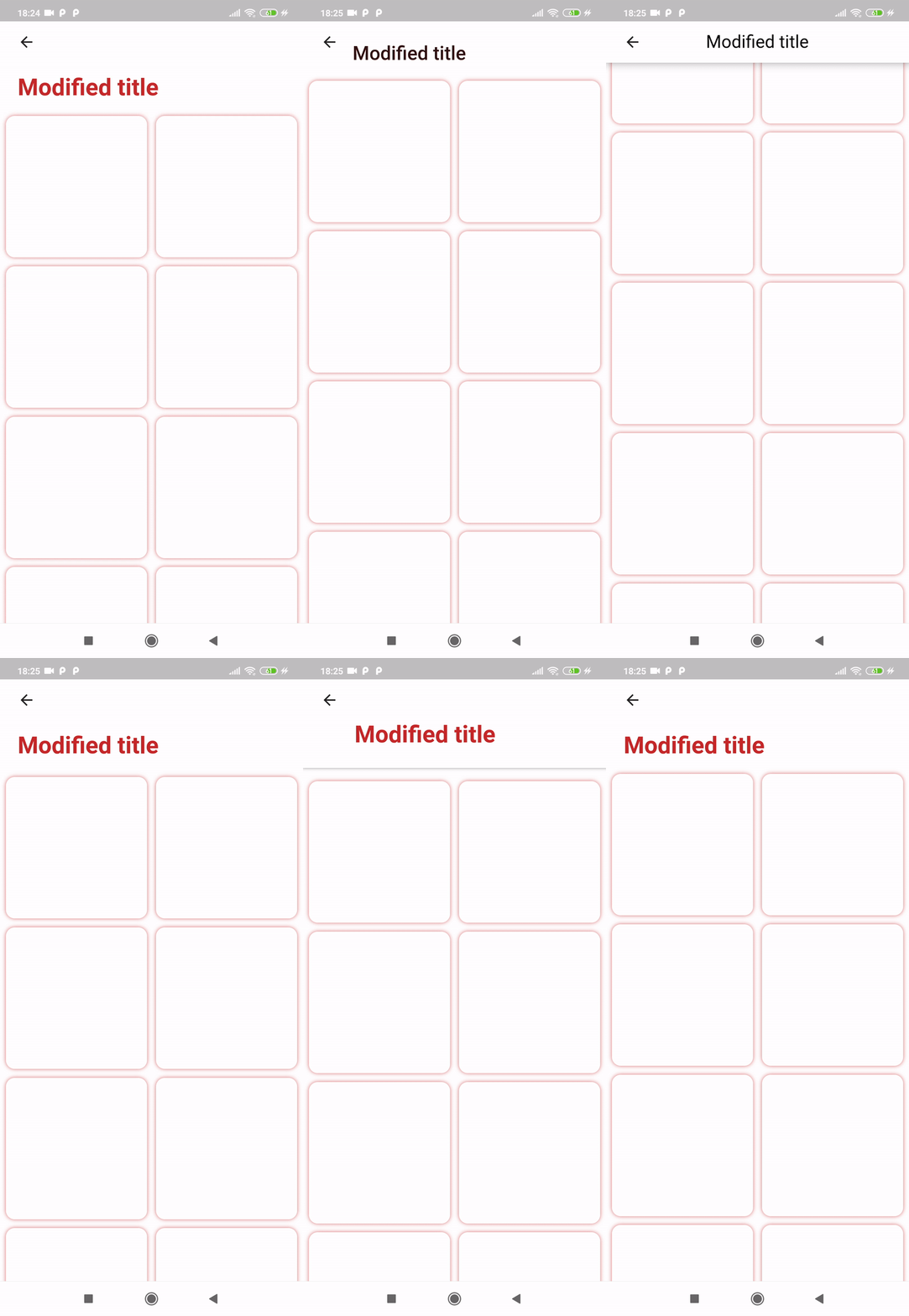
    SliverPersistentHeader(
              pinned: true,
              delegate: FlexibleHeaderDelegate(
                backgroundColor: Colors.white,
                children: [
                  FlexibleTextItem(
                    text: 'Modified title',
                    expandedStyle: _expandedTextStyle,
                    collapsedStyle: _collapsedTextStyle,
                    expandedAlignment: Alignment.bottomLeft,
                    collapsedAlignment: Alignment.center,
                    expandedPadding: _expandedPadding,
                  ),
                ],
              ),
            ),
Dependency list 3 items
{"sdk":"flutter"}{"sdk":"flutter"}^1.2.0Start with your use case, compare repository activity, and check the original project before adopting it.
“A repository is the most basic element of GitHub.”
GitHub Docs — About repositories ↗