
 v0.1.3
video_js
Video Library for Flutter, Easily use famuse video.js in flutter web
26Likes 9530-day downloads140Pub points
Web
Flutter plugin for use Video.js in flutter web
English project snapshot. Visit GitHub for the latest content.
Flutter plugin for use Video.js in flutter web
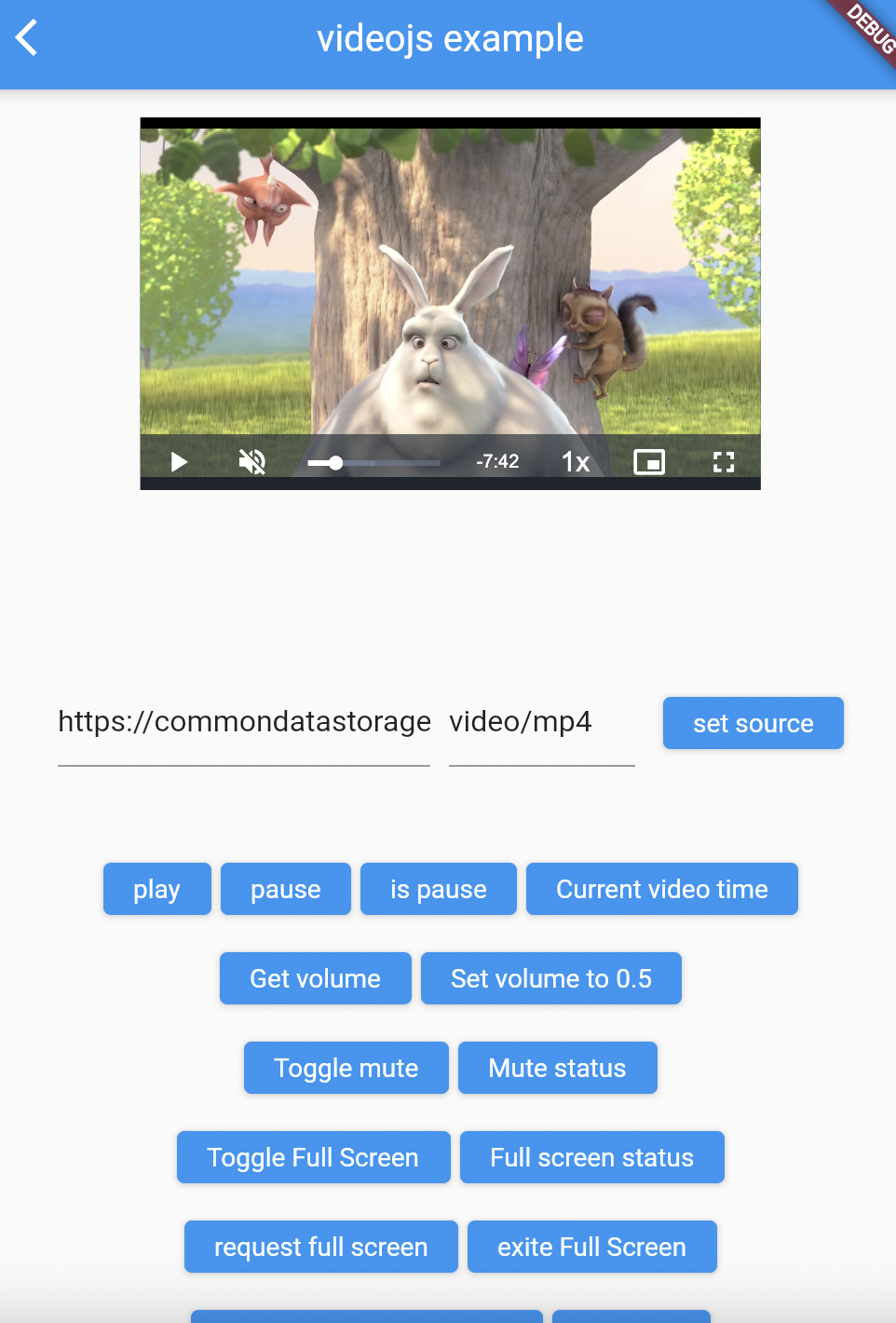
Add it to your package's pubspec.yaml file
dependencies:
  video_js: ^0.1.2
To implement you need to include Video.js library in the index.html of web section
  <link id="videojscss" rel="stylesheet" href="https://unpkg.com/video.js/dist/video-js.css">
    <script src="https://unpkg.com/video.js/dist/video.js"></script>
To support HLS formats you need to add this script too
<script src="https://unpkg.com/videojs-contrib-hls/dist/videojs-contrib-hls.js"></script>
Example:
<head>
	<base href="$FLUTTER_BASE_HREF">

	<meta charset="UTF-8">
	<meta content="IE=Edge" http-equiv="X-UA-Compatible">
	<meta name="description" content="A new Flutter project.">

	<!-- iOS meta tags & icons -->
	<meta name="apple-mobile-web-app-capable" content="yes">
	<meta name="apple-mobile-web-app-status-bar-style" content="black">
	<meta name="apple-mobile-web-app-title" content="example">
	<link rel="apple-touch-icon" href="icons/Icon-192.png">

	<title>example</title>

	<link rel="manifest" href="manifest.json">
	<link id="videojscss" rel="stylesheet" href="https://unpkg.com/video.js/dist/video-js.css">    <!-- Add this line-->
	<script src="https://unpkg.com/video.js/dist/video.js"></script>                               <!-- Add this line-->
	<script src="https://unpkg.com/videojs-contrib-hls/dist/videojs-contrib-hls.js"></script>      <!-- Add this line-->
</head>
Note See usage example in video_js plugin
Then do this in main method :
void main() {
  // this line need for javascript's call backs
  VideoJsResults().init();
  runApp(MyApp());
}
import 'package:flutter/material.dart';
import 'package:videojs/videojs.dart';

void main(){
  VideoJsResults().init();
  runApp(VideoApp());
}

class VideoApp extends StatefulWidget {
  @override
  _VideoAppState createState() => _VideoAppState();
}

class _VideoAppState extends State<VideoApp> {
  late VideoJsController _videoJsController;

  @override
  void initState() {
    super.initState();
    _videoJsController = VideoJsController("videoId", videoJsOptions: VideoJsOptions(
        controls: true,
        loop: false,
        muted: false,
        poster: 'https://file-examples-com.github.io/uploads/2017/10/file_example_JPG_100kB.jpg',
        aspectRatio: '16:9',
        fluid: false,
        language: 'en',
        liveui: false,
        notSupportedMessage: 'this movie type not supported',
        playbackRates: [1, 2, 3],
        preferFullWindow: false,
        responsive: false,
        sources: [Source("https://commondatastorage.googleapis.com/gtv-videos-bucket/sample/BigBuckBunny.mp4", "video/mp4")],
        suppressNotSupportedError: false));
  }

  @override
  Widget build(BuildContext context) {
    return MaterialApp(
      title: 'Video JS Demo',
      home: Scaffold(
        body: Center(
            child: VideoJsWidget(
              videoJsController: _videoJsController,
              height: MediaQuery.of(context).size.width / 2.5,
              width: MediaQuery.of(context).size.width / 1.5,
            )
        ),
        floatingActionButton: FloatingActionButton(
          onPressed: () {
            _videoJsController.isPaused((isPlaying) {
              isPlaying != 'true'
                  ? _videoJsController.pause()
                  : _videoJsController.play();
            });
          },
         child: const Icon(Icons.play_arrow,),
        ),
      ),
    );
  }
}
Note: This plugin is still under development, and some APIs might not be available yet. Feedback welcome and Pull Requests are most welcome!

Dependency list 2 items
{"sdk":"flutter"}{"sdk":"flutter"}Start with your use case, compare repository activity, and check the original project before adopting it.
“A repository is the most basic element of GitHub.”
GitHub Docs — About repositories ↗