

v0.3.4
timeline_editor
A flutter wiidget to help you manage timelines like video timeline with tracks editable or not. with move, actions...
41Likes 4730-day downloads30Pub points
Platforms unavailable
timeline editor for flutter

English project snapshot. Visit GitHub for the latest content.
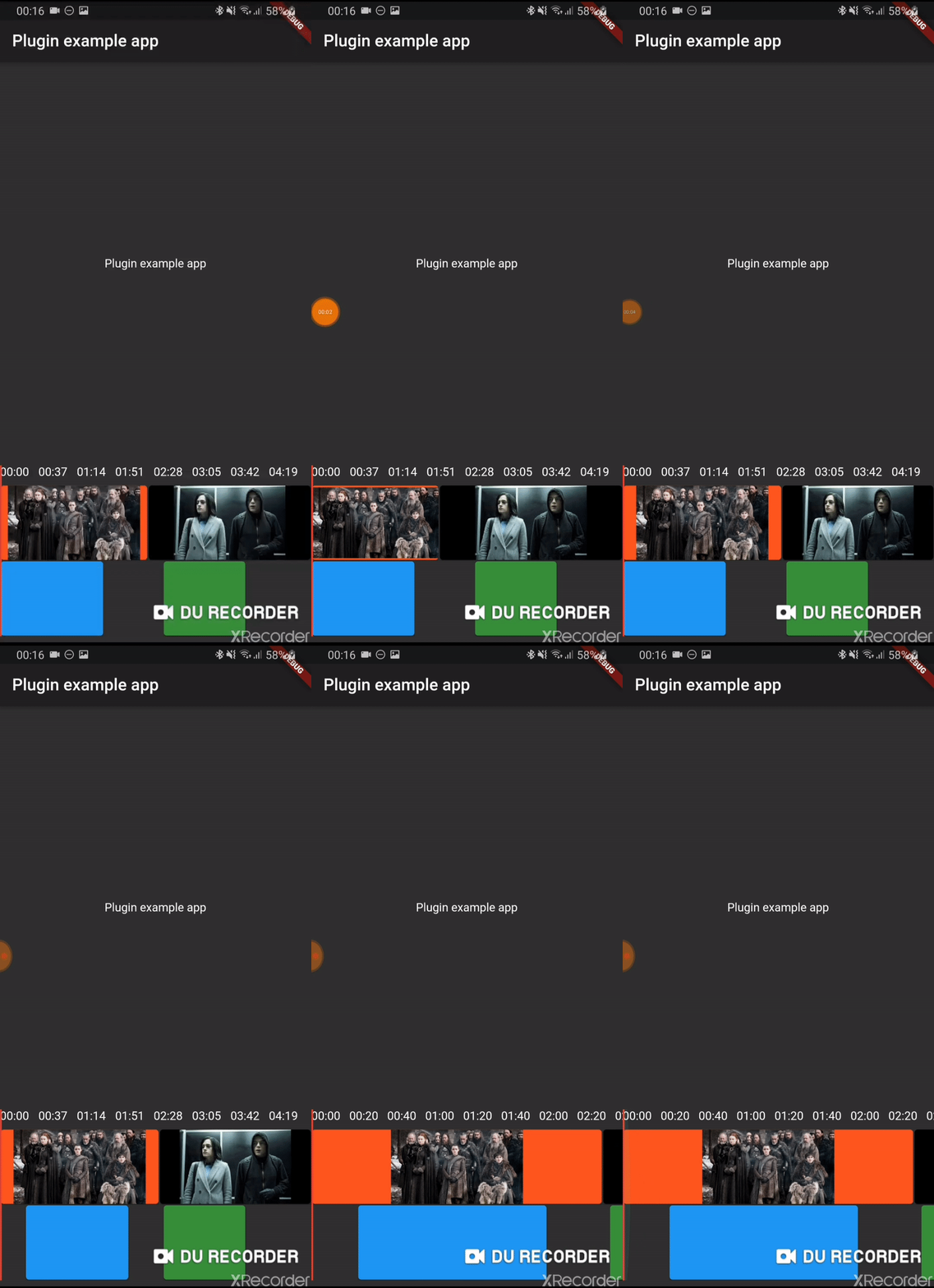
Early version of a timeline editor. Support:
Add timeline_editor as a dependency in your pubspec.yaml file (what?).
Import timeline_editor:
import 'package:timeline_editor/timeline_editor.dart';
We now use Duration instead of seconds. To migrate you can use the helper functions to transform your seconds to Duration:
Duration durationFromSeconds(double seconds)
double durationToSeconds(Duration duration)
See example
TimelineEditor(
                  positionStream: positionStream,
                  onPositionTap: (s) => position = s,
                  countTracks: 2,
                  trackBuilder: (track, pps, duration) => track == 1
                      ? TimelineEditorTrack(
                          defaultColor: Colors.green[700],
                          boxes: [
                            TimelineEditorBox(box1Start, 100,
                                onMoved: updateBox1,
                                color: Colors.blue,
                                onMovedEnd: () => print('end moved')),
                            TimelineEditorBox(157, 80),
                          ],
                          pixelsPerSeconds: pps,
                          duration: duration,
                        )
                      : TimelineEditorTrack.fromContinuous(
                          continuousBoxes:[
                            TimelineEditorContinuousBox(
                                Duration.zero,
                                color: Colors.deepOrange,
                                child: const Image(image: const AssetImage('assets/image2.jpg')),
                            ),
                            TimelineEditorContinuousBox(
                                box2Start,
                                menuEntries: [
                                PopupMenuItem<String>(child: Text('Delete'), value: 'deleted')
                                ],
                                onMoved: updateBox2,
                                onSelectedMenuItem: (v) {
                                print('Selected: $v');
                                setState(() {
                                    deleted = true;
                                });
                                },
                                onTap: (start, duration) =>
                                    print('tapped for $start to ${start + duration}'),
                                color: Colors.black,
                                child: const Image(image: const AssetImage('assets/image.jpg')),
                            ),
                            ],
                          pixelsPerSeconds: pps,
                          duration: duration,
                        ),
                  duration: Duration(seconds: 300),
                ))
Main widget used to hold your tracks, display position and time
A provided track to use with the TimelineEditor track builder (you can use your own)
It can either hold simple TimelineEditorBox with a start and an end
or TimelineEditorTrack.fromContinuous with TimelineEditorContinuousBox to have a conitunuous track where you only set start time and duration will be calculated so the box go up to the next box
Dependency list 4 items
{"sdk":"flutter"}^0.1.2^0.24.1{"sdk":"flutter"}Start with your use case, compare repository activity, and check the original project before adopting it.
“A repository is the most basic element of GitHub.”
GitHub Docs — About repositories ↗