English project snapshot. Visit GitHub for the latest content.
mpesa
A dart wrapper around mpesa daraja api.
Ready Methods/APIs
- [x] LIPA NA MPESA
- [ ] C2BSIMULATE
- [ ] B2B
- [ ] C2B
- [ ] B2C
- [ ] TRANSACTION STATUS
- [ ] ACCOUNT BALANCE
- [ ] REVERSAL
Requisites
You Will need a few things from Safaricom before development.
- Consumer Key
- Consumer Secret
- Test Credentials for Development/Sanbox environment
- Login or Register as a Safaricom developer here if you haven't.
- Add a new App here
- You will be issued with a Consumer Key and Consumer Secret. You will use these to initiate an Mpesa Instance.
- Obtain Test Credentials here.
- The Test Credentials Obtained Are only valid in Sandbox/Development environment. Take note of them.
- To run in Production Environment you will need real Credentials.
- To go Live and be issued with real credentials,please refer to this guide
Getting Started
Add dependency in pubspec.yaml
dependencies:
  mpesa: [ADD_LATEST_VERSION_HERE]
Import in your Flutter app or plain dart app.
import 'package:mpesa/mpesa.dart';

class MYClass {

    Mpesa mpesa = Mpesa(
        clientKey: "YOUR_CONSUMER_KEY_HERE",
        clientSecret: "YOUR_CONSUMER_SECRET_HERE",
        passKey: "YOUR_LNM_PASS_KEY_HERE",
        environment: "sandbox",
    );

}
Environment should be either sandbox or production
Methods and Api Calls
Lipa Na Mpesa Online (LNMO)
Lipa na M-Pesa Online Payment API is used to initiate a M-Pesa transaction on behalf of a customer using STK Push. This is the same technique mySafaricom App uses whenever the app is used to make payments.
import 'package:mpesa/mpesa.dart';

class MYClass {

    myMethod(){
        mpesa
            .lipaNaMpesa(
                phoneNumber: "",
                amount: 1,
                businessShortCode: "",
                callbackUrl: "",
            )
            .then((result) {})
            .catchError((error) {});
    }
}
- businessShortCode - The organization shortcode used to receive the transaction.
- amount - The amount to be transacted.
- phoneNumber - The MSISDN sending the funds.
- callbackUrl - The url to where responses from M-Pesa will be sent to.
Features and bugs
Please file feature requests and bugs at the issue tracker.
Recording
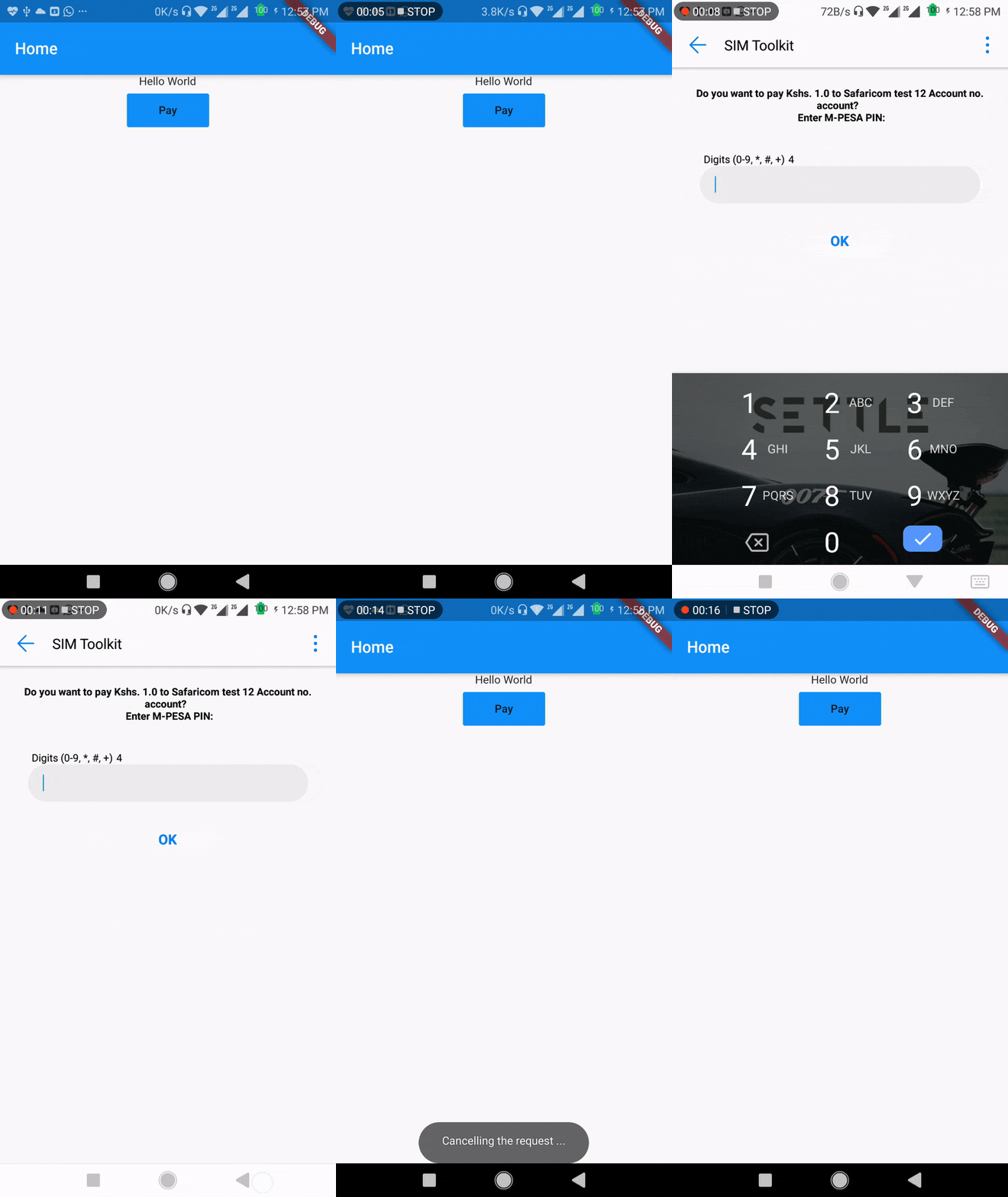
Demo App
Demo App
Contributing
- Fork the project then clone the forked project
- Create your feature branch:
git checkout -b my-new-feature
- Make your changes and add name to Contributors list below and in authors in pubspec.yaml
- Commit your changes:
git commit -m 'Add some feature'
- Push to the branch:
git push origin my-new-feature
- Submit a pull request.
Credits
| Contributors |
For help getting started with Flutter, view their
online documentation, which offers tutorials,
samples, guidance on mobile development, and a full API reference.

