

v1.0.4
international_phone_input
International Phone Number Input For Flutter. This packages validates phone number input value using the libphonenumber package.
43Likes 8430-day downloads40Pub points
Platforms unavailable
International Phone Number Input For Flutter

English project snapshot. Visit GitHub for the latest content.
International Phone Number Input For Flutter
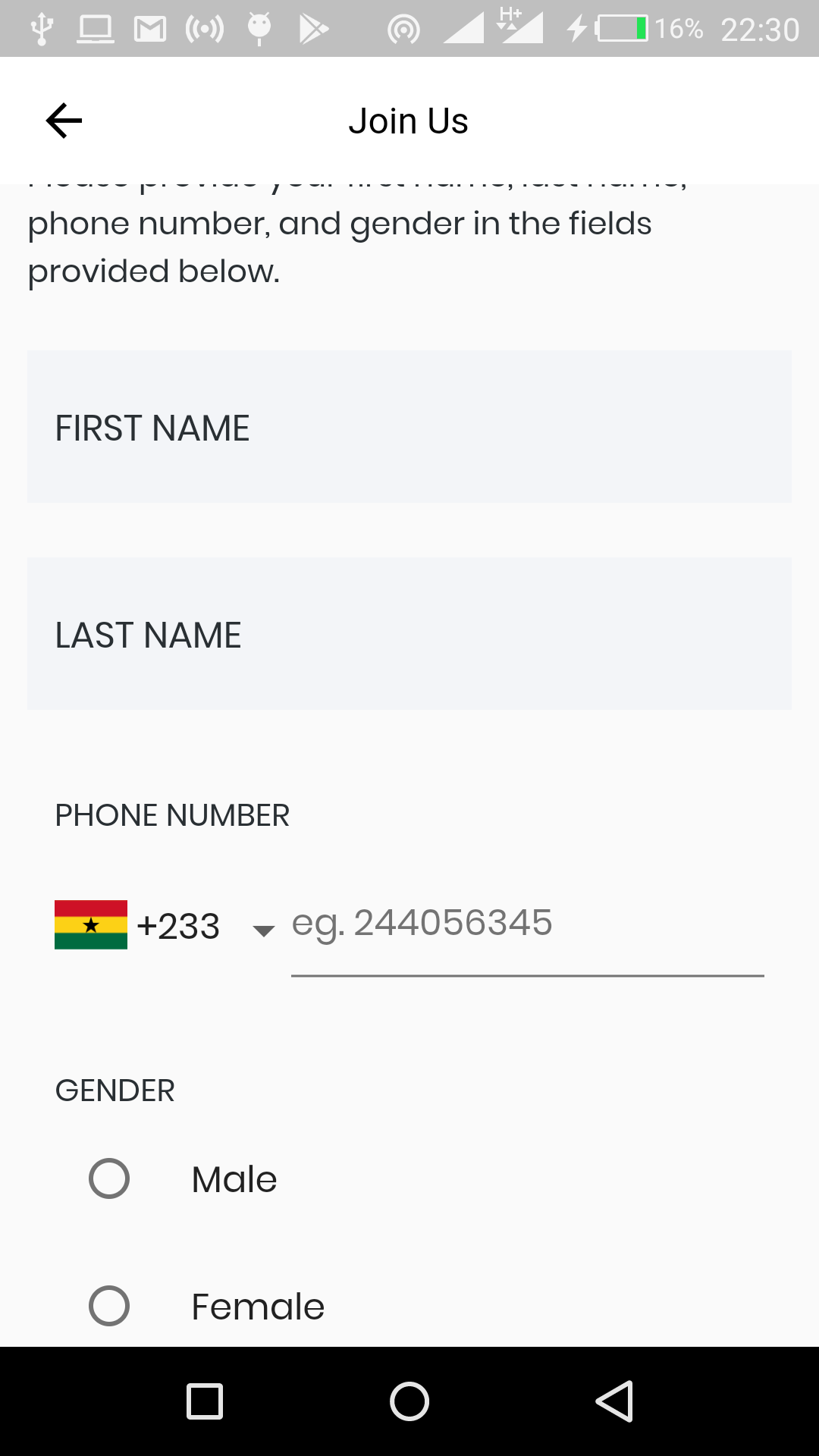
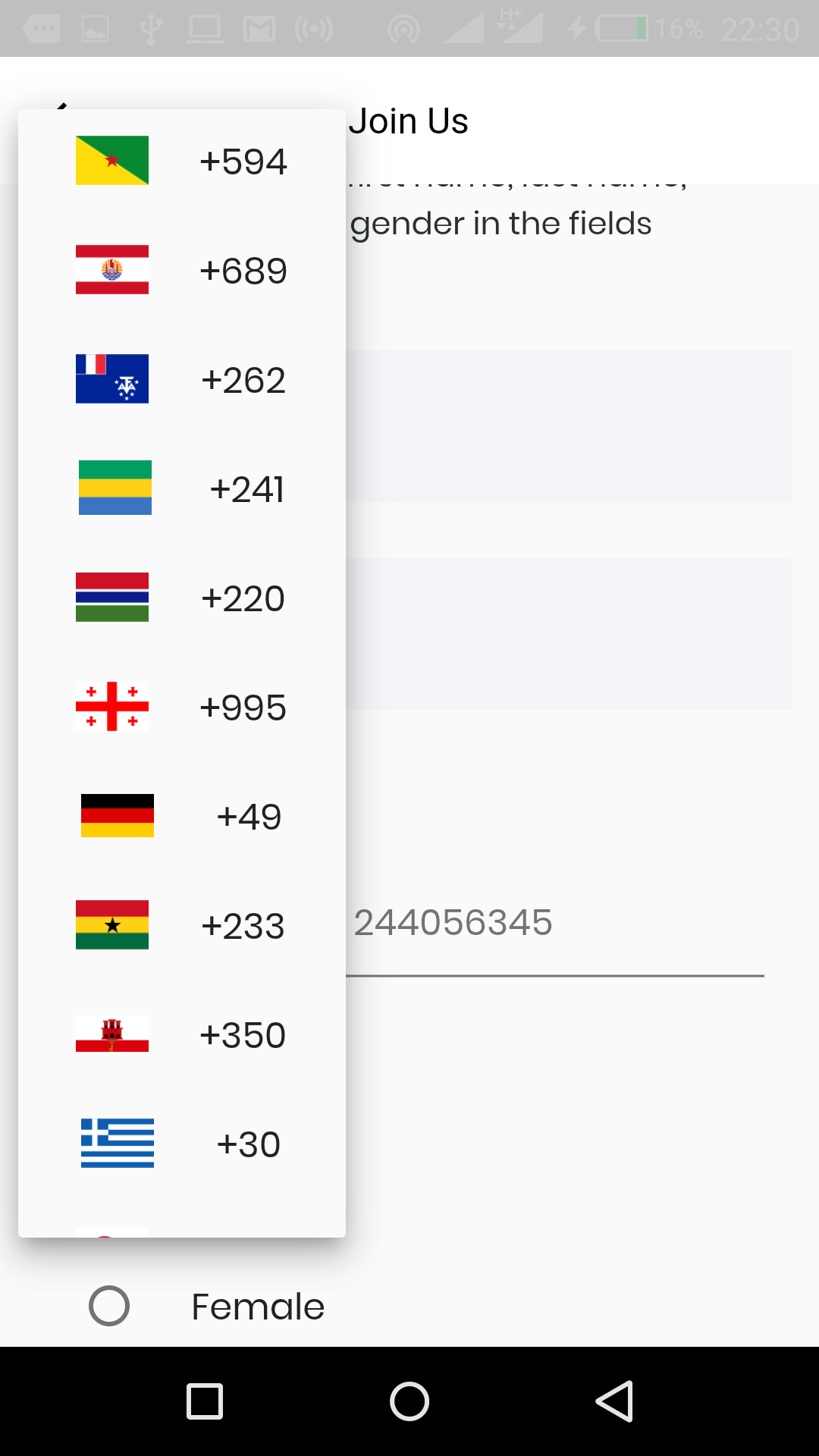
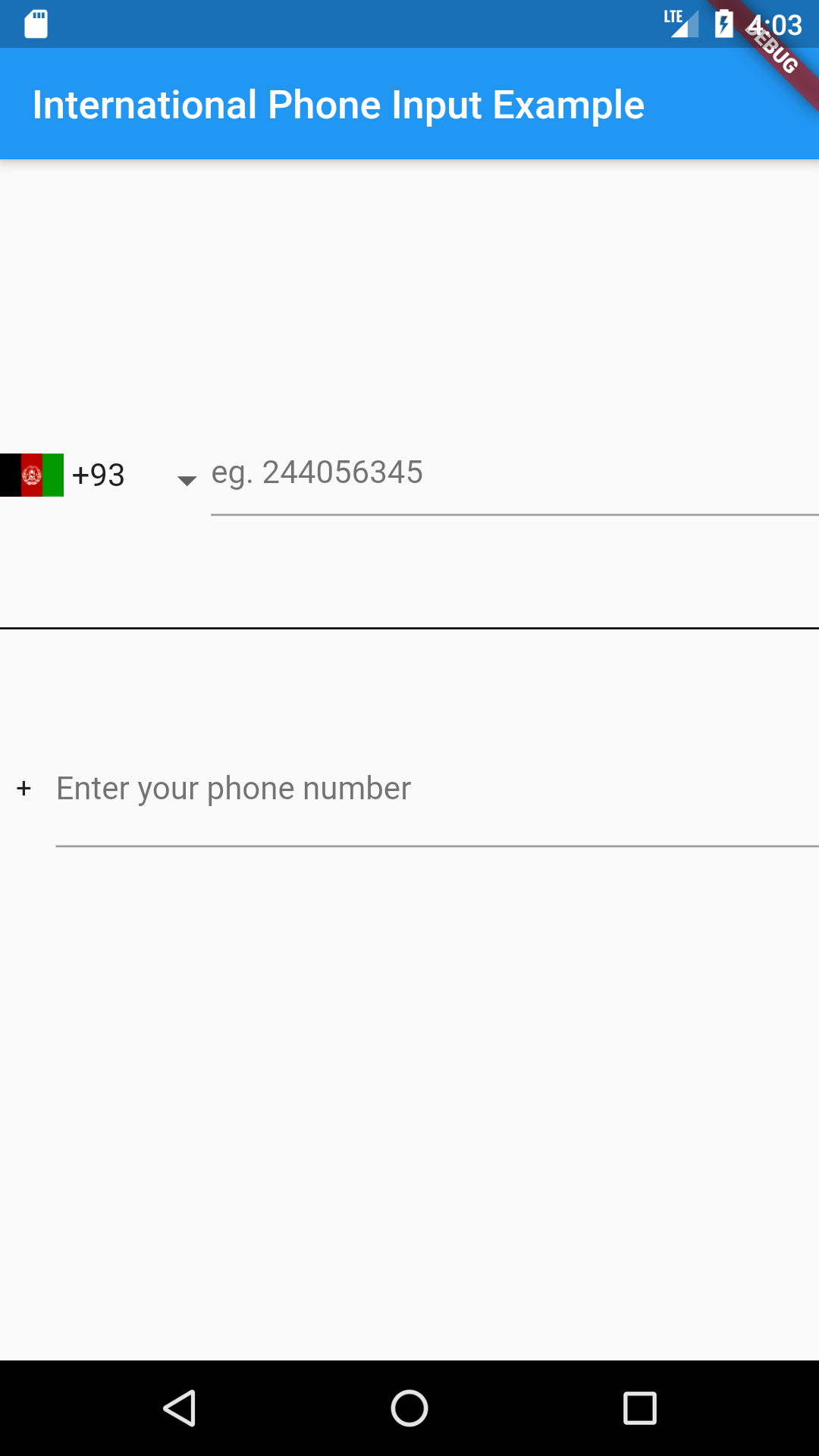
Just put the component in your application.
import 'package:international_phone_input/international_phone_input.dart';

String phoneNumber;
String phoneIsoCode;

void onPhoneNumberChange(String number, String internationalizedPhoneNumber, String isoCode) {
    setState(() {
       phoneNumber = number;
       phoneIsoCode = isoCode;
    });
}

// Default Widget with dropdown list
@override
 Widget build(BuildContext context) => Scaffold(
     body: Center(
       child: InternationalPhoneInput(
          onPhoneNumberChange: onPhoneNumberChange,
          initialPhoneNumber: phoneNumber,
          initialSelection: phoneIsoCode,
          enabledCountries: ['+233', '+1']
       ),
     ),
 );

// Widget with text input only

 onValidPhoneNumber(
      String number, String internationalizedPhoneNumber, String isoCode) {
    setState(() {
      confirmedNumber = internationalizedPhoneNumber;
    });
  }

@override
 Widget build(BuildContext context) => Scaffold(
     body: Center(
       child:  InternationalPhoneInputText(
         onValidPhoneNumber: onValidPhoneNumber,
        ),
     ),
 );

// Widget with decoration
// Using decoration overwrites other styles such as hintStyle, hintText, etc.

@override
 Widget build(BuildContext context) => Scaffold(
     body: Center(
       child: InternationalPhoneInput(
          decoration: InputDecoration.collapsed(hintText: '(416) 123-4567'),
          onPhoneNumberChange: onPhoneNumberChange,
          initialPhoneNumber: phoneNumber,
          initialSelection: phoneIsoCode,
          enabledCountries: ['+233', '+1'],
          showCountryCodes: false
       ),
     ),
 );
Here is a list of properties available to customize the widget:
| Name | Type | Description |
|---|---|---|
| initialPhoneNumber | String | used to set initial phone number |
| initialSelection | String | used to set initial country code |
| errorText | String | use this to set an error message |
| hintText | String | sets hint |
| labelText | String | sets label |
| errorStyle | TextStyle | style applied to error message |
| hintStyle | TextStyle | style applied to hint |
| labelStyle | TextStyle | style applied to label |
| errorMaxLines | int | the maximum number of lines user can type |
| enabledCountries | List | the list of enabled countries to display |
| decoration | InputDecoration | decoration applied to the TextField widget |
| showCountryCodes | bool | shows the country code (default true) |
| showCountryFlags | bool | shows. the country flags (default true) |
| dropdownIcon | Widget | use this to customize dropdown icon |
Contributions of any kind are more than welcome! Feel free to fork and improve international_phone_input in any way you want, make a pull request, or open an issue.
Dependency list 4 items
{"sdk":"flutter"}^1.0.0^1.6.0{"sdk":"flutter"}Start with your use case, compare repository activity, and check the original project before adopting it.
“A repository is the most basic element of GitHub.”
GitHub Docs — About repositories ↗