

 v2.3.1
easy_dynamic_theme
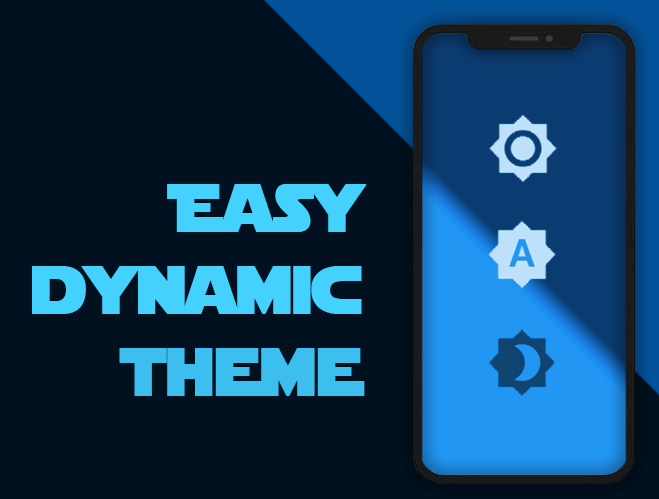
Automatically get your OS defined Theme (Dynamic), force your prefered one (Light / Dark) and persist your choice in the device.
125Likes 1.5K30-day downloads150Pub points
AndroidiOSWebmacOSWindowsLinux
Automatically get your OS defined Theme (Dynamic), force your prefered one (Light / Dark) and of course, persist this choice in your device
English project snapshot. Visit GitHub for the latest content.
This is a new and easy approach on Flutter Themes.
Automatically get your OS defined Theme (Dynamic), force your prefered one (Light / Dark) and persist your choice in the device.


Easy peasy, don't you think? ;)


For help getting started with Flutter, view our online documentation, which offers tutorials, samples, guidance on mobile development, and a full API reference.
Once you're familiar with Flutter you may install this package adding easy_dynamic_theme to the dependencies list
of the pubspec.yaml file as follow:
dependencies:
  flutter:
    sdk: flutter
 easy_dynamic_theme: ^2.2.0
Then run the command flutter packages get on the console.
All magic occurs in your main.dart file
import 'package:flutter/material.dart';
import 'package:easy_dynamic_theme/easy_dynamic_theme.dart';
import 'home.dart';

void main() async {
  runApp(
    EasyDynamicThemeWidget(
      child: MyApp(),
    ),
  );
}

class MyApp extends StatelessWidget {
  final String title = 'EDT - Example';

  @override
  Widget build(BuildContext context) {
    return MaterialApp(
      title: title,
      theme: ThemeData.light(),
      darkTheme: ThemeData.dark(),
      themeMode: EasyDynamicTheme.of(context).themeMode,
      home: new MyHomePage(title: title,)
    );
  }
}
You can use your own themes as follows:
In the file themes.dart define your Themes
  import 'package:flutter/material.dart';

  var lightThemeData = new ThemeData(
      primaryColor: Colors.blue,
      textTheme: new TextTheme(button: TextStyle(color: Colors.white70)),
      brightness: Brightness.light,
      accentColor: Colors.blue);

  var darkThemeData = ThemeData(
      primaryColor: Colors.blue,
      textTheme: new TextTheme(button: TextStyle(color: Colors.black54)),
      brightness: Brightness.dark,
      accentColor: Colors.blue);
And then in your main.dart file import your themes file and use them on MaterialApp attributes theme and darkTheme
import 'package:flutter/material.dart';
import 'package:easy_dynamic_theme/easy_dynamic_theme.dart';
import 'theme.dart';
import 'home.dart';

void main() async {
  runApp(
    EasyDynamicThemeWidget(
      child: MyApp(),
    ),
  );
}

class MyApp extends StatelessWidget {
  final String title = 'EDT - Example';

  @override
  Widget build(BuildContext context) {
    return MaterialApp(
      title: title,
      theme: lightThemeData,
      darkTheme: darkThemeData,
      themeMode: EasyDynamicTheme.of(context).themeMode,
      home: new MyHomePage(title: title,)
    );
  }
}
You can use the function changeTheme from anywhere in your app.
This function have two optional parameters: dynamic and dark. If the value of dynamic is true, it takes precedence over dark.
EasyDynamicTheme.of(context).changeTheme();
ThemeMode themeMode = EasyDynamicTheme.of(context).themeMode;
The above example will return a value of the enum used by MaterialApp's ThemeMode with one of the following values:
system - Use either the light or dark theme based on what the user has selected in the system settings.
light - Always use the light mode regardless of system preference.
dark - Always use the dark mode (if available) regardless of system preference.
Brightness brightness = Theme.of(context).brightness;
Or if you want to know if your widget is dark mode based, you can achieve it with:
bool isDarkModeOn = Theme.of(context).brightness == Brightness.dark;

Dependency list 5 items
{"sdk":"flutter"}^2.1.1^2.0.1{"sdk":"flutter"}^5.4.0Start with your use case, compare repository activity, and check the original project before adopting it.
“A repository is the most basic element of GitHub.”
GitHub Docs — About repositories ↗