
flutter_audio_recorder
Flutter plugin that can support audio recording and level metering

- Stars
- 124
- Forks
- 151
- Last push (UTC)
- Mar 20, 2024
- Project status
- Archived
Original README
English project snapshot. Visit GitHub for the latest content.
flutter_audio_recorder


English | 简体中文
Flutter Audio Record Plugin that supports Record Pause Resume Stop and provide access to audio level metering properties average power peak power
Works for both Android and iOS
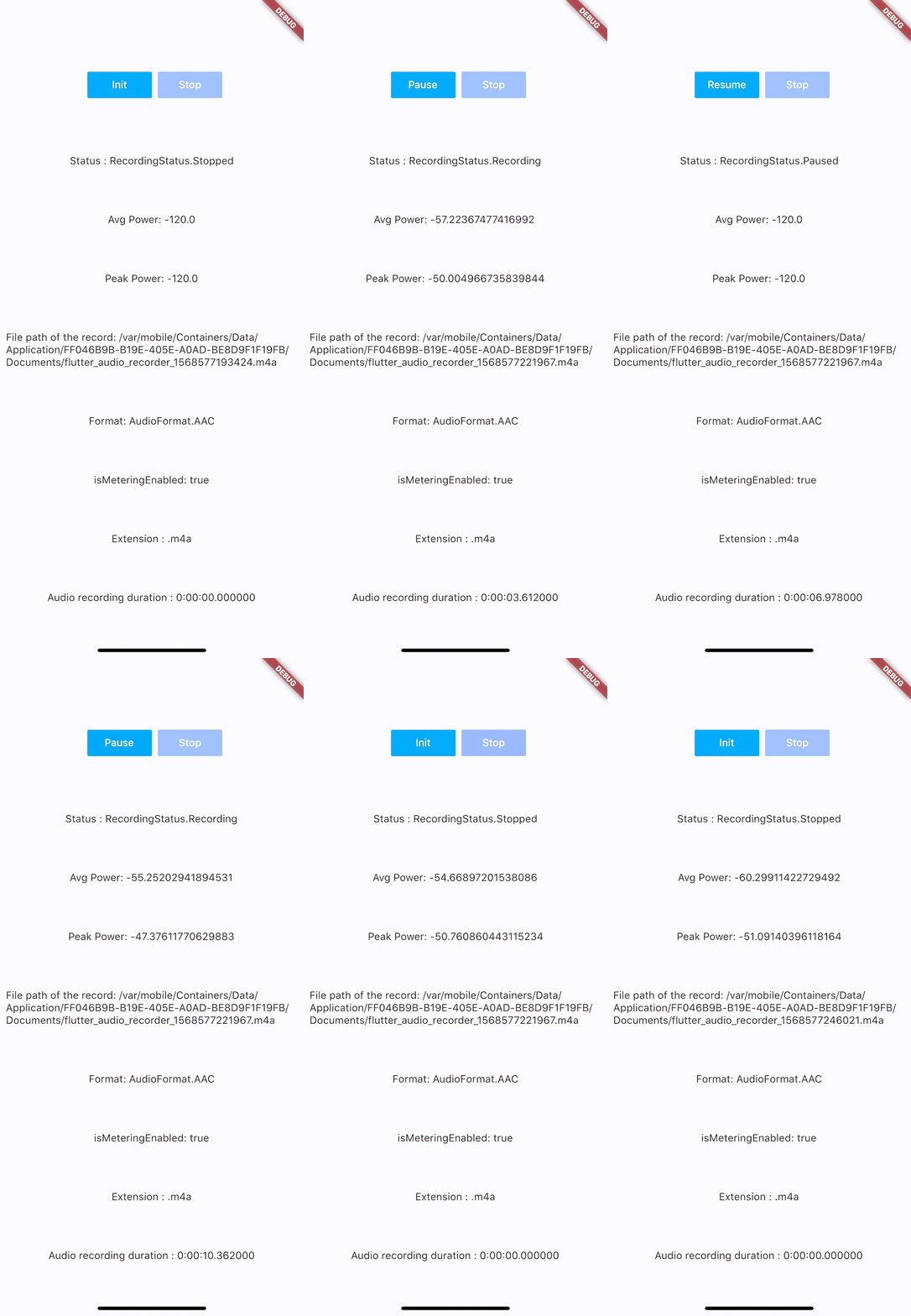
Code Samples:
Installation
add flutter_audio_recorder to your pubspec.yaml
iOS Permission
- Add usage description to plist
<key>NSMicrophoneUsageDescription</key>
<string>Can We Use Your Microphone Please</string>
- Then use
hasPermissionapi to ask user for permission when needed
Android Permission
- Add
uses-permissionto./android/app/src/main/AndroidManifest.xmlin xml root level like below
    ...
    </application>
    <uses-permission android:name="android.permission.RECORD_AUDIO"/>
    <uses-permission android:name="android.permission.WRITE_EXTERNAL_STORAGE"/>
    ...
</manifest>
- Then use
hasPermissionapi to ask user for permission when needed
Configuration
iOS Deployment Target is 8.0 above
Android
- AndroidX: use latest version (
0.5.x) - Legacy Android: use old version (
0.4.9)
Usage
Recommended API Usage: hasPermission => init > start -> (pause <-> resume) * n -> stop, call init again before start another recording
Always check permission first(it will request permission if permission has not been set to true/false yet, otherwise it will return the result of recording permission)
bool hasPermission = await FlutterAudioRecorder.hasPermissions;
Initialize (run this before start, so we could check if file with given name already exists)
var recorder = FlutterAudioRecorder("file_path.mp4"); // .wav .aac .m4a
await recorder.initialized;
or
var recorder = FlutterAudioRecorder("file_path", audioFormat: AudioFormat.AAC); // or AudioFormat.WAV
await recorder.initialized;
Sample Rate
var recorder = FlutterAudioRecorder("file_path", audioFormat: AudioFormat.AAC, sampleRate: 22000); // sampleRate is 16000 by default
await recorder.initialized;
Audio Extension and Format Mapping
| Audio Format | Audio Extension List |
|---|---|
| AAC | .m4a .aac .mp4 |
| WAV | .wav |
Start recording
await recorder.start();
var recording = await recorder.current(channel: 0);
Get recording details
var current = await recording.current(channel: 0);
// print(current.status);
You could use a timer to access details every 50ms(simply cancel the timer when recording is done)
new Timer.periodic(tick, (Timer t) async {
        var current = await recording.current(channel: 0);
        // print(current.status);
        setState(() {
        });
      });
Recording
| Name | Description |
|---|---|
| path | String |
| extension | String |
| duration | Duration |
| audioFormat | AudioFormat |
| metering | AudioMetering |
| status | RecordingStatus |
Recording.metering
| Name | Description |
|---|---|
| peakPower | double |
| averagePower | double |
| isMeteringEnabled | bool |
Recording.status
Unset,Initialized,Recording,Paused,Stopped
Pause
await recorder.pause();
Resume
await recorder.resume();
Stop (after stop, run init again to create another recording)
var result = await recorder.stop();
File file = widget.localFileSystem.file(result.path);
Example
Please check example app using Xcode.
Getting Started
This project is a starting point for a Flutter plug-in package, a specialized package that includes platform-specific implementation code for Android and/or iOS.
For help getting started with Flutter, view our online documentation, which offers tutorials, samples, guidance on mobile development, and a full API reference.

RMBR ONE ↗
Categories
Dependencies used
How do I choose a repository?
Start with your use case, compare repository activity, and check the original project before adopting it.
- Search by repository name, owner or description, then narrow the results by topic.
- Compare stars, forks and recent pushes. Stars show community interest, not a guarantee of quality.
- Read the README, license and issues on GitHub before using a project.
Sources and maintenance
“A repository is the most basic element of GitHub.”
GitHub Docs — About repositories ↗