

v0.0.2
biometricx
The easy way to use biometric authentication in your Flutter app.
36Likes 14530-day downloads150Pub points
Android
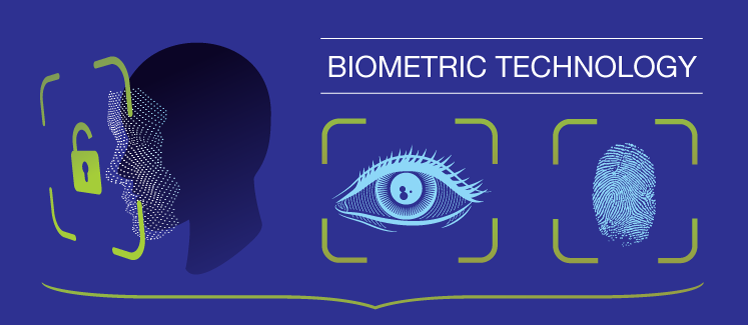
The easy way to use biometric authentication in your Flutter app. Supports Fingerprint, FaceID and Iris.

English project snapshot. Visit GitHub for the latest content.
The easy way to use biometric authentication in your Flutter app.
Supports Fingerprint, FaceID and Iris.
$ flutter pub add biometricx
Change your android MainActivity to extends FlutterFragmentActivity.
import io.flutter.embedding.android.FlutterFragmentActivity

// kotlin
class MainActivity: FlutterFragmentActivity() {
  ...
}
import io.flutter.embedding.android.FlutterFragmentActivity;

// java
class MainActivity extends FlutterFragmentActivity {
  ...
}
To check biometric type of your device.
BiometricType type = await BiometricX.type;
Here is the list of biometric types.
BiometricType.FACE
BiometricType.FINGERPRINT
BiometricType.IRIS
BiometricType.MULTIPLE
BiometricType.NONE
BiometricType.NO_HARDWARE
BiometricType.UNAVAILABLE
BiometricType.UNSUPPORTED
To check if your device can use biometric authentication.
bool isBiometricEnabled = await BiometricX.isEnabled;
To encrypt data using biometric authentication.
BiometricResult result = await BiometricX.encrypt({
  biometricKey: 'salkuadrat',
  message: 'This is a very secret message',
});

if (result.isSuccess && result.hasData) {
  // Keep this messageKey to decrypt your message.
  // This messageKey will be randomly generated by BiometricX plugin.
  String messageKey = result.data!;
} else {
  showToast(result.errorMsg, context: context);
}
If you need a persistent messageKey, you can supply it as parameter to encrypt.
BiometricResult result = await BiometricX.encrypt({
  biometricKey: 'salkuadrat',
  messageKey: 'secret_message', // use persistent messageKey
  message: 'This is a very secret message',
});

if (result.isSuccess && result.hasData) {
  // Keep this messageKey to decrypt your message.
  // This will be the same value as messageKey above ('secret_message')
  String messageKey = result.data!;
} else {
  showToast(result.errorMsg, context: context);
}
To decrypt data using biometric authentication.
// Use the same biometricKey that is used to encrypt your message.
// Use messageKey that you get from [BiometricX.encrypt].
BiometricResult result = await BiometricX.decrypt({
  biometricKey: 'salkuadrat',
  messageKey: messageKey,
});

if (result.isSuccess && result.hasData) {
  // This will contains your original message.
  String message = result.data!;
} else {
  showToast(result.errorMsg, context: context);
}
To show custom message in your biometric prompt, method encrypt and decrypt have parameters you can use to change the biometric prompt dialog.
BiometricResult result = await BiometricX.encrypt({
  biometricKey: 'salkuadrat',
  message: 'This is a very secret message',
  title: 'Biometric Encryption',
  subtitle: 'Enter biometric credentials to encrypt your message',
  description: 'Scan fingerprint or face.',
  negativeButtonText: 'USE PASSWORD',
  confirmationRequired: true,
});
BiometricResult message = await BiometricX.decrypt({
  biometricKey: 'salkuadrat',
  messageKey: messageKey,
  title: 'Biometric Decryption',
  subtitle: 'Enter biometric credentials to decrypt your message',
  description: 'Scan fingerprint or face.',
  negativeButtonText: 'USE PASSWORD',
  confirmationRequired: true,
});
Dependency list 2 items
{"sdk":"flutter"}{"sdk":"flutter"}Start with your use case, compare repository activity, and check the original project before adopting it.
“A repository is the most basic element of GitHub.”
GitHub Docs — About repositories ↗