
FlutterScreens
A collection of Screens and attractive UIs built with Flutter ready to be used in your applications. No external libraries are used. Just download, add to your project and use.

- Stars
- 6K
- Forks
- 1.4K
- Last push (UTC)
- Feb 21, 2024
- Project status
- Active
Original README
English project snapshot. Visit GitHub for the latest content.
Flutter Screens
A collection of Login Screens, Buttons, Loaders and Widgets with attractive UIs, built with Flutter, ready to be used in your applications.
Last Update: Added SlideListView Widget
Screenshots And Usage
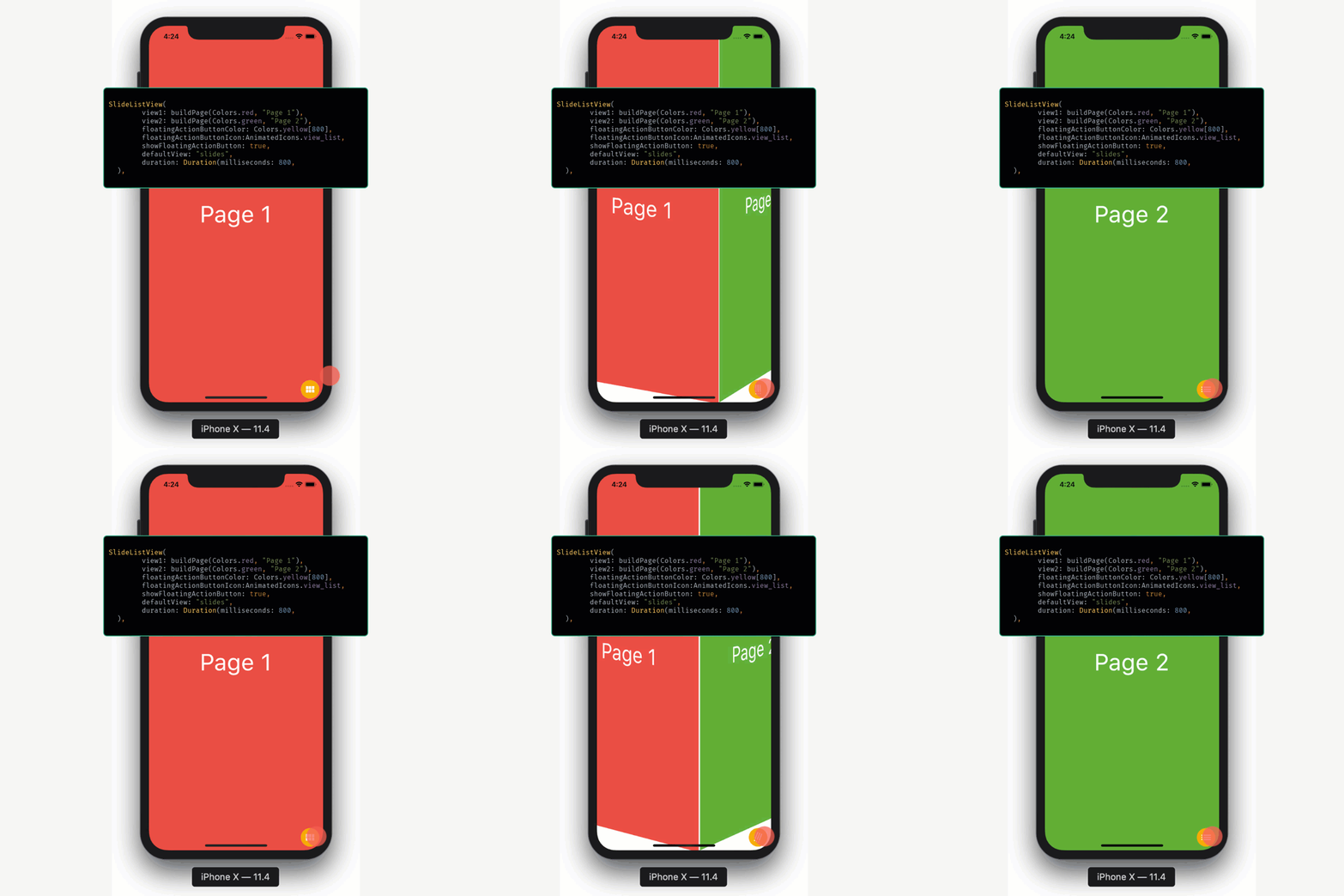
SlideListView
A widget that can be used to present two different views that can be toggled using a Floating Action Button. The views toggle with a nice cube-rotation animation.
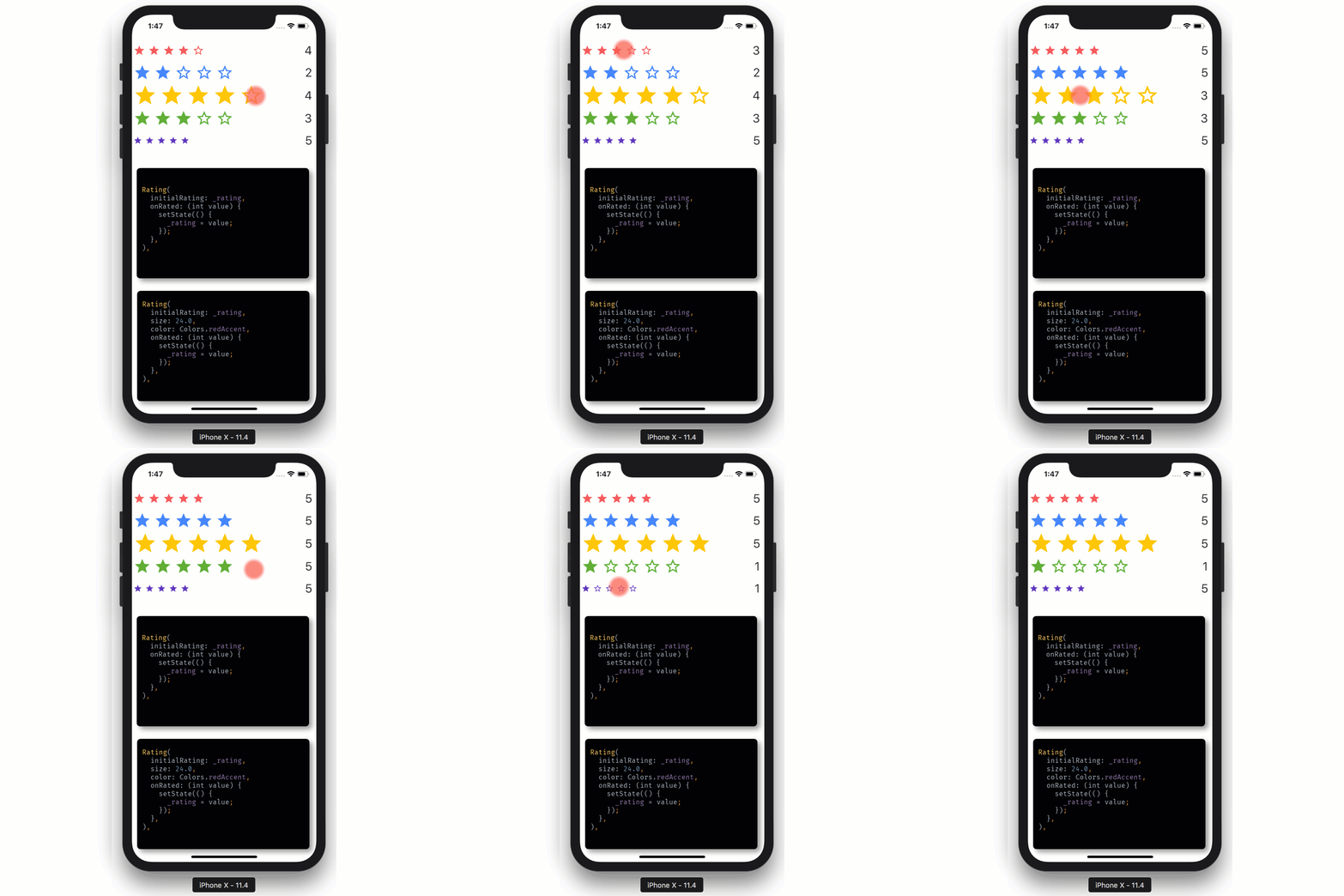
Rating
Loaders
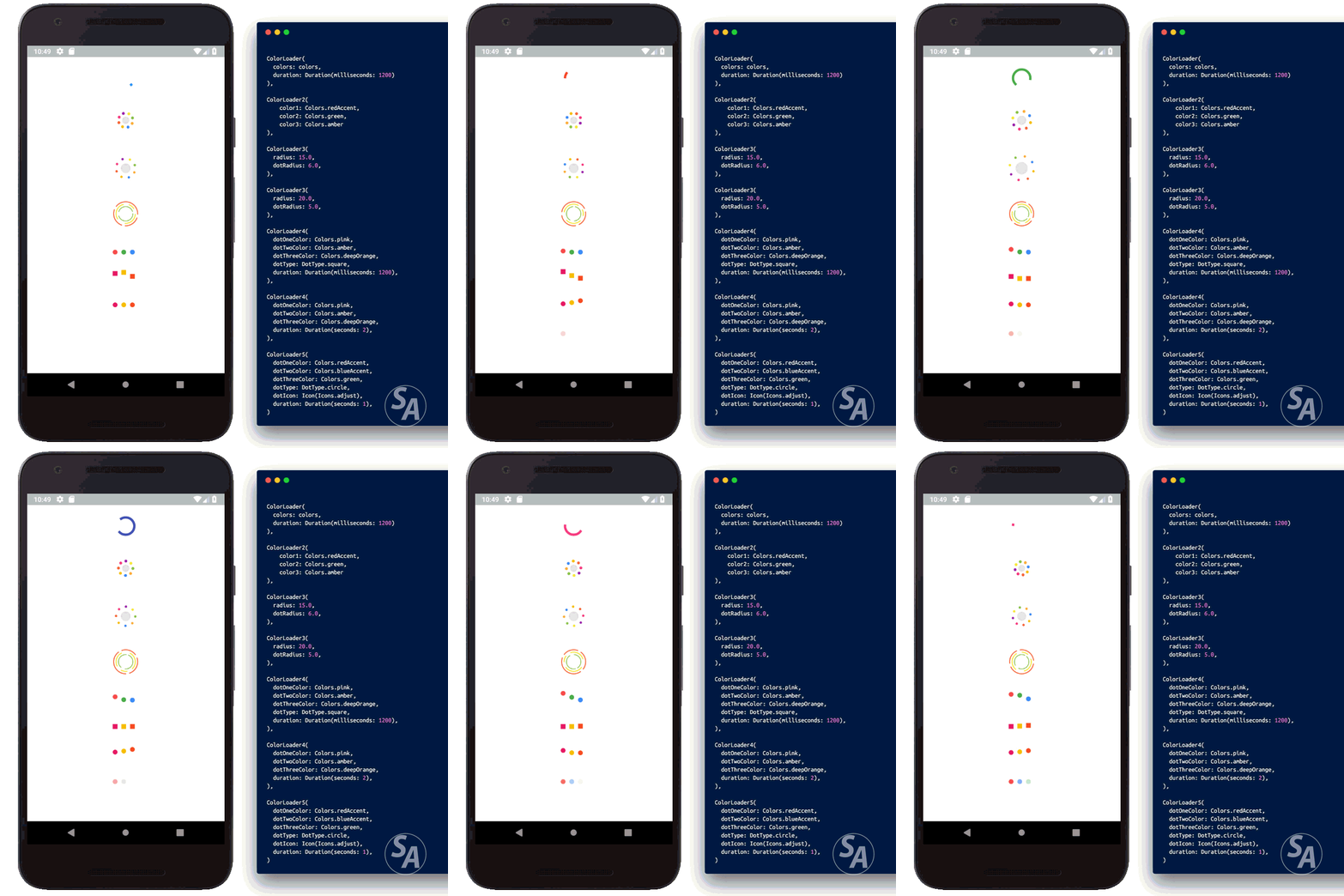
ColorLoaders
 Color Loader 1 |
 Color Loader 2 |
 Color Loader 3 |
|---|---|---|
 Color Loader 4 |
 Color Loader 5 |
FlipLoaders
Example #1
FlipLoader(
  loaderBackground: Colors.red,
  iconColor: Colors.white,
  icon: Icons.email,
  animationType: "full_flip"),
Example #2
FlipLoader(
  loaderBackground: Colors.blueAccent,
  iconColor: Colors.orangeAccent,
  icon: Icons.subway,
  animationType: "half_flip",
  rotateIcon: true,
),
Example #3
FlipLoader(
  loaderBackground: Colors.green,
  iconColor: Colors.white,
  icon: Icons.wifi,
  animationType: "half_flip",
  shape: "circle",
  rotateIcon: false,
),
I am working on more loaders. These loaders will also be updated. Thanks to jakeleveroni for parameterizing the FlipLoader.
Buttons
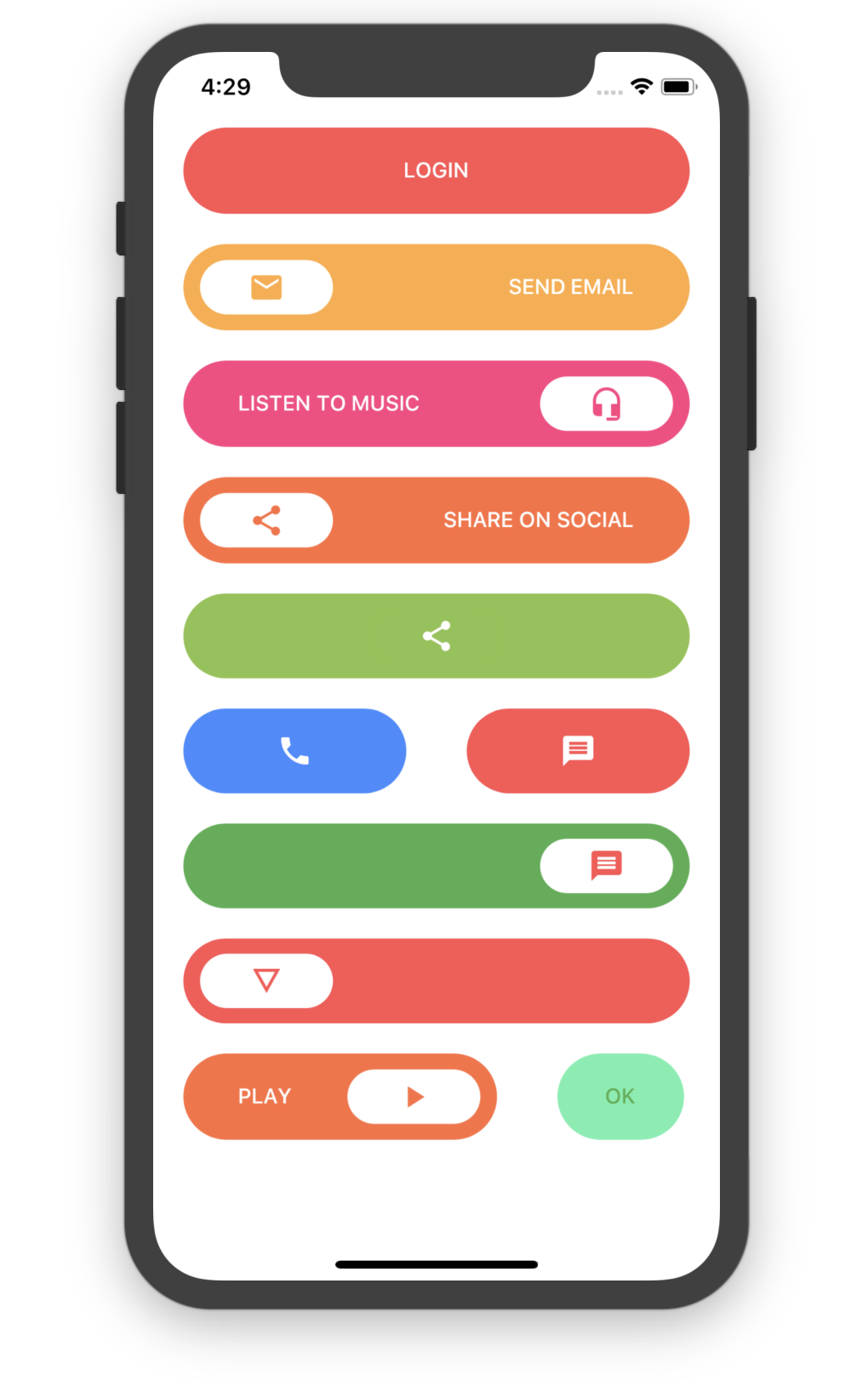
Simple Round Button
SimpleRoundButton(
    backgroundColor: Colors.redAccent,
    buttonText: Text("LOGIN",
        style: TextStyle(
            color: Colors.white
        ),
    ),
    textColor: Colors.white,
)
Simple Round Icon Button
SimpleRoundIconButton(
    backgroundColor: Colors.orangeAccent,
    buttonText: Text("SEND EMAIL",
        style: TextStyle(
            color: Colors.white
        ),
    ),
    textColor: Colors.white,
    icon: Icon(Icons.email),
)
Simple Round Icon Only Button
SimpleRoundOnlyIconButton(
  backgroundColor: Colors.blueAccent,
  icon: Icon(Icons.phone),
  iconAlignment: Alignment.center,
)
Login Screens
Login Screen 1
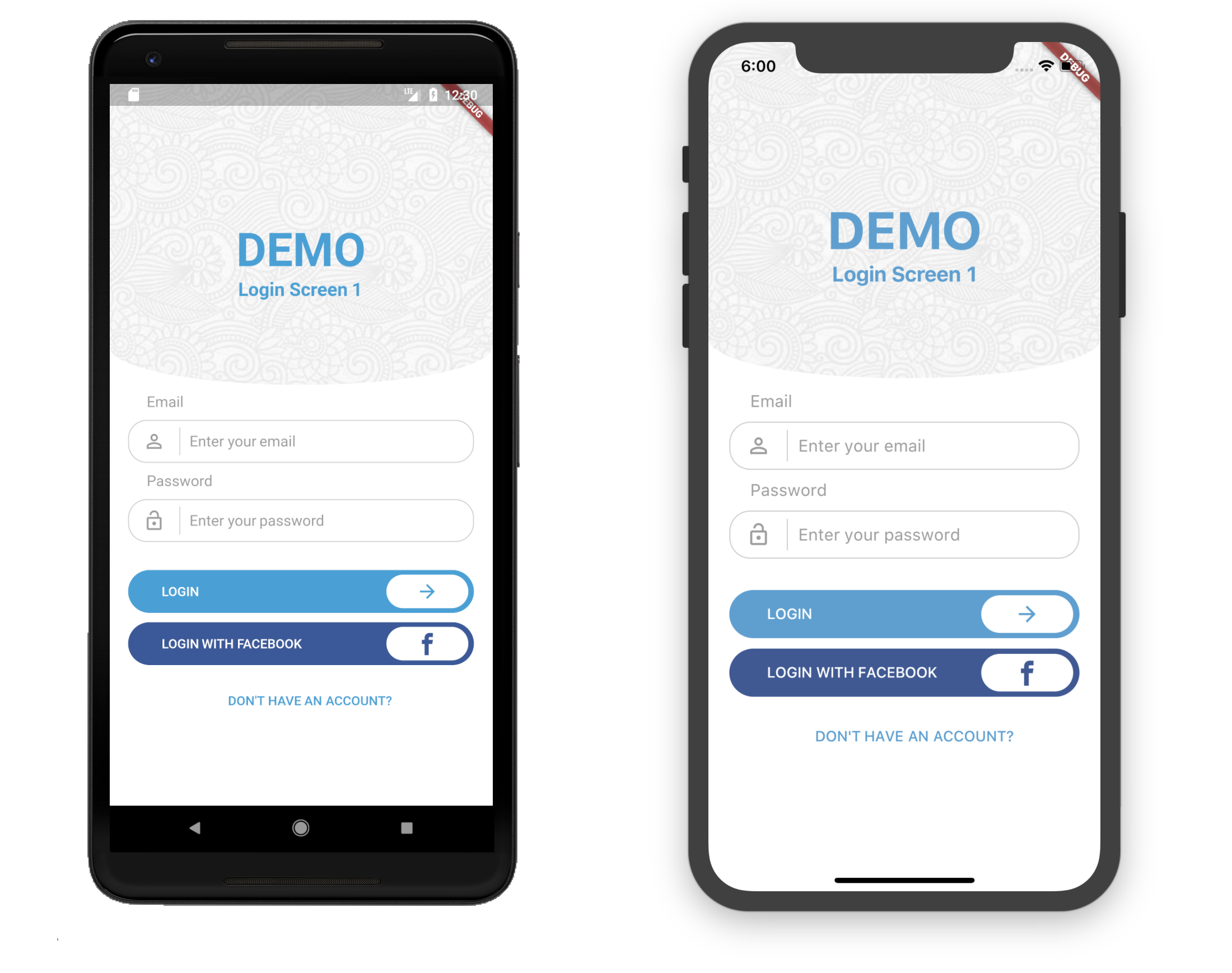
Usage
Container(
	child: LoginScreen1(
	primaryColor: Color(0xFF4aa0d5),
	backgroundColor: Colors.white,
	backgroundImage: new AssetImage("assets/images/full-bloom.png"),
    ),
)
Login Screen 2
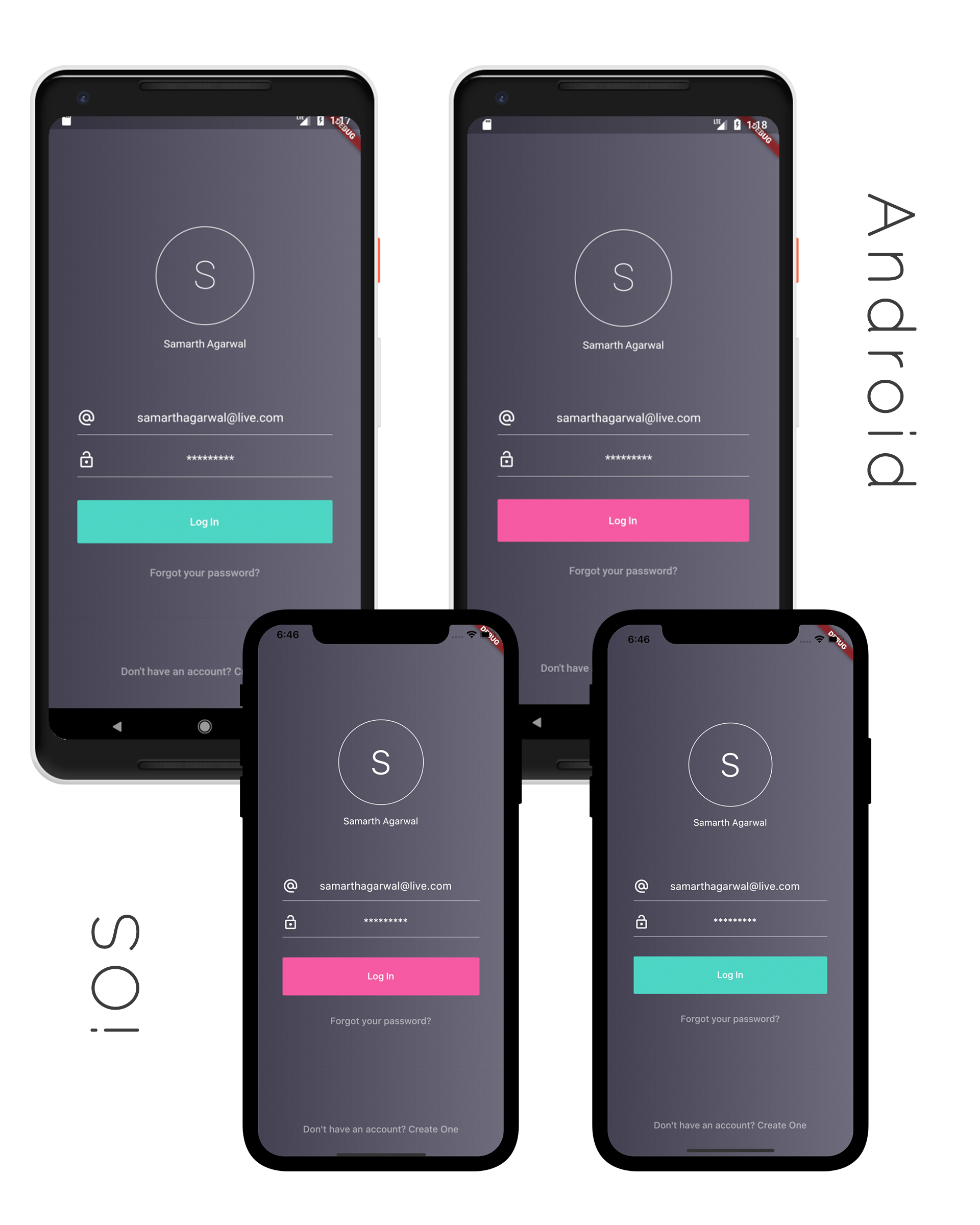
Usage
Container(
	child: LoginScreen2(
       backgroundColor1: Color(0xFF444152),
       backgroundColor2: Color(0xFF6f6c7d),
       highlightColor: Color(0xfff65aa3),
       foregroundColor: Colors.white,
       logo: new AssetImage("assets/images/full-bloom.png"),
       ),
   )
Login Screen 3
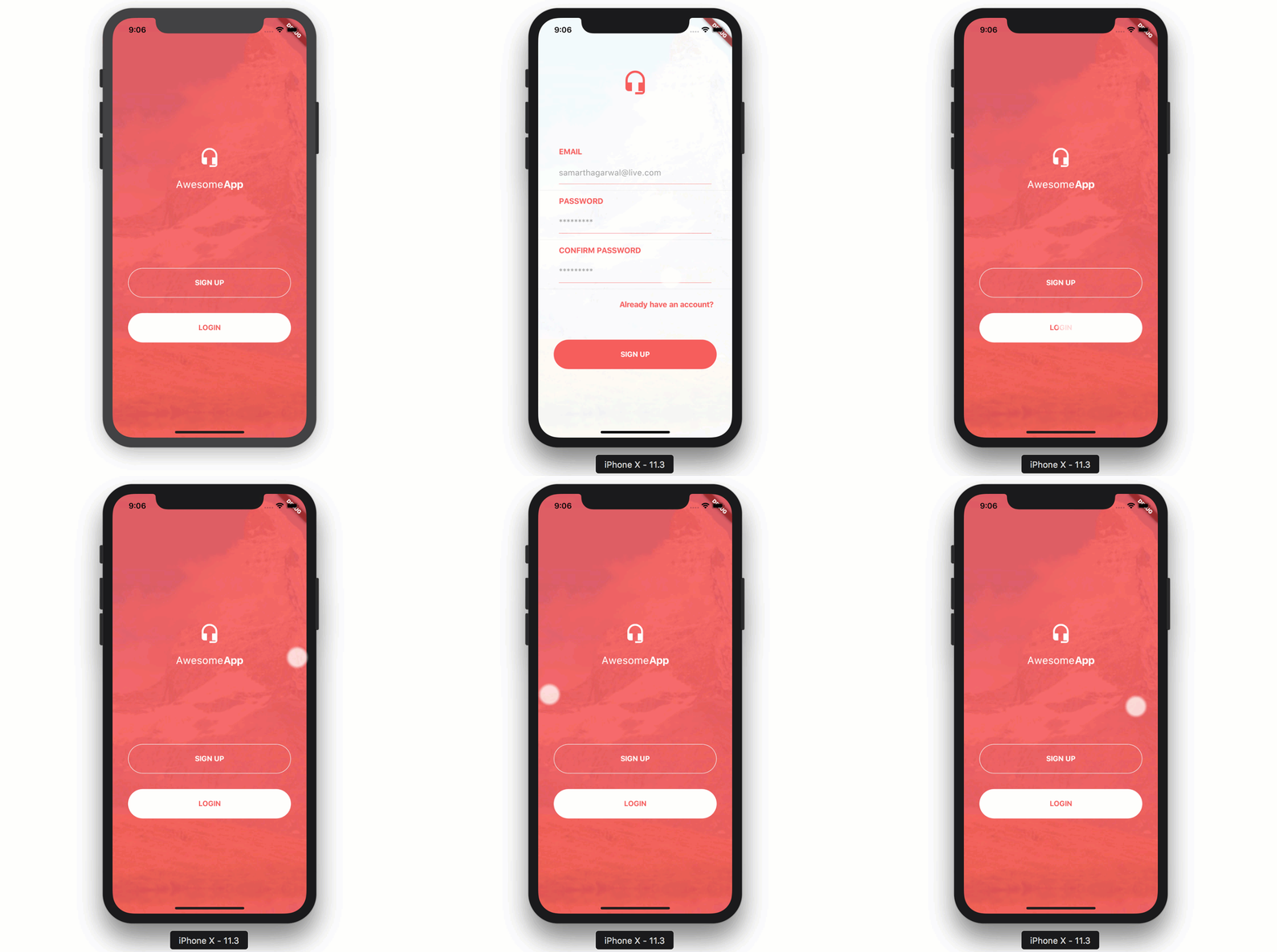
Usage
Container(
	child: LoginScreen3(),
)
Login Screen 4
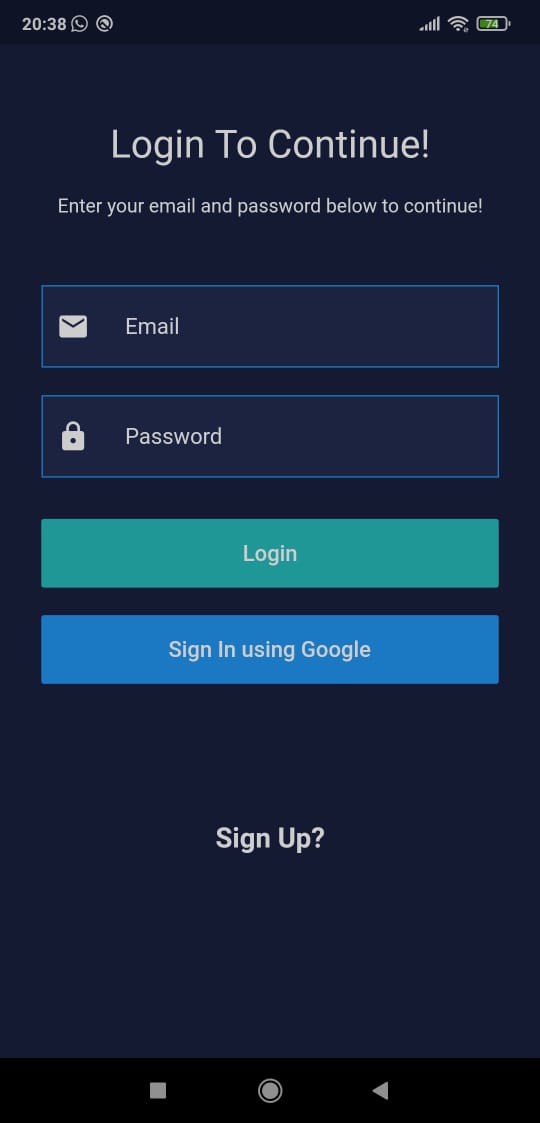
Usage
Container(
	child: LoginScreen4(
       primaryColor: Color(0xff18203d),
       secondaryColor: Color(0xff232c51),
       logoGreen: Color(0xff25bcbb),
       ),
   )
Login Screen 5
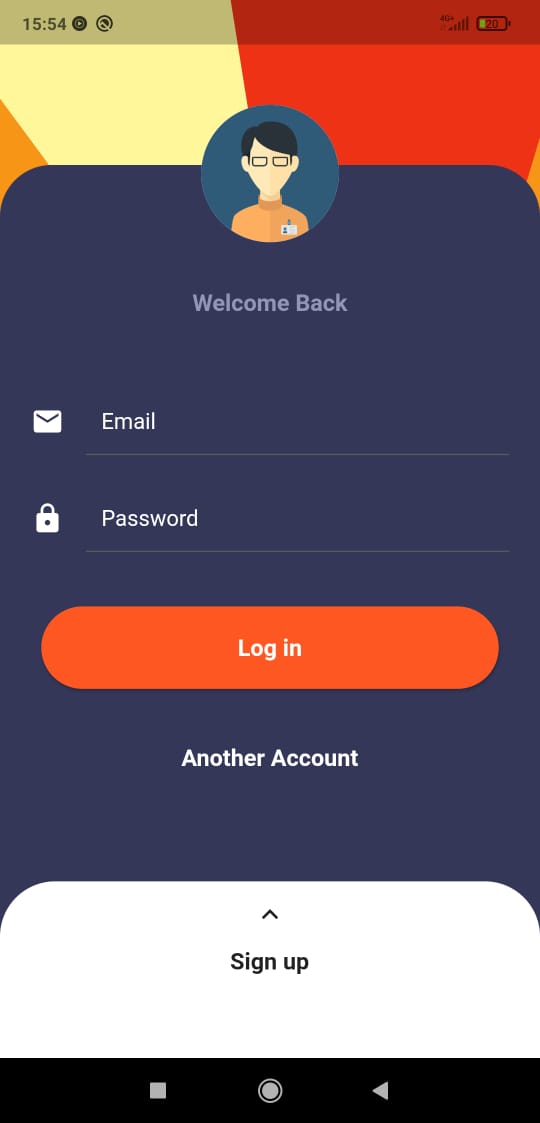
Usage
Container(
	child: LoginScreen5(
       avatarImage: "path/to/image.png",
       onLoginClick: () {
         // when login button is pressed
       },
       googleSignIn: () {
         // when google signin button is pressed
       },
       navigatePage: () {
         // change to signup screen
       }
       ),
   )
Login Screen 6
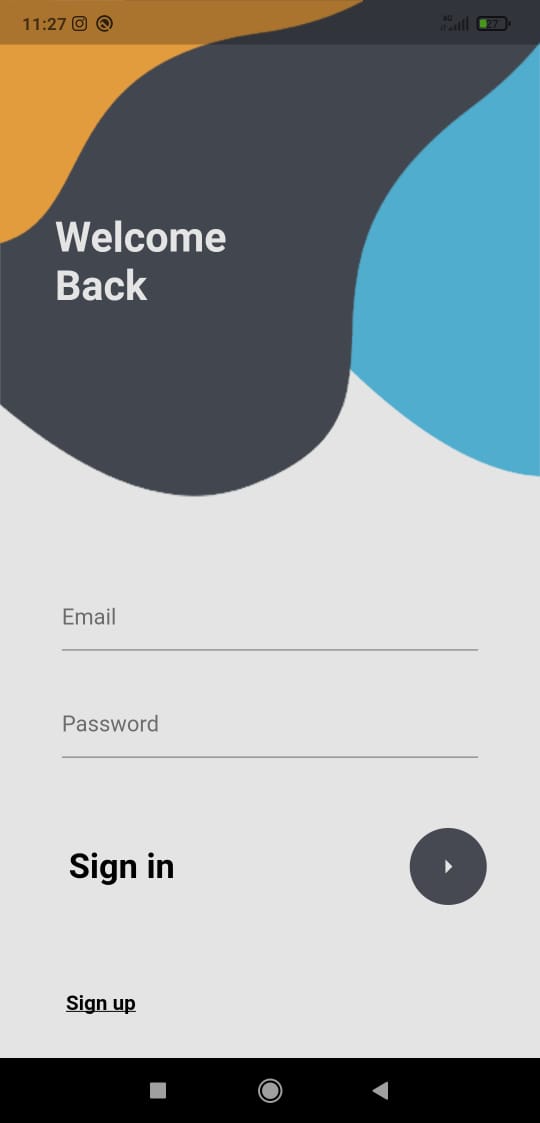
Usage
Container(
	child: LoginScreen6(
       onLoginClick: () {
         // when login button is pressed
       },
       navigatePage: () {
         // change to signup screen
       }
       ),
   )
Contribution and Donation
Feel free to contribute. If you like the project and want to donate, click here.

Samarth Agarwal ↗
Categories
Dependencies used
Dependency list 3 items
- flutter
{"sdk":"flutter"} - cupertino_icons
^0.1.2 - flutter_testDevelopment
{"sdk":"flutter"}
Rankings
How do I choose a repository?
Start with your use case, compare repository activity, and check the original project before adopting it.
- Search by repository name, owner or description, then narrow the results by topic.
- Compare stars, forks and recent pushes. Stars show community interest, not a guarantee of quality.
- Read the README, license and issues on GitHub before using a project.
Sources and maintenance
“A repository is the most basic element of GitHub.”
GitHub Docs — About repositories ↗